
If you’ve ever settled in to watch your favorite show, only to find your DirecTV remote not working, you know how frustrating it can be. Remotes are simple devices, but when they stop functioning, the cause isn’t always obvious. Sometimes it’s a quick fix, like swapping the batteries. Other times, the solution takes a little more detective work. This guide will walk you through everything you need to know to get your DirecTV remote working again—no matter your experience level.
You’ll learn how to diagnose the problem, try proven fixes, and even understand when it’s time to replace your remote. Along the way, you’ll see helpful tips and real-world examples that can save you time and stress. Whether you have a DirecTV Genie remote, an older model, or something in between, this article will help you regain control—literally.
Common Causes Of Directv Remote Not Working
When your DirecTV remote stops responding, it’s rarely random. Knowing the most frequent causes helps you solve the problem faster. Here are the top reasons:
- Dead or weak batteries: This is the most common issue. Remotes need fresh batteries to send a strong signal.
- Obstructions or interference: Objects, walls, or even sunlight can block the signal between your remote and receiver.
- Remote not paired or programmed: New or reset remotes may not be programmed for your receiver or TV.
- Receiver issues: Sometimes, the problem is with your DirecTV box, not the remote.
- Physical damage: Drops, spills, or worn-out buttons can break remotes.
- Software glitches: Updates or bugs can sometimes affect how the remote works.
- Wrong mode selected: If your remote is set to the wrong mode (TV instead of DirecTV), it won’t control your box.
Non-obvious insight: Many users forget that sunlight or bright LEDs (like holiday lights) near the receiver can block infrared signals, making remotes appear “dead.”
Diagnosing The Problem
Before you start fixing, take a few minutes to test what’s wrong. This saves time and avoids unnecessary steps.
Step 1: Check The Obvious
Try pressing any button. Does the remote light blink? If not, change the batteries. If the light works but nothing happens on your TV, the problem is likely in pairing or the receiver.
Step 2: Test The Remote’s Ir Signal
Most DirecTV remotes use infrared (IR) light. You can’t see IR with your eyes, but most smartphone cameras can. Point your phone’s camera at the front of the remote, press a button, and look for a flashing light on your screen. No light means the remote isn’t sending a signal.
Step 3: Test The Receiver
Use the buttons on your DirecTV receiver (if available). If the box responds to its own buttons but not the remote, the issue is with the remote. If neither works, the problem is likely with the receiver or its power.
Step 4: Try A Different Remote
If you have a spare DirecTV remote, try it on your receiver. If the spare works, your main remote is the issue.
Pro tip: Sometimes, remotes can be accidentally switched to control the TV or audio device instead of DirecTV. Look for a “Mode” button or small slider.
Step-by-step Fixes For Directv Remote Issues
Let’s get hands-on. Here’s how to fix each common cause, from easiest to more advanced.
1. Replace The Batteries
Even if you just changed them, try new batteries. Low batteries can cause strange behavior, like working only at certain angles or for some buttons.
- Remove the battery cover.
- Insert fresh AA or AAA batteries (check your model).
- Align the + and – ends correctly.
- Test the remote.
Non-obvious insight: Some generic batteries don’t provide enough power for consistent use. Try a name-brand battery if problems continue.
2. Remove Obstructions And Interference
Make sure there’s a clear line between your remote and the DirecTV box. Move any decorations, books, or electronics that block the front of the receiver. Bright sunlight or direct lighting can also interfere, so try dimming the room or repositioning the receiver.
3. Reset The Remote
A simple reset can often clear up glitches.
- For most DirecTV remotes, hold Mute and Select together until the light flashes three times.
- Release, then enter 981. The light should blink again.
- Test the remote.
This process resets the remote to factory settings. You may need to re-program it for your TV or receiver after.
4. Re-pair Or Re-program The Remote
If your remote is not controlling your receiver, it may need to be paired or programmed.
For Genie Remotes (rc71, Rc72, Rc73)
- Point the remote at the Genie receiver.
- Hold Mute and Enter until the green light blinks twice.
- The screen should say “Applying IR/RF Setup.”
- Follow on-screen instructions.
For Universal Remotes (rc65, Rc66, Etc.)
- Slide the mode switch to “DirecTV.”
- Press Mute and Select until the light flashes.
- Enter the programming code for your TV (see DirecTV’s website for codes).
- Test the remote.
Practical example: If you recently got a new TV, you must program the DirecTV remote for that TV model.
5. Power Cycle The Receiver
Unplug your DirecTV box from power for 30 seconds, then plug it back in. Wait for it to boot up (about 5 minutes). Many remote issues resolve after a full reboot.
6. Check For Receiver Updates
Receivers sometimes need software updates. From the DirecTV menu, go to Settings > Info & Test > Software Update. Update if available.
7. Clean The Remote
Dirt and dust can block button contacts. Use a dry, clean cloth to wipe the remote. For sticky buttons, dip a cotton swab in isopropyl alcohol and gently clean around each button.
8. Inspect For Physical Damage
Check for cracks, corrosion in the battery compartment, or buttons that don’t move freely. If the remote is broken, it may need replacement.
9. Try A Different Mode
If your DirecTV remote has a mode switch or TV/AV buttons, be sure it’s set to “DirecTV. ” Accidentally switching to “TV” or “AV” makes it stop controlling the receiver.
10. Reset The Receiver To Factory Defaults
As a last resort, resetting your receiver can help. Go to Settings > Reset > Reset to Factory Defaults. This will erase all custom settings, so use only if other steps fail.
Understanding Directv Remote Types
Not all DirecTV remotes are the same. Knowing your model helps you follow the right fix.
Here’s a quick comparison of the most common types:
| Remote Model | Main Features | Programming Method | Works With |
|---|---|---|---|
| Genie (RC71/72/73) | RF/IR, voice (some models) | Auto-pairing, manual codes | Genie, Mini Genie, compatible TVs |
| Universal (RC65/66) | IR only | Manual code entry | Most DirecTV boxes, TVs, AV gear |
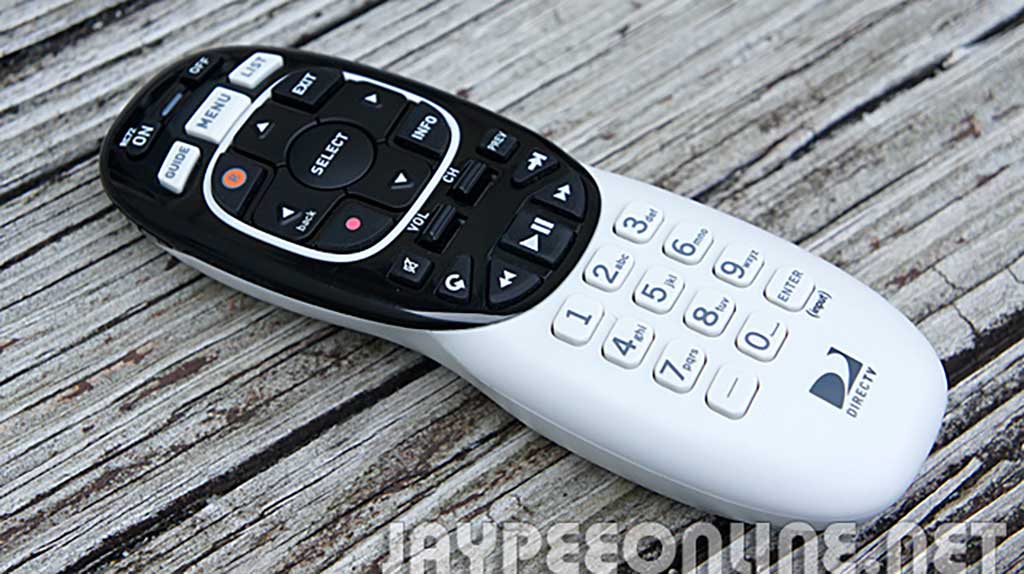
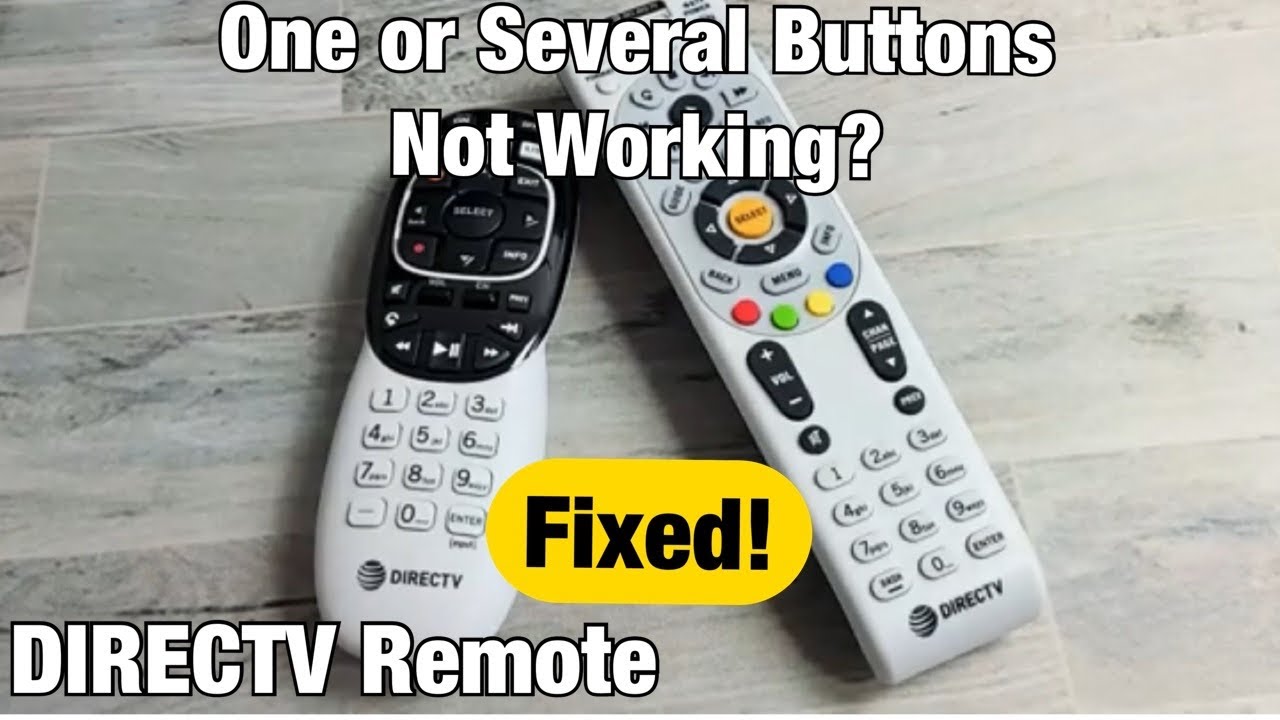
| Older “White” Remote | IR, larger size | Manual code entry | Legacy receivers, TVs |
Key detail: Genie remotes use both RF (radio frequency) and IR (infrared). RF lets you control the receiver even without direct line of sight—perfect if your box is hidden.
Advanced Troubleshooting
If basic fixes haven’t worked, try these advanced tips.
Replacing The Remote
If your remote is over five years old, or if several buttons are unresponsive, it may be time for a replacement. You can buy a new remote from the DirecTV website or major retailers. Make sure to select the correct model for your receiver.
Using The Directv App As A Remote
In a pinch, you can control your receiver with the DirecTV app on your smartphone or tablet:
- Download the DirecTV app from the App Store or Google Play.
- Connect your device to the same Wi-Fi as your receiver.
- Open the app, select your receiver, and use the on-screen remote.
This is especially helpful if you’ve lost your remote or need time to replace it.
Checking For Signal Interference
Some electronics—like routers, cordless phones, or even microwave ovens—can cause interference. Move these devices away from your receiver if you notice the remote works only sometimes.
Practical note: Large mirrors or metallic surfaces near your receiver can reflect or absorb IR signals, causing inconsistent remote function.
Updating Remote Firmware
Some Genie remotes update automatically, but if you’re having issues after a DirecTV software update, check if your remote needs a firmware refresh. Instructions vary by model; see your manual or the DirecTV site.
Testing For Stuck Buttons
If the remote flashes or acts erratically, a button may be stuck down. Rapidly press each button a few times to free it. If this doesn’t work, open the battery compartment and gently tap the remote against your palm.
When To Contact Directv Support
If you’ve tried all steps and your DirecTV remote is still not working, it’s time to get help. DirecTV support can walk you through advanced fixes or arrange a remote replacement if needed.
- Gather your receiver model and remote type before calling.
- Be ready to describe the steps you’ve already tried.
DirecTV may send a replacement remote free if yours is under warranty.
Preventing Future Remote Problems
It’s easier to prevent problems than to fix them. Here’s how to keep your DirecTV remote in top shape:
- Change batteries every 6-12 months. Use quality brands.
- Keep the remote clean. Wipe regularly to prevent dust buildup.
- Avoid dropping or getting the remote wet.
- Store away from direct sunlight or heat.
- Teach family members how to reset or pair the remote if needed.
Real-world example: Many remotes stop working after being left on a hot window sill or spilled on during a party.
Comparing Directv Remote Issues With Other Remotes
How do DirecTV remote problems stack up against other major brands? Here’s a quick look:
| Brand | Most Common Problem | Average Lifespan | Replacement Cost |
|---|---|---|---|
| DirecTV | Batteries, pairing, IR interference | 4-7 years | $10-25 |
| Xfinity | RF/IR switching, stuck buttons | 3-5 years | $12-30 |
| Roku | Wi-Fi sync, battery cover issues | 2-4 years | $15-35 |
| Samsung TV | Code programming, battery drain | 3-6 years | $8-20 |
DirecTV remotes are known for durability but can be confusing to program for new users.
Credit: jaypeeonline.net
Real-world Scenarios And Solutions
Sometimes, remote issues are more than just a battery problem. Here are a few examples and how to solve them:
Scenario 1: Remote Only Works Up Close
If your remote works only when pointed very close to the receiver, it’s often a weak battery, IR sensor covered with dust, or sunlight interference. Clean both devices and try fresh batteries.
Scenario 2: Only Certain Buttons Work
This usually means dirt under the buttons, worn contacts, or internal damage. Clean the remote, and if that fails, it’s likely time for a new one.
Scenario 3: Remote Controls Tv But Not Directv
Check if the mode switch is set to “TV” or “AV. ” Slide or press to “DirecTV,” then test again.
Scenario 4: Remote Suddenly Stopped After Power Outage
Your receiver may need a reset. Unplug for 30 seconds, plug back in, and wait for a full reboot.
Scenario 5: New Remote Won’t Pair
Make sure you have the right programming code for your TV. If pairing fails, try resetting both the remote and receiver.
Pro tip: If you use a soundbar or universal remote, be careful not to mix up remote codes.
What If Your Directv Remote Is Lost Or Broken?
Losing or breaking a remote is inconvenient, but not the end of the world.
- Order a new remote from DirecTV’s official site or a trusted retailer.
- Use the DirecTV app in the meantime to control your receiver.
- Some TVs can also control DirecTV receivers using HDMI-CEC (if supported).
When buying a new remote, match the model to your receiver for full compatibility.
Credit: www.youtube.com
Useful Resources For Directv Remote Help
If you need more information, these resources can help:
- DirecTV’s official support site
- User manuals for your remote and receiver
- Forums and user communities
For a comprehensive list of programming codes and step-by-step guides, visit the official DirecTV support page.
Frequently Asked Questions
Why Does My Directv Remote Only Work Sometimes?
Intermittent function is often due to weak batteries, IR interference, or dirty buttons. Replace batteries, clean the remote, and clear any obstructions in front of the receiver. If the problem continues, try resetting the remote.
How Do I Know If My Directv Remote Is Broken?
Signs of a broken remote include no response even with new batteries, stuck or physically damaged buttons, or no IR signal when viewed through a smartphone camera. If the remote is damaged or over 5 years old, consider replacing it.
Can One Remote Control Multiple Directv Receivers?
Most DirecTV remotes are programmed for a single receiver at a time. However, advanced Genie remotes can be paired with multiple receivers if set to IR mode. Be aware that controlling multiple boxes may require switching programming codes.
What Should I Do If My Directv Remote Won’t Program To My Tv?
Double-check you have the correct programming code for your TV brand and model. Try resetting the remote and repeating the programming steps. If it still fails, the remote may be incompatible or damaged.
Is There A Way To Use Directv Without A Remote?
Yes, you can control your DirecTV receiver using the DirecTV app on your smartphone or tablet. Some receivers also have basic controls on the box itself. In emergencies, universal remotes programmed with the correct codes can also work.
Getting your DirecTV remote working again is usually a simple process, but it helps to know all the steps. With the tips above, you’ll be prepared for almost any issue—and spend more time enjoying your shows, not troubleshooting.
Credit: www.directv.com