
Many people wonder if switching their phone to airplane mode really helps save battery. Maybe you’re traveling, your phone is almost out of power, or you simply want to make your device last until the end of the day. The advice to use airplane mode is everywhere, but does it actually work?
Let’s dig into how airplane mode functions, what it turns off, and whether it truly extends your battery life. Along the way, we’ll bust some myths, share real data, and help you decide when airplane mode is worth using.
What Is Airplane Mode And How Does It Work?
Airplane mode is a feature found on nearly every smartphone, tablet, and laptop. When you activate it, your device stops sending and receiving wireless signals. This includes:
- Cellular network (calls, SMS, mobile data)
- Wi-Fi
- Bluetooth
- GPS (on some devices)
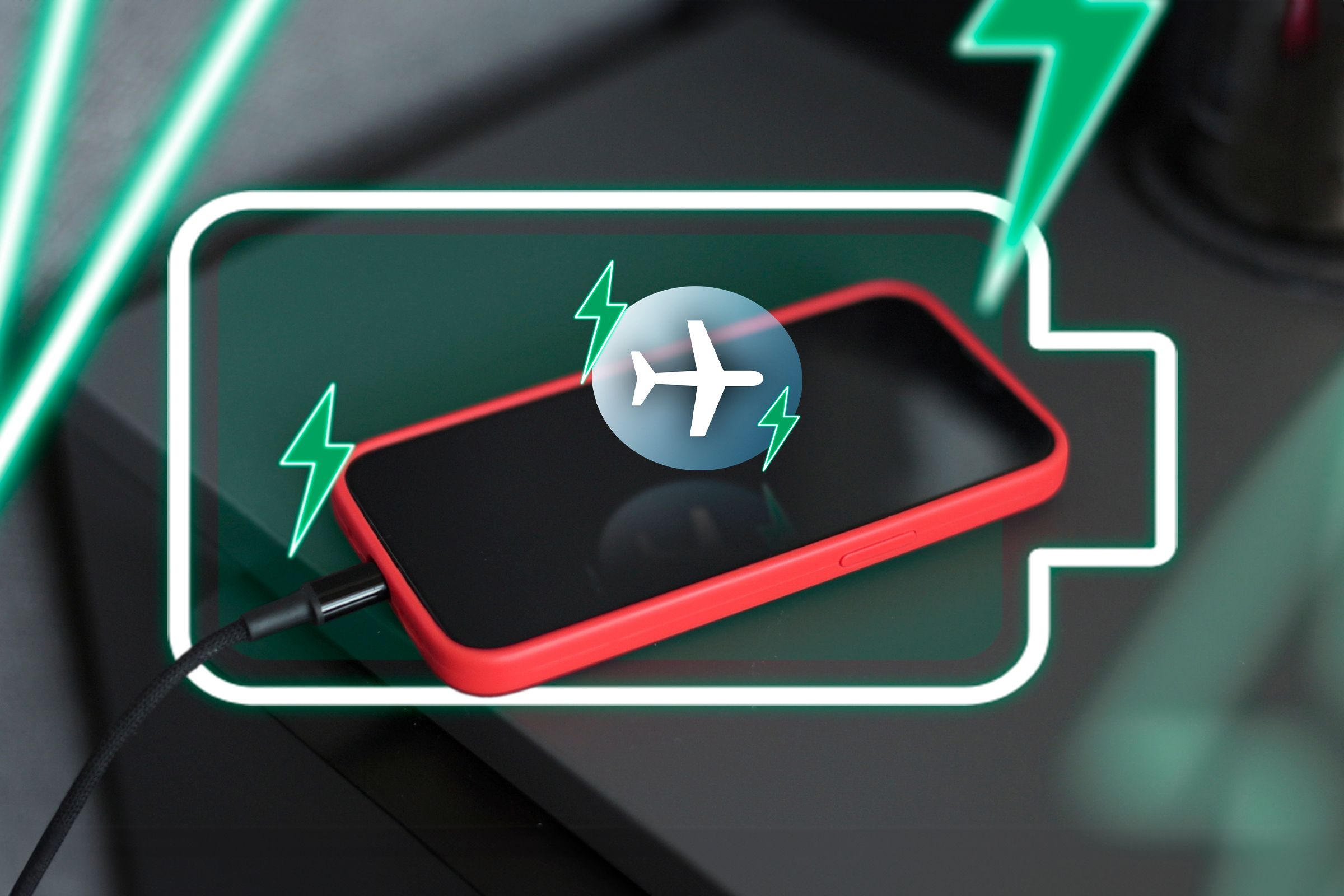
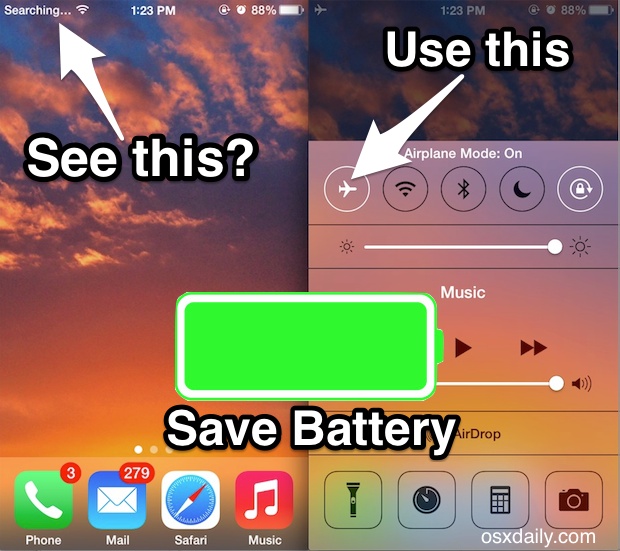
The main reason for airplane mode is safety during flights, but it’s now used for many other reasons—especially to save battery. When you turn on airplane mode, you’ll usually see an airplane icon on your device’s status bar.
What Actually Happens When You Switch To Airplane Mode?
Your device instantly disables its radios. This means it stops searching for cell towers, Wi-Fi networks, and Bluetooth devices. Some phones let you manually turn Wi-Fi or Bluetooth back on, even when airplane mode is active. But by default, everything is shut off.
This matters because searching for wireless signals uses a lot of energy. Your phone is always trying to maintain a strong connection. If the signal is weak or you’re moving (like in a car or train), your phone works even harder.
That’s why airplane mode can have a big impact on battery life.
Why Wireless Connections Drain Your Battery
To really understand if airplane mode saves battery, you need to know how wireless connections use power.
Cellular Networks
Cellular radios are one of the biggest battery drains. Your phone regularly “pings” nearby towers to maintain a connection. When the signal is weak, your phone increases its power to find a better tower. This is why your battery drops quickly in areas with poor reception.
Wi-fi
Wi-Fi uses less energy than cellular, but it still matters. Your phone constantly scans for networks, even if you’re not connected. If your Wi-Fi signal is weak or your device is moving, battery drain increases.
Bluetooth
Bluetooth uses very little power, especially with newer versions (like Bluetooth Low Energy). However, if you’re connected to multiple devices (headphones, smartwatches), it adds up.
Gps
GPS can be a hidden battery killer. Many apps use your location, and the GPS radio needs to stay active to provide updates.
When you turn on airplane mode, you’re stopping all these processes at once.
Credit: www.howtogeek.com
Does Airplane Mode Really Save Battery? The Data
To answer this question, let’s look at real-world tests and statistics.
Lab Studies
A study by Android Authority tested a Google Pixel phone under three conditions:
- Regular use
- Airplane mode
- Airplane mode with Wi-Fi back on
In airplane mode, the phone lasted almost twice as long compared to regular use. Adding Wi-Fi back reduced savings, but the phone still outperformed normal mode.
Another test by iFixit found that a typical smartphone lost about 5% battery overnight in airplane mode, compared to 10-15% in normal mode. That’s a big difference, especially if you need your phone to last until morning.
User Experiences
Many users report that switching to airplane mode before sleep keeps their phone at nearly the same battery level. Some even use it during the day when they’re running low.
But remember: The actual amount you save depends on your device, battery health, and how you use your phone.
Data Table: Battery Drain Comparison
Here’s a simple comparison of battery drain over 8 hours in different modes:
| Mode | Average Battery Loss (%) |
|---|---|
| Normal Mode | 12 |
| Airplane Mode | 5 |
| Airplane Mode + Wi-Fi | 8 |
As you can see, airplane mode nearly halves the battery drain compared to normal mode.
When Should You Use Airplane Mode To Save Battery?
Airplane mode isn’t just for flights. There are many situations where it can extend your battery life.
1. Low Signal Areas
If you’re in a place with weak or no signal (basement, elevator, remote area), your phone works overtime searching for towers. Switching to airplane mode stops this, saving significant power.
2. Overnight
Unless you need to receive calls or messages, airplane mode is great while you sleep. Your alarms will still work, and your phone won’t drain as much.
3. During Work Or Study
If you want to focus and not be distracted by notifications, airplane mode helps both your productivity and battery life.
4. Traveling
When you’re on a plane, train, or bus, your phone constantly searches for new towers as you move. Airplane mode prevents this and helps your device last longer.
5. Emergency Situations
If your battery is very low and you need your phone to last for emergencies, switch to airplane mode. You can still turn it off to make a call if needed.
Credit: osxdaily.com
What Functions Are Disabled In Airplane Mode?
Understanding what you lose in airplane mode is important.
- No calls or texts: You can’t make or receive calls or SMS.
- No mobile data: Apps won’t update or download anything from the internet.
- No Wi-Fi: You can’t browse the web unless you manually turn Wi-Fi back on.
- No Bluetooth: Wireless accessories won’t connect, unless you re-enable Bluetooth.
- No GPS: Some devices turn off GPS, but others keep it running.
If you need any of these features, you can usually turn them back on one by one.
What Can You Still Do In Airplane Mode?
You’re not completely cut off in airplane mode. Here’s what you can still use:
- Camera
- Offline apps (music, notes, games)
- Alarm clock
- Calendar
- Photos and videos
- Document editing
- Offline maps (if downloaded in advance)
This can be useful if you want to focus or if you’re worried about privacy.
Can You Turn On Wi-fi Or Bluetooth In Airplane Mode?
Yes. Modern smartphones let you manually enable Wi-Fi or Bluetooth while in airplane mode. This is handy if you’re on a plane with in-flight Wi-Fi or want to use wireless headphones.
But remember: Turning these features back on will increase battery usage compared to full airplane mode, though still less than normal mode.
How Much Battery Does Airplane Mode Really Save? Factors To Consider
The amount of battery saved depends on several things:
- Signal strength: The weaker the signal, the more you save.
- Device age: Older phones may see bigger benefits.
- Apps running in background: Some apps try to use mobile data, so airplane mode stops them.
- Screen usage: The screen is the biggest battery drainer. Airplane mode doesn’t affect this, so watching videos or gaming will still use lots of power.
- Notifications and syncing: Airplane mode blocks all background syncing, which saves power.
Table: Estimated Battery Savings
Here’s a look at possible savings over 8 hours, based on real-world tests:
| Situation | Battery Saved (%) |
|---|---|
| Weak Signal Area | Up to 20 |
| Good Signal Area | 8-12 |
| Overnight (idle) | 7-10 |
| Traveling (moving vehicle) | 15-25 |
These numbers are averages; your actual savings may be higher or lower.
Airplane Mode Vs. Other Battery Saving Methods
You might wonder how airplane mode compares with other ways to save battery, like low power mode or simply turning off Wi-Fi.
Low Power Mode
Most smartphones have a low power mode that reduces background activity, lowers screen brightness, and limits some features. It’s useful, but it doesn’t stop wireless radios like airplane mode does.
Turning Off Features Individually
You can turn off Wi-Fi, Bluetooth, or mobile data one at a time. However, your device may still use some energy searching for networks. Airplane mode guarantees that all radios are off (unless you turn them back on).
Table: Battery Saving Features Comparison
| Feature | Wireless Radios Disabled | Background Activity Limited | Battery Saving Potential |
|---|---|---|---|
| Airplane Mode | Yes | Yes (by stopping sync) | High |
| Low Power Mode | No | Yes | Medium |
| Manual Feature Off (Wi-Fi, Bluetooth) | Partially | No | Low–Medium |
Airplane mode is the most effective for immediate battery saving, especially in weak signal areas.
Common Myths About Airplane Mode And Battery Saving
1. Airplane Mode Ruins Your Phone’s Performance
Not true. Your phone will work normally when you turn airplane mode off. It’s a temporary setting and doesn’t damage your device.
2. Airplane Mode Stops All Background Processes
It stops those that need a connection (like syncing emails), but apps can still run in the background if you use them offline.
3. Airplane Mode Makes Your Battery Last Forever
Airplane mode helps, but your screen, processor, and other components still use power. It’s not magic.
4. You Can’t Use Any Features In Airplane Mode
You can use your camera, play local music, view documents, and more. You just can’t connect to wireless networks unless you enable them.
5. Airplane Mode Disables Emergency Calls
In most countries, you must turn off airplane mode to make emergency calls. Some devices may allow it, but don’t rely on this—always check your local rules.
Non-obvious Insights And Practical Tips
Many people miss these useful details about airplane mode and saving battery:
Airplane Mode Stops Battery “creeping” Overnight
If you ever notice your phone loses 5-10% battery overnight, even when not in use, it’s usually from background syncing, searching for signal, and app updates. Airplane mode nearly eliminates this, so your battery remains almost unchanged until morning.
Airplane Mode Works Well With Power Banks
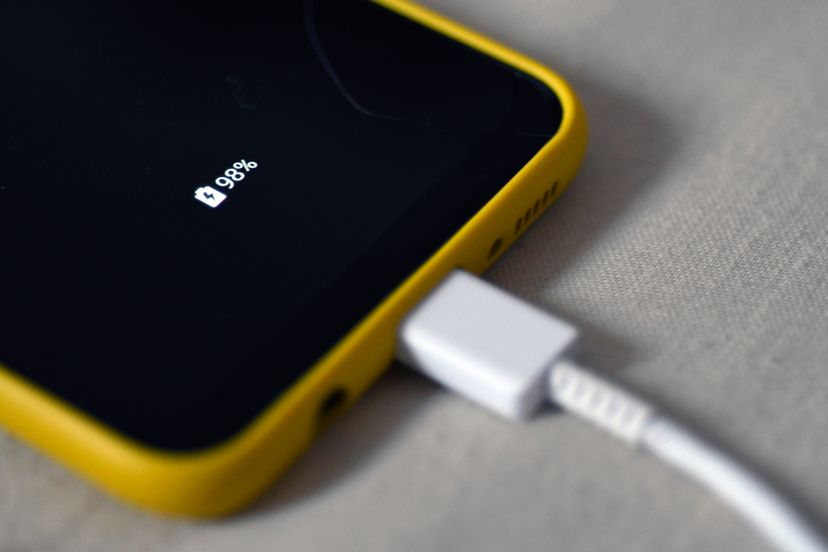
If you’re charging with a small power bank and want to get the most energy possible, turn on airplane mode. Your phone will charge faster and use less power at the same time.
Use Airplane Mode For Quick Recharging
Phones charge faster when airplane mode is on. With all radios off, less power is used during charging, so more goes into the battery.
Combine Airplane Mode With Other Methods
For maximum savings, combine airplane mode with lowering screen brightness, closing unused apps, and disabling location services. This is especially useful in emergencies.
Don’t Forget To Disable Airplane Mode
Sometimes people forget to turn airplane mode off and miss important calls or messages. Use it when needed, but remember to switch back to normal mode.
Downsides Of Using Airplane Mode
Airplane mode is powerful, but it’s not always the best solution.
- No communication: You can’t be reached by phone or SMS.
- No real-time updates: Weather, news, and emails won’t refresh.
- No GPS location sharing: Harder for apps to find your location.
- Missed notifications: You’ll get all missed messages only after turning airplane mode off.
If you need to stay connected, consider using low power mode or turning off only the features you don’t need.
Who Should Use Airplane Mode To Save Battery?
Airplane mode is especially useful for:
- Travelers: Save power during long trips or flights.
- Students: Minimize distractions and battery use while studying.
- Hikers and campers: Make your phone last longer in remote areas.
- Anyone with an old phone: Older devices benefit more from airplane mode.
- People with limited charging options: If you can’t easily recharge, use airplane mode to stretch battery life.
Airplane Mode On Other Devices
While most people think of smartphones, airplane mode is also on:
- Tablets
- Laptops
- Smartwatches
It works the same way: turning off wireless radios to save power. For example, a laptop in airplane mode will last longer on battery—useful during travel or when you don’t need internet.
Credit: electronics.howstuffworks.com
Real-world Example: Airplane Mode During A Road Trip
Imagine you’re on a cross-country drive with spotty cell coverage. Your phone’s battery drops quickly because it’s always looking for a signal. If you switch to airplane mode while you’re not using your phone, you can keep it alive for navigation and important moments.
When you need directions, just turn airplane mode off for a minute to download maps, then turn it back on.
Airplane Mode And Privacy
Some people use airplane mode for privacy. With radios off, your device can’t send or receive data, which reduces tracking. If you want a break from being online, airplane mode is a simple solution.
Does Airplane Mode Work The Same On All Phones?
Most modern phones handle airplane mode similarly, but there are small differences:
- Some devices keep GPS active; others turn it off.
- On some Android phones, you can set exceptions for certain features.
- Newer phones let you use Wi-Fi and Bluetooth in airplane mode.
Always check your phone’s manual for details.
Should You Leave Your Phone In Airplane Mode All The Time?
This isn’t practical for most people because you’ll miss calls, texts, and updates. Airplane mode is best used when you don’t need to be connected, want to save battery, or want to avoid distractions.
Environmental Impact: Battery Life And E-waste
Longer battery life means fewer charges and longer device lifespan. This helps reduce electronic waste. Using airplane mode wisely can help you get more years from your phone, which is better for the environment.
Final Thoughts
Airplane mode is more than just a setting for airplane travel. It’s a powerful tool to save battery, reduce distractions, and even protect your privacy. It’s especially effective in areas with poor signal or when you need your phone to last as long as possible.
Combine it with other power-saving habits for best results.
While airplane mode isn’t a magic solution for infinite battery, it does make a real difference—especially when you need it most. Try it during your next trip or overnight and see the results for yourself. For more technical details, check out this Wikipedia article on airplane mode.
Frequently Asked Questions
Does Airplane Mode Really Save Battery?
Yes, airplane mode can save a significant amount of battery. By turning off all wireless radios, your device stops searching for signals, background syncing, and updates. Real-world tests show that overnight battery drain can be reduced by half or more.
Can I Use Wi-fi In Airplane Mode?
Most modern smartphones allow you to manually turn Wi-Fi back on while in airplane mode. This is useful on flights with Wi-Fi or when you want to save battery but still access the internet.
Does Airplane Mode Affect Alarms And Offline Apps?
No, your alarms, clock, calendar, camera, and offline apps will work as usual in airplane mode. Only features that need a wireless signal are turned off.
Will I Miss Calls And Messages In Airplane Mode?
Yes. You will not receive calls, SMS, or mobile data while airplane mode is on. When you turn it off, you’ll receive any missed messages that were sent while you were disconnected.
Does Airplane Mode Make My Phone Charge Faster?
Yes, your phone will usually charge faster in airplane mode. With wireless radios off, less energy is used during charging, so more power goes into the battery.
Airplane mode is a simple but effective way to save battery, especially in the right situations. Use it wisely, and your device will last longer when you need it most.