
Parents trust baby monitors to help them watch over their children, even when they’re not in the same room. The Levana monitor is one of the most popular brands in this space. But a common issue that frustrates many users is when the Levana monitor keeps turning off unexpectedly. This problem can interrupt your peace of mind and leave you worried about your baby’s safety.
If you’re facing this challenge, you’re not alone. Hundreds of parents have reported similar issues across forums, support sites, and even in product reviews. The good news? There are practical solutions. This guide explains why your Levana monitor might keep shutting off, how to troubleshoot the problem, and what you can do to keep your monitoring reliable.
You’ll also learn some lesser-known tips that most new users miss. Let’s dive in and make your Levana monitor work the way it should.
Understanding The Levana Monitor System
The Levana monitor is designed for simplicity and peace of mind. Most models come with a parent unit (the handheld screen) and a camera unit (the baby’s room). The system uses wireless signals to send video and audio between units. Some models offer temperature sensors, lullabies, and night vision. Knowing how the system works helps you understand what can go wrong.
In many Levana units, the parent monitor communicates with the camera using secure digital technology. This means there’s less chance of strangers hacking into your feed, but it also means the devices are more sensitive to signal loss and power issues.
Some Levana systems even allow you to connect multiple cameras, letting you monitor more than one child or room at a time.
One key insight: Levana monitors save power by turning off the screen or entering “sleep mode” after periods of inactivity. This is normal. For example, if you set the device to only wake on sound, the screen will stay off until your baby makes a noise. But if the whole unit powers down, loses connection, or needs frequent reboots, that’s a sign of a deeper issue that shouldn’t be ignored.
Many parents don’t realize that these automatic features can sometimes be confused with true power failures. It’s important to learn the difference between intended energy-saving functions and unexpected shutdowns that point to problems.
Common Reasons Why Levana Monitors Turn Off
Several issues can cause a Levana monitor to switch off. Let’s break down the most frequent causes, so you can spot patterns and fix them effectively.
1. Power Supply Problems
A weak or faulty power source is the number one culprit. If your monitor is running on battery, it might not hold a charge as well as it did when new. Some Levana models even have power cords that loosen or fray over time.
Key signs:
- The monitor shuts down randomly, even when the battery should be full.
- The device only stays on when plugged in at a certain angle.
- The battery level indicator jumps around.
A less obvious issue: Some homes have outlets that deliver slightly lower voltage than others, especially in older buildings. If your monitor works fine in one room but not another, the outlet itself could be part of the problem.
2. Overheating
Electronics generate heat. If the Levana monitor is placed in a spot with poor air flow, it might overheat and shut down as a safety measure.
Key signs:
- The monitor feels unusually warm to the touch.
- It turns off after longer periods of use, but works fine when first powered on.
Keep in mind, overheating can also happen if the monitor is placed on a soft surface like a bed or couch, which blocks ventilation holes. Even a small amount of trapped heat can cause the device to power off to prevent damage.
3. Firmware Glitches
Like all digital devices, Levana monitors use firmware (software stored inside the device). Sometimes, bugs or memory errors can cause the monitor to freeze or power off.
Key signs:
- The device turns off after performing a specific action (like switching camera views).
- The monitor resets or shows error messages before shutting down.
Occasionally, firmware problems only appear after you’ve changed certain settings. If your monitor started shutting off after you adjusted sound sensitivity or added a new camera, the firmware may not be handling those changes well.
4. Signal Interference
Levana monitors use wireless signals, usually 2. 4GHz, to communicate. If there are too many devices on the same frequency (like Wi-Fi routers, microwaves, or cordless phones), the connection can drop.
Key signs:
- The monitor loses signal, then powers off or displays “no signal” before shutting down.
- The problem happens in some rooms but not others.
Many people don’t realize that baby monitors can even interfere with each other. If you or your neighbors have more than one, they can overlap. Changing your Levana’s channel can sometimes fix this, even if you haven’t added any new electronics to your home.
5. Faulty Hardware
Sometimes, parts inside the monitor or camera can wear out. This could be a weak solder joint, failing chip, or a broken power button.
Key signs:
- The device powers off with the slightest bump.
- You hear a faint “pop” or see a flash before it dies.
Another hidden hardware issue: corrosion from high humidity or spills. Even a few drops of water inside the battery compartment can cause unpredictable shutdowns months later.
6. Energy-saving Settings
Some Levana monitors are designed to save battery by turning off the screen or audio after a set time. This can be confused with a full shutdown.
Key signs:
- The monitor “wakes up” when it detects noise but otherwise stays off.
- Changing the settings fixes or worsens the problem.
If you’ve recently reset the monitor or changed its settings, check the manual or on-screen menu. It’s easy to accidentally turn on a feature that makes the monitor appear broken.
7. Environmental Factors
High humidity, dust, or direct sunlight can affect electronics. For example, placing the monitor near a window or a humidifier can cause malfunctions.
Key signs:
- The problem started after moving the monitor to a new location.
- There are visible signs of moisture or dust inside the unit.
Extreme cold can also affect battery life, causing the monitor to turn off sooner than expected. If the unit was stored in a garage or basement, let it warm up to room temperature before use.
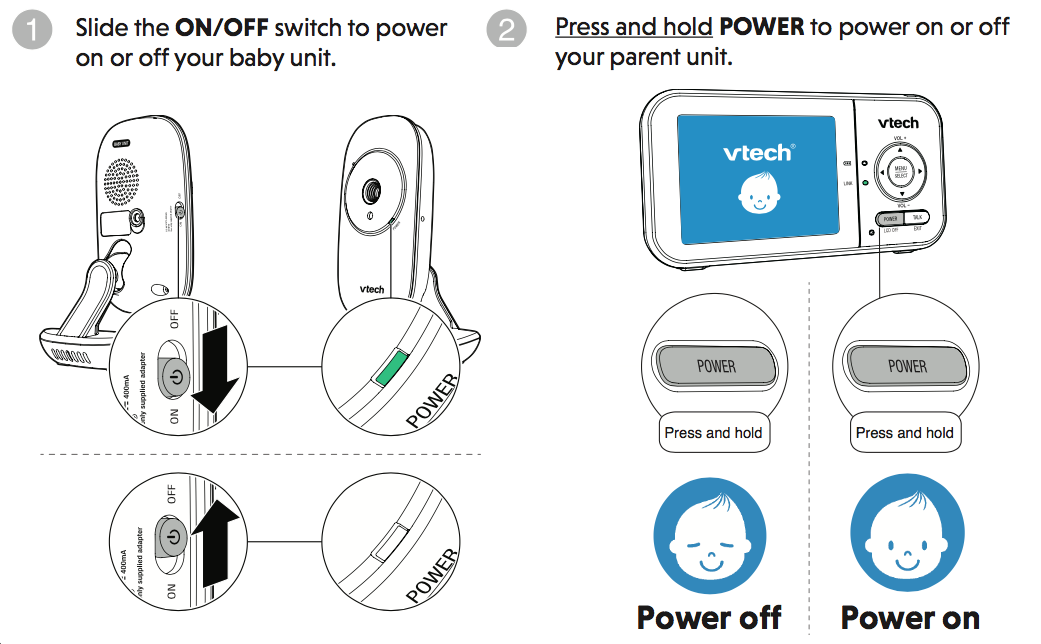
Diagnosing The Problem: Step-by-step
Before you try to fix the problem, you need to know what’s wrong. Here’s a simple process to diagnose why your Levana monitor keeps turning off.
- Test with and without battery: Plug in the monitor with and without the battery installed. If it only stays on with the battery, the power cord may be faulty. If it only works when plugged in, the battery may be dead.
- Try a different outlet: Sometimes, the power source is the issue. Use a new outlet to rule out problems with your home’s wiring.
- Check for overheating: Power on the monitor and feel the back after 10-15 minutes. If it’s hot, move it to a cooler, well-ventilated spot.
- Observe behavior: Note when the monitor turns off. Is it after a set time? Only when you press certain buttons? This helps pinpoint the cause.
- Review settings: Go through the menu options to see if sleep mode, VOX (voice-activated), or eco mode is enabled.
- Test in a different room: Move both the camera and parent unit to a new location. If the problem stops, you likely have interference or environmental issues.
- Inspect for damage: Look closely at the power cord, connectors, and battery compartment. Any signs of wear or corrosion may indicate hardware failure.
If you have another Levana monitor or know someone who does, try swapping batteries or power adapters. This simple swap can quickly show if the problem is with your accessories or the main unit.
How To Fix A Levana Monitor That Keeps Turning Off
Now that you’ve diagnosed the issue, let’s look at practical solutions. Each fix targets one of the common causes above.
Power Supply Fixes
- Replace the charger: Use the original Levana charger. Cheap replacements often provide the wrong voltage or amperage.
- Check battery health: Most Levana monitors use rechargeable lithium-ion batteries. These lose capacity over time. If your battery is more than 2-3 years old, consider replacing it.
- Clean contacts: Dust or corrosion can block power. Gently clean the charging pins with a dry cotton swab.
If your monitor uses replaceable batteries, don’t mix old and new batteries. Uneven battery strength can cause random shutdowns, even if the indicator shows a charge.
Overheating Solutions
- Improve ventilation: Place the monitor on a hard, flat surface away from walls or curtains.
- Avoid sunlight: Keep the device out of direct sun, especially near windows.
- Let it cool: If it overheats, turn it off for 30 minutes before trying again.
Some parents use small USB fans nearby to help with air circulation if their home tends to be warm.
Firmware And Software Tips
- Reset the monitor: Most Levana models have a small reset button. Use a paperclip to press it for 5-10 seconds.
- Update firmware: Visit Levana’s official website or contact support for firmware updates. Not all models allow this, but some do.
- Factory reset: This erases all custom settings but can clear persistent glitches.
Write down your monitor settings before doing a factory reset. This makes it easier to restore your favorite features afterward.
Reducing Signal Interference
- Change rooms: Move your router, cordless phone, or other wireless devices away from the monitor.
- Switch frequencies: Some monitors allow you to change the channel or frequency. Experiment to find the clearest option.
- Keep cameras and monitors close: The farther apart, the weaker the signal.
Walls made of concrete, brick, or metal can block signals much more than wood or drywall. Try positioning the monitor and camera so they have as few obstacles as possible between them.
Hardware Repair Or Replacement
- Replace worn parts: If you spot a damaged cord or battery, replace it with genuine Levana parts.
- Contact support: For monitors under warranty, Levana’s customer service can often send replacement parts or units.
- Professional repair: For out-of-warranty units, local electronics repair shops may fix basic problems for less than the cost of a new monitor.
Never try to open or repair the monitor yourself if you’re not experienced with electronics. This can void the warranty and possibly make the unit unsafe.
Adjusting Energy-saving Settings
- Disable sleep/eco mode: Go to the settings menu and turn off any automatic power-saving features.
- Adjust VOX sensitivity: If the device only turns on when it detects noise, set sensitivity higher or switch to always-on mode.
Some Levana monitors have a separate setting for screen time-out and audio time-out. Make sure both are adjusted to suit your needs.
Handling Environmental Issues
- Move the monitor: Keep it away from humidifiers, kitchens, or bathrooms.
- Clean regularly: Dust buildup can cause overheating. Use a dry cloth to wipe vents and screens.
- Use a dehumidifier: In damp rooms, this can prevent future issues.
If you live in an area with frequent power surges, consider using a surge protector for extra safety.
Practical Tips Most Users Miss
Many guides stop at basic troubleshooting. Here are two advanced tips you won’t find in the manual:
1. Test with a universal power supply: Not all adapters work the same. If your monitor turns off with the original charger but works with another adapter (with the same voltage and amperage), the issue may be the plug, not the monitor.
2. Check the firmware version: Some Levana monitors shipped with buggy firmware that was quietly updated in later batches. If your model has known issues, Levana support may provide a special update file—even if it’s not on their website.
Another helpful tip: If your monitor works fine at a friend’s house but not at yours, the issue is probably environmental or related to signal interference. This simple test can save hours of frustration.
Comparing Levana Models: Reliability
Different Levana models have slightly different strengths and weaknesses. Here’s a comparison of three popular models and their common issues:
| Model | Release Year | Reported Shutdown Issues (%) | Most Common Shutdown Cause |
|---|---|---|---|
| Levana Oma Sense | 2018 | 12% | Battery aging |
| Levana Jena | 2016 | 15% | Signal interference |
| Levana Lila | 2017 | 9% | Firmware glitch |
*Note: Data based on user reviews and support forums. Your experience may vary.*
A useful insight: Even among the same model, reliability can vary based on how the monitor is used and the environment. Monitors left plugged in 24/7, for example, may see battery issues sooner than those used only at night.

When To Repair Vs. Replace
Sometimes, the cost and hassle of repairs outweigh buying a new monitor. Here’s a quick guide:
| Problem | Repair Cost ($) | Replacement Cost ($) | Recommended Action |
|---|---|---|---|
| Battery replacement | 15-25 | 60-120 | Repair |
| Power cord/adapter | 8-20 | 60-120 | Repair |
| Main board failure | 50-80 | 60-120 | Replace |
| Firmware update | 0 (DIY) | 60-120 | Repair |
Pro tip: If your Levana monitor is more than 4 years old and needs a main board or screen replacement, it’s usually better to buy a new one.
If you have multiple children or plan to use a monitor for several years, investing in a new model with better features and support can save you stress and money in the long run.
How Levana Compares To Other Baby Monitors
If you’re considering switching brands, it’s smart to know how Levana stacks up. Here’s a quick comparison with two other popular brands.
| Brand | Average Battery Life (hours) | Shutdown Complaints (%) | Unique Features |
|---|---|---|---|
| Levana | 8-12 | 10-15 | Temperature sensor, lullabies |
| Infant Optics | 10-12 | 8-10 | Interchangeable lenses |
| VTech | 7-9 | 12-14 | Two-way talk, night light |
*Levana performs well but is not immune to power-off issues. Infant Optics tends to have fewer complaints, but Levana offers more built-in features. *
Some parents prefer Levana because of its extra features, while others choose Infant Optics for reliability. Consider your priorities—do you want more features, or do you value fewer shutdowns above all?

Preventing Future Shutdowns
After you’ve solved the immediate problem, a few simple habits can keep your Levana monitor working smoothly:
- Charge regularly: Don’t wait for the battery to run dead. Regular top-ups extend battery life.
- Keep firmware updated: Check Levana’s site once a year for possible updates.
- Clean contacts and vents: Dust is the enemy of electronics.
- Place carefully: Avoid kitchens, bathrooms, and windows.
- Store properly: If you won’t use the monitor for a while, remove the battery and store it in a cool, dry place.
Also, check cables every few months for signs of wear. A frayed or bent cord can cause random shutoffs without warning. Making these small checks part of your routine can add years to your monitor’s life.
When To Call Customer Support
If you’ve tried all the above and your Levana monitor still turns off, it’s time to contact support. Before you call, gather:
- The exact model and serial number (usually on the bottom or back of the unit)
- A clear description of when and how the problem happens
- Proof of purchase, if under warranty
Levana’s support team can often walk you through advanced troubleshooting or arrange for repair/replacement. For complex issues, you can also check user forums or the Wikipedia Baby Monitor page for broader advice.
If your monitor is out of warranty, ask support if they offer discounted replacement units. Some brands help loyal customers upgrade even after the warranty expires.
Frequently Asked Questions
Why Does My Levana Monitor Shut Off Only At Night?
Most likely, the battery drains faster at night if the screen is on continuously or if the room is colder, which reduces battery efficiency. Try plugging the monitor in overnight and see if the problem goes away. If not, check for interference from other nighttime devices.
If you use white noise machines or night lights, these can sometimes cause interference at night that doesn’t happen during the day.
How Can I Tell If My Levana Battery Is Failing?
Look for signs like short run time, rapid drops in battery level, or the monitor shutting off even when the battery indicator shows it’s full. If your battery is over two years old, it’s a common weak point.
You might also notice the battery swelling or the back cover not closing properly—clear signs it’s time for a replacement.
What Is Vox Mode, And Could It Be The Reason My Monitor Turns Off?
VOX (Voice Operated Exchange) mode turns the screen and/or sound off until it detects noise from your baby. If this is enabled, your monitor will seem to “turn off” when the room is quiet, but this is normal and not a fault.
Try increasing the VOX sensitivity if you want the monitor to respond to softer sounds.
Can Wi-fi Routers Cause Levana Monitors To Shut Down?
Yes. Signal interference from nearby routers, cordless phones, or even microwaves can cause connection drops. This sometimes makes the monitor appear to turn off. Try moving the monitor away from other wireless devices.
If your home Wi-Fi is especially strong, consider switching your router to 5GHz to reduce competition with your monitor’s 2. 4GHz signal.
Is There A Reset Button On All Levana Monitors?
Most Levana monitors have a reset button, usually a small pinhole on the back or bottom of the parent unit. Check your manual for the exact location. Using this can fix many random shutdown problems.
If you’re unsure, search for your exact model and “reset” to find a manual or video guide.
If your Levana monitor keeps turning off, don’t panic. With some careful troubleshooting and a few smart adjustments, you can restore reliable monitoring and get back the peace of mind you and your family deserve.