
Facing error codes like D80, D90, or D95 on your LG dryer can be frustrating. You just want your clothes dry and ready, but these codes halt everything.
What do they mean, and how can you fix them without calling in a technician? You’re not alone in this experience, and there’s a straightforward solution that might save you both time and money. Dive into the details with us, and discover how you can get your dryer back in working order with ease and confidence.
Your laundry routine deserves to be smooth and hassle-free, and by understanding these error codes, you can take control. Ready to tackle the issue head-on? Let’s get started!
Common Error Codes
LG dryers are reliable, but sometimes error codes pop up. These codes signal specific issues. Understanding them helps troubleshoot your dryer. Here, we explore common error codes like D80, D90, and D95. Each code highlights a different problem.
Understanding Error D80
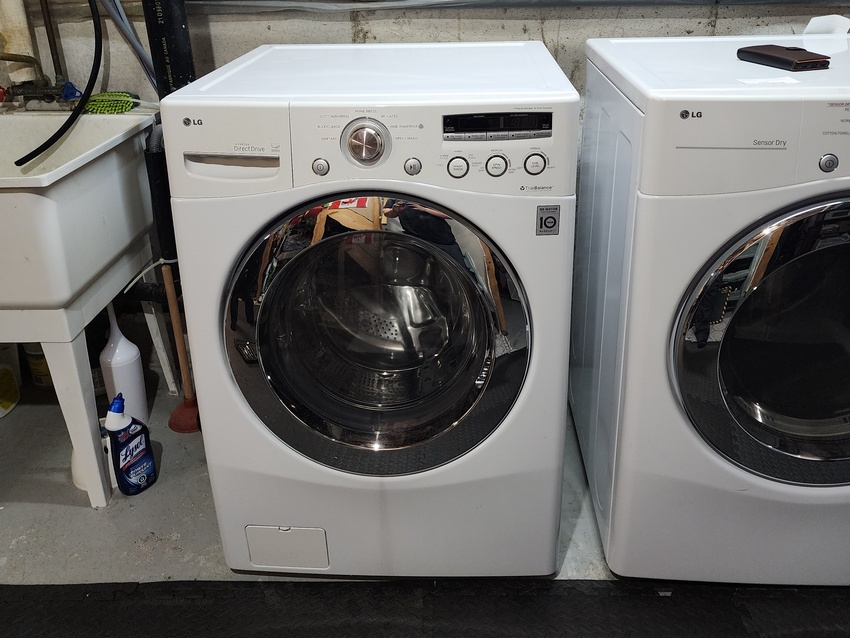
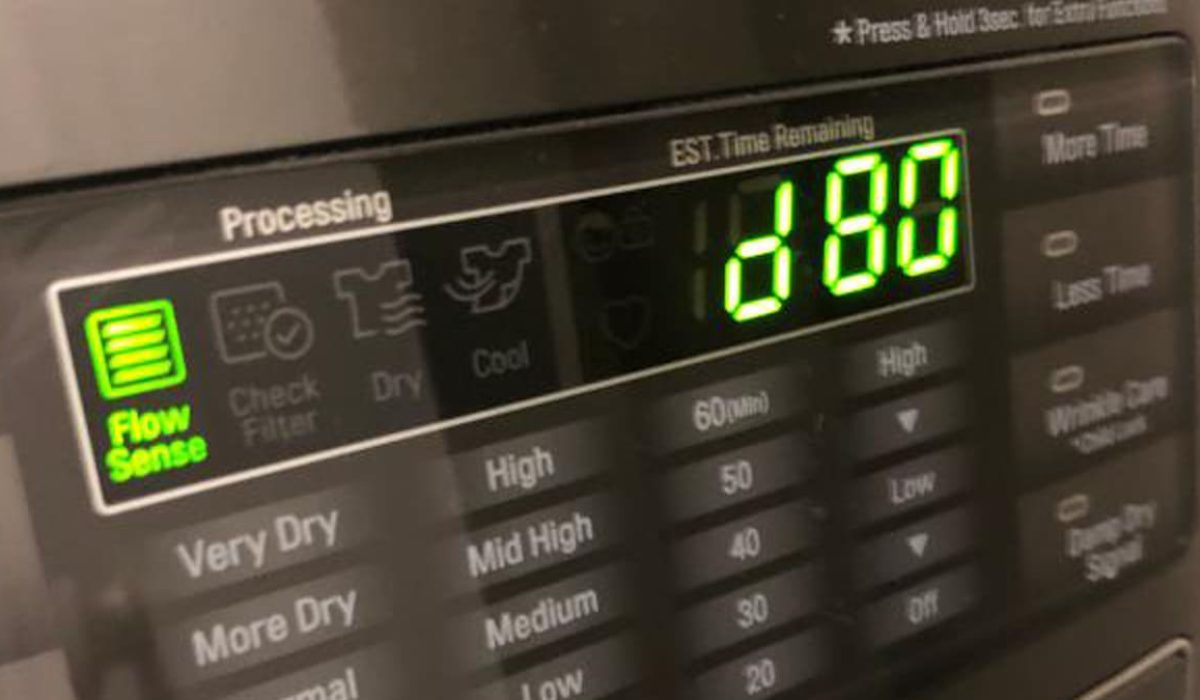
Error D80 indicates a blocked vent. This means the dryer can’t push air out. Check if lint is clogging the vent. A clogged vent can cause poor drying performance. Regular cleaning can prevent this error. Ensure the vent pathway is clear.
Understanding Error D90
Error D90 points to a more severe blockage. The vent is 90% blocked. Airflow is restricted significantly. Check for obstructions in the vent and ductwork. This error demands immediate attention. Ignoring it may lead to overheating. Inspect and clean the vent thoroughly.
Understanding Error D95
Error D95 signals a critical blockage. The vent is almost entirely blocked. Only 5% of air escapes. This poses a serious risk of overheating. Immediate vent cleaning is crucial. Consider professional help if needed. Ensure the dryer functions safely by maintaining a clear vent.
Credit: fixappliances.ca
Causes Of Error Codes
Understanding the causes of the LG dryer error codes D80, D90, and D95 is crucial. These error codes often indicate airflow problems in your dryer. Several reasons might trigger these codes. Knowing them helps maintain your dryer’s efficiency and safety.
Blocked Vent Issues
A common cause of error codes is a blocked vent. Lint and debris can accumulate and block airflow. This restriction causes the dryer to overheat. Regularly cleaning the vent reduces this risk. Ensure the vent is free of obstructions.
Sensor Malfunctions
Sometimes, the issue lies with the sensors. Faulty sensors can misread airflow levels. This results in error codes being displayed. Inspect the sensors if errors persist. Replacing or recalibrating may be necessary.
Overload Problems
Overloading the dryer can also trigger error codes. Excessive clothing prevents proper airflow. This leads to overheating. Always follow the recommended load size. It helps avoid unnecessary strain on your dryer.
Pre-troubleshooting Checks
Before diving into the solutions for LG dryer error codes D80, D90, and D95, start with some pre-troubleshooting checks. These checks ensure that you’re ready to address the problem safely and effectively. Completing these steps can save time and prevent further issues. Let’s explore the essential safety precautions and tools needed.
Safety Precautions
Ensure the dryer is unplugged before starting any checks. This prevents electric shock. Check that the dryer is cool to touch. This avoids burns. Keep children and pets away from the area. Loose clothing and jewelry should be removed. Wear safety gloves to protect your hands.
Tools Required
Gather a few essential tools for the job. Have a flashlight ready for dark areas. Use a vacuum cleaner to clear any lint. A screwdriver helps open panels. A vent brush cleans the exhaust vent. Ensure you have these tools on hand before starting.
Vent Cleaning Solutions
Experiencing Lg Dryer error codes D80, D90, or D95? These indicate vent blockages. Cleaning vents regularly ensures your dryer functions efficiently, preventing overheating and prolonging its lifespan. Regular maintenance can save you from costly repairs.
Vent cleaning solutions can prevent common LG dryer error codes like D80, D90, and D95. These codes usually indicate issues with airflow due to clogged vents. Regular maintenance ensures efficient drying and extends the lifespan of your dryer.Diy Cleaning Methods
Cleaning dryer vents yourself can be simple and cost-effective. Start by unplugging the dryer from the power source. Disconnect the vent from the back of the dryer. Use a vacuum cleaner to remove lint inside the vent tube. A brush or a flexible rod can reach deeper areas. Check the outside vent cap for blockages and remove any debris. Repeat this process every few months to keep the airflow smooth.Professional Cleaning Services
Professional cleaning services offer thorough vent cleaning. Experts use specialized tools to clear blockages. They inspect the entire vent system for damage or leaks. Hiring professionals ensures complete removal of lint buildup. This service enhances dryer efficiency and reduces fire risks. Choose a reputable service for reliable results. Regular professional cleaning keeps your dryer in top condition.Sensor Reset Techniques
Encountering error codes D80, D90, and D95 on your LG dryer can be frustrating. These codes often indicate issues with airflow. Sensor reset techniques can sometimes solve these errors. Before diving into complex solutions, trying a reset might save time and effort.
Manual Reset Procedures
Start by unplugging your dryer from the power source. Wait for about 10 minutes. This pause allows the machine to reset its internal sensors. Plug the dryer back into the outlet. Turn it on and check if the error persists. If the error remains, cleaning the lint filter may help. Remove the lint filter and clear any debris. Reinsert the filter securely. Check the exhaust vent for blockages. A clear vent improves airflow and reduces error occurrences.
When To Call A Technician
If the manual reset does not resolve the issue, professional help may be needed. Persistent error codes could indicate deeper mechanical problems. A technician can provide a thorough inspection. They can check for issues beyond basic sensor errors. Delaying a technician visit might worsen the problem. This could lead to costly repairs. Regular maintenance checks can prevent these errors. Schedule routine inspections to keep your dryer running smoothly.
Credit: ventbusting.com
Preventive Maintenance Tips
Is your LG dryer constantly flashing error codes like D80, D90, or D95? These codes are not just random numbers; they signal problems that could hinder your dryer’s performance. To keep your dryer running smoothly and efficiently, preventive maintenance is key. Let’s dive into some practical tips that can help you avoid these pesky error codes.
Regular Dryer Inspections
How often do you check your dryer’s condition? Regular inspections can save you from unexpected breakdowns. Start by examining the lint filter. A clogged filter can significantly affect your dryer’s efficiency and lead to those annoying error codes.
Inspect the vent system too. A blocked or damaged vent can cause overheating. This not only triggers error codes but can also shorten your dryer’s lifespan. A simple check could prevent costly repairs. Make it a habit to inspect these elements monthly.
Proper Load Management
Ever overstuffed your dryer? Overloading can lead to inefficient drying and error codes like D80, D90, and D95. It’s tempting to add more clothes to save time, but this can cause more harm than good.
Consider the weight and type of fabric before loading. Heavy fabrics take longer to dry and can strain your dryer. Spread out your loads evenly to ensure optimal airflow. This simple adjustment can enhance your dryer’s performance.
Think about your laundry habits. Are you running multiple loads back-to-back? This can overheat the dryer and lead to error codes. Allow your dryer time to cool between cycles, even if it’s just for a few minutes.
So, what’s your next step? Implement these preventive tips and see the difference. Why wait for error codes when you can prevent them? Your dryer will thank you for it!
When To Seek Professional Help
Experiencing Lg dryer error codes D80, D90, or D95? It’s crucial to seek professional help if basic troubleshooting fails. These codes often signal serious venting issues that could affect dryer performance and safety.
When your LG dryer displays error codes like D80, D90, or D95, it’s often a sign of ventilation issues. These codes indicate that your dryer’s exhaust is either partially or fully blocked. While some minor blockages can be cleared with a bit of DIY effort, there are times when calling in a professional becomes necessary. Recognizing when to seek professional help can save you time, money, and even prevent potential hazards.Identifying Complex Issues
Sometimes, the problem is not just a simple blockage. It could involve complex issues like a faulty sensor or internal wiring problems. If you’ve cleaned the vent and the error codes persist, it might be a sign of a deeper issue. You might notice unusual noises or smells coming from the dryer. These are indicators that require a professional diagnosis. Consider if you have the tools and expertise to address these. If not, it’s wise to seek help.Choosing The Right Technician
Finding the right technician can be a daunting task, but it’s crucial for resolving dryer issues effectively. Look for technicians who specialize in LG appliances. They will have the specific knowledge and experience to handle LG-specific problems. Ask for recommendations from friends or family. Personal experiences can guide you to trustworthy professionals. Check online reviews and ratings. A technician with a strong track record will be more likely to provide reliable service. By addressing these aspects, you can avoid costly mistakes and ensure your dryer is back to working order swiftly. What’s your plan if DIY doesn’t resolve the issue?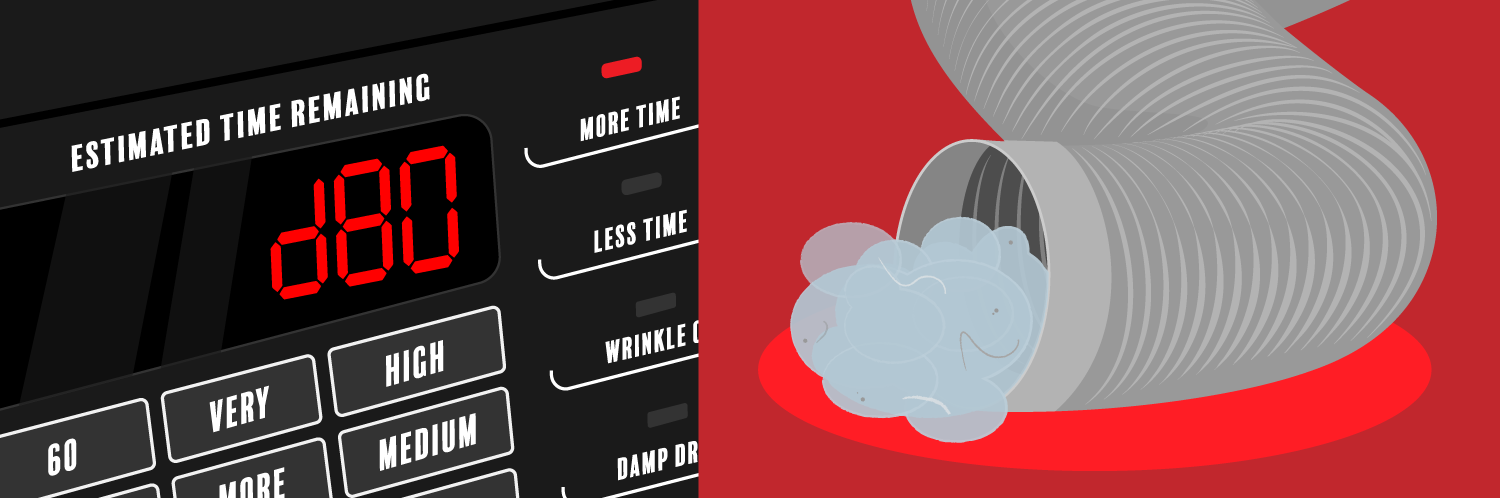
Credit: www.partselect.com
Frequently Asked Questions
What Causes Lg Dryer Error Codes D80, D90, D95?
These codes mean airflow issues. Your dryer vent is likely blocked or restricted, causing overheating.
How Can I Fix Lg Dryer Error Code D80?
Check and clean the vent. Ensure there are no blockages. This should improve airflow and solve the problem.
Why Does My Lg Dryer Show Error Code D90?
D90 indicates a severe blockage in the vent. Inspect the vent system. Clean it to restore proper airflow.
Is Error Code D95 Dangerous For My Lg Dryer?
Yes, D95 shows extreme vent restriction. This can cause overheating. Clean the vent immediately to prevent damage.
How Do I Prevent Lg Dryer Error Codes?
Regular vent cleaning is vital. Ensure vents are clear. Avoid overloading the dryer to maintain efficient airflow.
Conclusion
Fixing your LG dryer error codes can be simple. Follow the steps above for a smooth solution. Regular checks help avoid future issues. Error codes D80, D90, and D95 are linked to airflow problems. Cleaning vents and filters can prevent these errors.
Keeping your dryer clean ensures better performance. Always consult the manual for guidance. Professional help may be needed if problems persist. These tips help maintain your dryer’s efficiency. A little effort goes a long way in keeping your appliance running smoothly.
Enjoy hassle-free drying with proper maintenance.