
If your LG TV won’t turn on, it can be frustrating and confusing, especially if it was working fine before. Many people think their TV has completely broken, but often the problem is something simple you can fix yourself. As someone who has helped many people with this issue, I will guide you through the most common causes, step-by-step troubleshooting, and advanced tips to get your LG TV working again. This guide is designed for everyone—even if you are not a technical expert, you will understand each solution.
Understanding Why Your Lg Tv Won’t Turn On
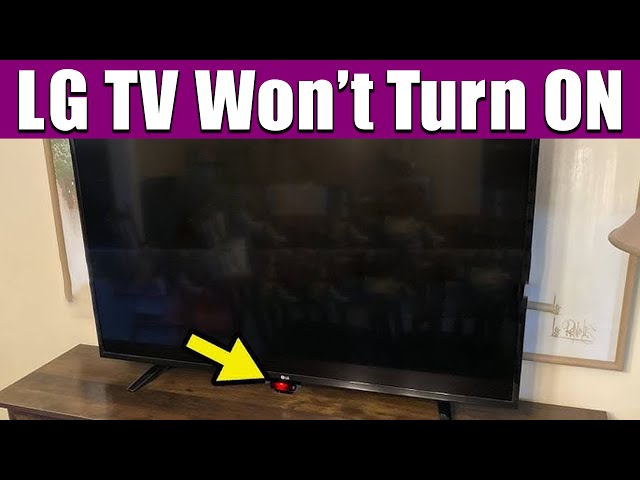
Before you start, it’s good to know that “won’t turn on” can mean different things. Maybe your TV has no lights, sounds, or screen activity at all. Or, perhaps the red standby light is on, but nothing happens when you press the power button.
Sometimes, the TV tries to start, but turns off again quickly. Each of these clues helps you find the real cause.
LG TVs are built with advanced parts, but simple problems like power issues, remote control troubles, or software glitches can stop them from turning on. In rare cases, there may be a hardware failure. But most of the time, you can solve the problem without calling for repair.
Basic Checks Before Troubleshooting
Start with the easiest checks. Many people overlook these steps, but they solve the problem in at least 30% of cases:
- Power Cable Connection: Make sure the TV’s power cord is firmly plugged into both the TV and the wall outlet.
- Wall Outlet Working: Test the wall socket with another device (like a lamp or phone charger) to confirm it gives power.
- Power Strip or Surge Protector: If you use one, make sure it is switched on and working. Sometimes, these devices fail.
- Remote Control Battery: Try turning on the TV with the power button on the TV itself. If it works, your remote may need new batteries.
These steps sound simple, but it’s easy to miss a loose plug or a dead remote.
Common Causes For Lg Tv Not Turning On
Many reasons can stop your LG TV from turning on. Let’s look at the most frequent ones.
1. Power Supply Issues
If there are no lights or sounds from your TV, the power supply is the first thing to check. Modern TVs need a steady supply of electricity. Power surges, storms, or worn-out power supplies can break this flow.
Symptoms:
- No LED lights on the TV
- No click or startup sound
- TV does not respond to the remote or power button
2. Faulty Remote Control
If the standby light is on, but the TV does not react, your remote control might be the problem. Remote controls can stop working due to old batteries, blocked sensors, or internal faults.
Symptoms:
- TV standby light is on, but nothing happens with remote
- TV works with power button on the TV
3. Software Or Firmware Glitches
Sometimes, LG TVs can get stuck due to a software bug or failed update. This can stop the TV from booting up properly.
Symptoms:
- LG logo appears, then TV turns off
- TV stuck on a black screen after startup
- TV restarts again and again
4. Power Board Or Main Board Failure
Inside your TV, the power board and main board control everything. If these boards fail, your TV might not turn on at all, or only the standby light works.
Symptoms:
- No response at all
- Clicking sounds inside TV, but no picture or sound
5. Backlight Problems
In LED/LCD TVs, the backlight can fail. The screen stays black, but you may still hear sound or see a faint image with a flashlight.
Symptoms:
- Faint images visible if you shine a flashlight at the screen
- TV turns on, sound works, but screen is black
6. T-con Board Issues
The timing control board (T-Con board) helps create the picture on your TV. If it fails, the TV might not show anything, even if it turns on.
Symptoms:
- Screen is completely black or shows strange lines/colors
- Sound works, but no picture
7. Loose Or Damaged Cables
Cables inside or outside the TV can come loose or get damaged, especially if the TV has been moved.
Symptoms:
- TV works sometimes, but not always
- Wiggling cables causes TV to turn on/off
8. Overheating
Some LG TVs have protection circuits. If the TV gets too hot, it may refuse to turn on to prevent damage.
Symptoms:
- TV works after cooling down
- TV turns off after a few minutes of use
9. Capacitor Failure
Capacitors are small components that store electricity. If they fail, your TV may not start, or you may hear a clicking sound.
Symptoms:
- TV clicks but does not turn on
- TV takes a long time to start
10. Panel Failure (rare)
The display panel is the most expensive part of the TV. If it fails, the TV may not turn on, or it may show lines/colors only.
Symptoms:
- No picture, sometimes with strange sounds
Step-by-step Troubleshooting Guide
Let’s go through each possible solution, starting from the easiest.
Step 1: Check Power Supply And Connections
- Unplug your TV for at least 60 seconds, then plug it back in. This can reset minor issues.
- Try a different wall outlet.
- Use a different power cord if available (make sure it’s compatible).
- If you use a surge protector, try plugging the TV directly into the wall.
Step 2: Test The Remote And Tv Buttons
- Replace the remote control batteries.
- Remove any objects between the remote and TV.
- Try turning on the TV using the physical button on the TV itself (usually at the bottom or back).
- If the TV turns on with the TV button, the remote is the problem.
Step 3: Look For Standby Light Behavior
LG TVs usually have a standby LED light. Its behavior can give you clues:
- No standby light: Power supply issue
- Solid red light: TV is off but getting power
- Blinking light: Error detected, see your TV’s manual for specific codes
Step 4: Try A Soft Reset
- Unplug the TV from power.
- Press and hold the TV’s power button (not the remote) for 30 seconds.
- Plug the TV back in and try turning it on.
This step clears stored energy and can fix many software glitches.
Step 5: Listen For Noises
When you try to turn on the TV, listen for a faint clicking sound. This means the TV is trying to start, but something is stopping it. It often suggests a problem with the power board or capacitors.
Step 6: Check The Screen With A Flashlight
Turn on the TV, then shine a strong flashlight at the screen from up close. If you see faint shapes or images, the backlight is likely bad. If you see nothing, the problem is deeper.
Step 7: Disconnect External Devices
Remove all connected devices (HDMI, USB, cable box, etc. ). A faulty device can sometimes prevent the TV from starting. Try turning on the TV with nothing plugged in.
Step 8: Update Or Reset Firmware (if Tv Turns On Briefly)
If your TV turns on but gets stuck or restarts, you may need to update or reset its software.
- Download the latest firmware from the LG website.
- Put the firmware on a USB drive (follow LG’s instructions).
- Insert the USB into the TV and follow update steps.
If you can access the settings menu, try a factory reset.
Step 9: Check For Overheating
Feel the back of the TV. If it’s very hot, let it cool for an hour. Make sure the TV has good airflow around it. Dust build-up can cause overheating—carefully clean vents with a vacuum or soft brush.
Step 10: Inspect Internal Components (advanced)
If you are comfortable and your TV is out of warranty, you can open the back cover to check for obvious problems:
- Bulging or leaking capacitors on the power board
- Loose cables or burnt spots
If you see these, replacement parts are available online, but this is best for people with electronics experience.
When To Call For Professional Repair
If you have tried all the above and your LG TV still won’t turn on, the problem may be with the main board, T-Con board, or the screen panel. These repairs need special tools and skills.
- If your TV is under warranty, contact LG support or the store where you bought it.
- Out of warranty? Get a repair quote before deciding—sometimes, the cost of a new TV is not much higher than a major repair.
Comparison Of Common Lg Tv Power Issues
To help you understand the differences between issues, see this summary:
| Symptom | Likely Cause | DIY Fix Possible? |
|---|---|---|
| No lights, no sound | Power supply/cable problem | Yes |
| Red standby light on | Remote or main board issue | Yes (remote), Maybe (main board) |
| Clicking noise, no picture | Capacitor/power board failure | Maybe (if experienced) |
| TV turns on, no picture | Backlight/T-Con problem | Maybe (backlight), No (T-Con) |
Cost Comparison: Repair Vs Replacement
Many people wonder if fixing their TV is worth the cost. Here is a rough cost guide:
| Repair Type | Estimated Cost (USD) | Worth Repairing? |
|---|---|---|
| Power board replacement | $70–$150 | Usually Yes |
| Main board replacement | $120–$300 | Depends on TV age |
| Backlight repair | $100–$250 | Yes for large TVs |
| Screen/panel replacement | $300–$800 | No (buy new TV) |
Non-obvious Insights And Expert Tips
Here are some expert tips that most beginners overlook:
- Check for hidden reset buttons: Some LG TVs have a small reset hole near the power button or on the back. Use a paperclip to press it for 10 seconds.
- Power cycling works best when unplugged for at least 60 seconds: Many people only unplug for a few seconds, which is not enough to clear all faults.
- Always wait for the TV to fully shut down before unplugging if it’s stuck. Forcing a shut-off can sometimes make software issues worse.
- Do not update firmware using an unreliable USB drive: Bad USB sticks can corrupt the TV’s software, making the problem worse.
- LG Smart TVs sometimes need the magic remote to pair again: If your TV’s remote uses Bluetooth (Magic Remote), try re-pairing it using the instructions in your manual.
Preventing Future Power Problems
Once your TV is working, you want to avoid the same issue happening again. Here’s how:
- Use a surge protector: This protects your TV from sudden electrical spikes.
- Keep vents clean: Dust can cause overheating and damage inside components.
- Update firmware regularly: New software versions can fix bugs and improve performance.
- Do not unplug TV when updating: Interrupting updates can “brick” (destroy) the TV’s software.
- Avoid moving the TV frequently: Moving can loosen cables inside.
When To Replace Your Lg Tv
Sometimes, it’s better to buy a new TV instead of repairing an old one. Here are the main situations:
- Your TV is more than 7 years old.
- The repair cost is more than 50% of a new TV.
- The screen/panel is broken.
- You want newer features (like 4K, smart apps).
Today, new LG TVs often come with better picture quality, energy savings, and smart functions. If your repair cost is high, consider an upgrade.
Real-world Example
Let’s look at a real case: Julia had an LG TV that suddenly stopped turning on after a storm. She checked the power cord and outlet, but still no luck. After unplugging the TV for 10 minutes and trying a new power strip, the standby light returned. The TV then started normally. In her case, the problem was a tripped surge protector—something many people miss.
Resources For Further Help
If you need more information, the LG official support page offers manuals and troubleshooting guides. You can also find user forums where people share their experiences. For step-by-step repair videos, YouTube is a good resource, but always check the advice against official sources.
For more details about electronics troubleshooting, you can visit the Wikipedia television set page.
Frequently Asked Questions
Why Does My Lg Tv Have A Red Standby Light But Won’t Turn On?
The red standby light means your TV is getting power but is not turning on. The most common reasons are a faulty remote, a bad main board, or a software problem. Try using the power button on the TV itself. If that works, replace your remote’s batteries.
How Do I Reset My Lg Tv If It Won’t Turn On?
Unplug the TV from the wall, then press and hold the physical power button on the TV for 30 seconds. Wait another minute, plug the TV back in, and try turning it on. This process, called a “power cycle,” often fixes minor faults.
Can A Power Surge Damage My Lg Tv?
Yes, power surges can damage the TV’s power board or main board. Using a surge protector can prevent this. If your TV stopped working after a thunderstorm or blackout, the power supply may need repair.
What Should I Do If My Lg Tv Clicks But Does Not Turn On?
A clicking sound usually means the power board is trying to start, but a component (often a capacitor) is faulty. This can be fixed by replacing the bad part, but it’s best done by a technician or someone with electronics experience.
Is It Worth Repairing An Old Lg Tv?
If your TV is less than five years old and the repair cost is below $200, it’s usually worth fixing. For older TVs or very expensive repairs (like the screen), buying a new TV may be a better option.
If your LG TV won’t turn on, don’t panic. Start with the simple checks, follow the troubleshooting steps, and you’ll solve the problem in most cases. If not, you’ll have the confidence to explain the issue to a technician or decide if it’s time for a new TV. With a little patience, you can get your favorite shows back on screen.