
A dryer that won’t heat can quickly turn laundry day into a real problem. If you own a Samsung dryer and notice your clothes are still damp after a full cycle, you’re not alone. Many Samsung dryer owners face this issue at some point, and the causes can range from simple to complex. The good news: Most heating problems can be identified and fixed, often without calling a professional.
This guide breaks down everything you need to know about a Samsung dryer not heating. From basic troubleshooting to in-depth repairs, you’ll find clear steps, expert insights, and real-world examples. Whether your machine is electric or gas, new or old, this article will help you get your dryer back to working order—and maybe even extend its lifespan.
How A Samsung Dryer Heats Clothes
Before you can fix the problem, it’s important to understand how a Samsung dryer creates heat. Both electric and gas models use a similar process:
- Electric dryers: Electricity flows through a heating element. The element gets hot, and a blower moves air past it into the drum.
- Gas dryers: A gas burner ignites, creating heat. The blower pushes this heated air into the drum.
The dryer uses sensors and thermostats to control temperature and prevent overheating. If any part of this system fails, your dryer may stop heating.
Common Reasons A Samsung Dryer Is Not Heating
Many people assume a broken dryer means an expensive repair. In reality, most heating problems are caused by a few common issues. Here’s what to check first:
1. Power Supply Problems
For electric dryers, insufficient power is a leading cause of no heat. Samsung dryers need 240 volts AC. If only one breaker trips, the drum may turn but the heat won’t work.
- Check your circuit breaker box and reset both dryer breakers.
- Test the outlet with a multimeter for 240 volts.
2. Blown Thermal Fuse
The thermal fuse is a safety device. If your dryer overheats, the fuse will blow and cut off power to the heating element or gas burner.
- The fuse is usually located on the blower housing or heat source.
- A blown fuse must be replaced, not reset.
3. Faulty Heating Element
In electric dryers, the heating element can burn out over time.
- Signs: Drum turns, but no heat.
- Test the element for continuity with a multimeter.
4. Broken Igniter Or Gas Valve Coils (gas Models)
Gas dryers rely on an igniter to light the burner and gas valve coils to control gas flow.
- If the igniter fails, the burner won’t light.
- If the coils fail, the igniter may glow, but the burner won’t fire.
5. Defective Thermostats Or Sensors
High-limit thermostats and cycling thermostats regulate heat. A faulty sensor can shut off the heat too soon or prevent it from turning on.
6. Blocked Vent Or Lint Filter
A clogged vent or lint filter restricts airflow, causing overheating and triggering safety shutoffs.
- Clean the lint filter after every load.
- Check the vent hose for blockages.
7. Control Board Or Timer Issues
Modern Samsung dryers use a control board to manage all functions. Power surges or age can cause these boards to fail.
8. User Error Or Incorrect Settings
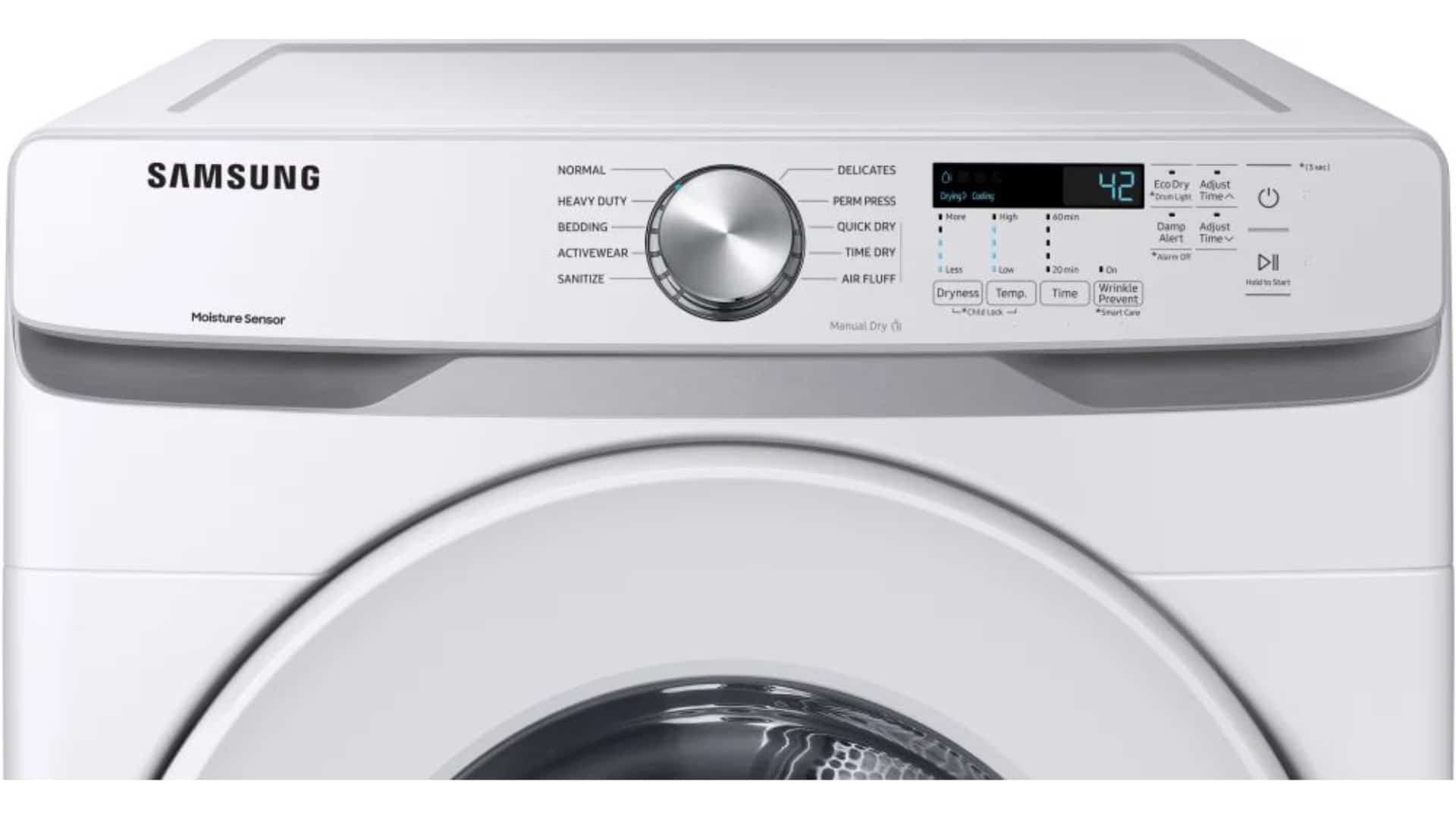
Sometimes, the issue is as simple as choosing the wrong cycle or accidentally selecting an “air fluff” or “no heat” option.
Initial Troubleshooting: Simple Steps To Try First
Not all heating problems need tools or technical skills. Start with these steps:
- Check the power supply: Make sure the dryer is plugged in and the breakers are on.
- Inspect the lint filter: Clean it thoroughly. Even a thin film can reduce heat.
- Look at the settings: Confirm you’re not using a “cool air” or “air fluff” cycle.
- Test a different cycle: Try “Heavy Duty” or “Normal” to see if heat returns.
- Reset the dryer: Unplug for 5 minutes, then plug back in. Some minor errors reset this way.
If your Samsung dryer still does not heat, move to the next section.
Step-by-step Guide: Diagnosing The Problem
Now let’s dig deeper. These steps require basic tools like a screwdriver and a multimeter.
1. Test The Power Supply
For electric models, check the outlet voltage:
- Set your multimeter to AC volts.
- Insert probes into both slots—should read about 240 volts.
- If not, call an electrician.
2. Inspect The Thermal Fuse
- Unplug the dryer.
- Locate the thermal fuse (see your user manual).
- Remove one wire and test for continuity.
- If open (no continuity), replace the fuse.
3. Examine The Heating Element
- Access the element (behind the rear panel).
- Disconnect wires and test for continuity.
- No reading? Replace the element.
4. Check The Igniter And Gas Coils (gas Models)
- Remove the front panel.
- Test the igniter and coils for continuity.
- If failed, install new parts.
5. Test Thermostats And Sensors
- Most have two wires. Unplug and test for continuity.
- Replace any that do not pass.
6. Inspect The Vent System
A dryer vent should be short, straight, and clear.
- Disconnect the vent hose and check for lint.
- Use a vacuum or vent brush to clean out any buildup.
7. Examine The Control Board
If all else fails, the control board may be at fault. Signs include:
- No heat on any cycle.
- Other functions like the display or timer also not working.
Control board replacement is complex. If you’re not experienced, consider a professional.
Key Parts That Affect Heating
To help you understand which parts are most likely to fail, here’s a comparison of common components, their average lifespan, and cost to replace:
| Part | Average Lifespan | Replacement Cost (USD) | DIY Difficulty |
|---|---|---|---|
| Heating Element | 8–12 years | $40–$90 | Moderate |
| Thermal Fuse | 6–10 years | $10–$30 | Easy |
| Igniter (Gas) | 7–12 years | $20–$60 | Moderate |
| Gas Coils | 8–15 years | $15–$40 | Moderate |
| Thermostats | 10–15 years | $15–$40 | Easy |
| Control Board | 10–15 years | $120–$300 | Hard |
Non-obvious insight: A failed thermal fuse is often a symptom, not the root cause. It usually blows because of blocked airflow, not because it’s “old.” Always fix the vent issue, or the new fuse may blow again.
When To Repair Vs. Replace Your Dryer
Many people wonder whether it’s worth repairing an older Samsung dryer or buying a new one. Here’s a quick comparison of factors to consider:
| Factor | Repair | Replace |
|---|---|---|
| Age of Dryer | < 10 years | > 12 years |
| Repair Cost | < 50% of new dryer | > 50% of new dryer |
| Frequency of Issues | Rare | Frequent |
| Energy Efficiency | Moderate | High (new models) |
| Warranty | May be active | New warranty |
If your dryer is over 12 years old, or if the cost of repair is more than half the price of a new unit, replacement is often the smarter choice.

Credit: www.youtube.com
User Mistakes That Can Cause No Heat
Many heating problems are caused by simple mistakes rather than true part failures. Here are some common user errors:
- Overloading the dryer: Too many clothes block airflow, causing poor drying.
- Neglecting lint filter cleaning: A dirty filter restricts airflow and can trip safety fuses.
- Wrong cycle selection: Accidentally choosing “air fluff” results in no heat.
- Blocked vent hose: Placing the dryer too close to the wall can crush the vent hose and stop airflow.
- Not checking child lock: Some Samsung dryers have lock features that disable heating.
Non-obvious insight: Many Samsung dryers have a “Wrinkle Prevent” option. This sometimes tumbles clothes with no heat at the end of the cycle. Users may think the dryer isn’t heating, but it’s normal function.
How To Prevent Heating Problems
Regular maintenance is key. Here’s how to keep your Samsung dryer running hot:
- Clean the lint filter every load.
- Inspect and clean the vent hose every 6 months.
- Check the outside vent flap to ensure it opens freely.
- Avoid overloading the drum.
- Listen for strange noises—these can signal parts wearing out.
- Have your dryer professionally serviced every 2–3 years.
Advanced Troubleshooting: For Experienced Diyers
If you’re comfortable using tools and handling appliances, these advanced steps can help:
Diagnosing With A Multimeter
- Continuity test: Most heating parts should show continuity (a complete circuit). No reading means the part is bad.
- Resistance test: Some sensors require specific resistance values. Check your user manual for details.
Checking The Moisture Sensor
Some Samsung dryers use a moisture sensor to control drying time. If dirty or faulty, it may end cycles too soon.
- Clean the sensor bars (usually near the lint filter) with rubbing alcohol.
- If still faulty, test for continuity or replace.
Examining The Control Board
If your dryer has power but nothing works (including heat), the main control board may be bad. Signs include:
- No lights or display.
- Dryer starts but stops immediately.
- Random errors.
Replacement requires removing the top and front panels. Label wires carefully!
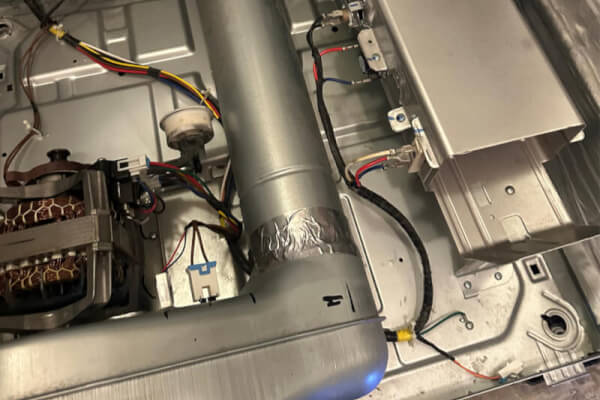
Common Error Codes Related To Heating
Samsung dryers display error codes when something goes wrong. Here are a few that relate to heating problems:
- HE: Heating error—could be fuse, element, or board.
- TO: Thermistor open—sensor failed.
- TS: Thermistor short—sensor shorted.
- BE: Button error—control panel issue.
Check your user manual for model-specific codes.
Credit: excellenceappliancerepair.com
How To Order The Right Replacement Parts
Always use your dryer’s model number when ordering parts. Look for a sticker inside the door or on the rear panel. Buying genuine Samsung parts ensures proper fit and safety.
You can find parts at local appliance stores or online. Some reputable sources include:
- Samsung official parts site
- AppliancePartsPros
- RepairClinic
Be cautious with generic or used parts, as they may not last as long.
Energy Efficiency And Heating
Newer Samsung dryers are more energy-efficient, but only when working correctly. A dryer that isn’t heating must run longer, using more electricity or gas. Keeping your dryer in good repair can save you $20–$40 per year on energy bills.
Example: A blocked vent can double drying time, raising your yearly cost by over $50. That’s more than the price of a new thermal fuse and vent brush combined.
When To Call A Professional
While many heating problems are easy to fix at home, some require expertise:
- Gas leaks: If you smell gas, turn off the supply and call a pro immediately.
- Complex electronic issues: Soldering or board-level repairs are best left to technicians.
- Warranty repairs: Opening your dryer may void the warranty.
If you try the steps above and your Samsung dryer still isn’t heating, it’s time to call for help.
Real-world Example: Fixing A Samsung Dryer Not Heating
Let’s look at an example. Sarah, a Samsung dryer owner, noticed her machine stopped heating after a heavy blanket load. She tried these steps:
- Checked the power—OK.
- Cleaned the lint filter—still no heat.
- Inspected the vent—found a bird’s nest blocking the outside flap.
- Removed the nest and cleaned out lint.
- Dryer returned to normal heating.
Lesson: The problem was not a broken part, but a blocked vent causing overheating and safety shutoff. Sarah avoided an unnecessary repair bill by checking airflow first.
Cost To Repair A Samsung Dryer Not Heating
Here’s what you might expect to pay for common repairs:
- Thermal fuse replacement: $60–$120 (parts and labor)
- Heating element replacement: $120–$250
- Igniter/gas coil replacement: $90–$180
- Control board replacement: $200–$400
DIY repairs can save 30–60% if you’re comfortable with tools.
Comparing Samsung Dryer Models And Heating Reliability
Some Samsung dryer models are more reliable than others. Here’s a quick look at three popular models and their average service rates (based on user reviews and service data):
| Model | Type | Heating Issues (per 100 units/year) | User Rating (1-5) |
|---|---|---|---|
| DV45K6500EV | Electric | 4 | 4.6 |
| DVG60M9900V | Gas | 6 | 4.4 |
| DV42H5000EW | Electric | 7 | 4.2 |
Tip: If you plan to buy a new Samsung dryer, check for models with high user ratings and lower reported heating issues.
Resources For Further Help
If you want more technical details or visual guides, the official Samsung Support page offers manuals, troubleshooting tips, and live chat.
Frequently Asked Questions
Why Does My Samsung Dryer Run But Not Heat?
Most often, this is caused by a blown thermal fuse, faulty heating element, or power supply issue. Less common causes include a broken thermostat, clogged vent, or a control board problem. Start by checking the lint filter, settings, and power breakers.
How Do I Reset The Heating System On My Samsung Dryer?
Unplug the dryer for 5–10 minutes to reset minor errors. There is no dedicated “reset” button. If the thermal fuse has blown, it must be replaced—resetting will not restore heat.
How Often Should I Clean My Dryer Vent?
You should clean the dryer vent at least once every six months. If you notice longer drying times, check it sooner. Blocked vents are a leading cause of heating problems and even house fires.
Can A Samsung Dryer Work Without Heat?
Yes, but it will only tumble clothes. Some cycles, like “air fluff,” do not use heat. For regular drying, heat is necessary. If your dryer is not heating, clothes will remain wet.
Is It Safe To Repair My Samsung Dryer Myself?
Basic repairs like replacing the thermal fuse or cleaning the vent are safe if you unplug the dryer first. For gas or electrical repairs, or if you are unsure, call a professional to avoid safety risks.
—
A Samsung dryer not heating is a common problem, but most issues are easy to diagnose and fix with patience and the right information. By following this guide, you can often restore heat, save money, and keep your laundry routine running smoothly.
If you’re ever unsure, don’t hesitate to call a professional—your safety comes first.
Credit: academy.fredsappliance.com