
Imagine you’re about to prepare a delicious meal using your trusty Samsung microwave, and suddenly, an E13 error code flashes on the display. Confused and perhaps a little stressed, you’re left wondering what went wrong and how to fix it.
You’re not alone in this; many Samsung microwave users have encountered this mysterious code. Understanding what it means and how to resolve it can save you time, money, and unnecessary frustration. We’ll break down the E13 error code, explain its causes, and guide you through simple steps to get your microwave back to perfect working order.
Keep reading to turn that blinking code into a thing of the past, and restore your kitchen routine with ease.

Credit: www.samsung.com
Samsung Microwave Error Codes
Experiencing the E13 error code on your Samsung microwave? This code signals a humidity sensor issue. To fix it, check for any obstructions around the sensor or reset the appliance by unplugging it for a few minutes. If the problem persists, consider contacting customer support for further assistance.
Understanding your Samsung microwave can sometimes feel like deciphering a secret code. When error codes pop up, they can be both confusing and frustrating. However, these codes are designed to help you identify and fix issues quickly, ensuring your microwave runs smoothly for years to come. Let’s dive into some common Samsung microwave error codes, focusing on one in particular that might be causing you trouble: the E13 error code.What Are Samsung Microwave Error Codes?
Samsung microwaves, like many modern appliances, come with built-in diagnostic systems. These systems display error codes to alert you to any issues. Understanding these codes can save you time and money by helping you troubleshoot problems yourself.Why You Shouldn’t Ignore Error Codes
Ignoring error codes can lead to bigger problems down the line. It’s like ignoring a warning light in your car. Addressing these codes promptly can prevent a minor issue from becoming a major repair.Decoding The E13 Error Code
The E13 error code is one of the more common codes you might see on your Samsung microwave. It usually points to a humidity sensor issue. This sensor helps regulate the cooking process, ensuring your food is heated evenly.Steps To Fix The E13 Error Code
1. Check the Sensor: Make sure the humidity sensor is clean and not blocked by any debris. A blocked sensor can’t function properly. 2. Reset the Microwave: Sometimes, a simple reset can clear the error. Unplug the microwave for a few minutes before plugging it back in. 3. Professional Help: If the error persists, it might be time to call a professional. A technician can diagnose the issue more accurately.Preventing Future Error Codes
Regular maintenance can prevent many error codes. Keep the interior of your microwave clean and free from food splatters. Regularly check and clean the vents to ensure proper airflow. Have you experienced the E13 error code before? How did you resolve it? Sharing your experiences can help others facing the same issue. Remember, understanding and addressing error codes not only helps maintain your appliance but also enhances your cooking experience.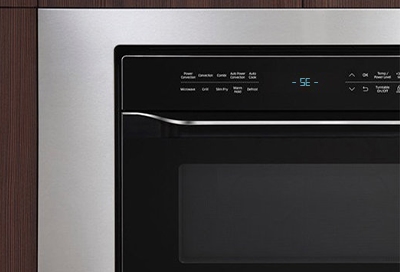
Credit: www.samsung.com
Understanding E13 Error Code
Encountering an error code on your Samsung microwave can be frustrating. The E13 error code is common among Samsung microwave users. Understanding this code helps in resolving the issue effectively.
What Does The E13 Error Code Mean?
The E13 error code indicates a problem with the microwave’s humidity sensor. This sensor detects steam or moisture levels inside the microwave. When it malfunctions, the microwave displays the E13 error code.
Causes Of The E13 Error Code
Several factors can trigger the E13 error code. A faulty humidity sensor is a primary cause. Moisture buildup inside the microwave can also lead to this error. Incorrect installation or a wiring issue might be responsible too.
Symptoms Of The E13 Error Code
Recognizing symptoms helps in diagnosing the E13 error. The microwave may stop heating food. It might display the error message during cooking. Sometimes, the microwave turns off unexpectedly.
How To Fix The E13 Error Code
Fixing the E13 error code involves checking the humidity sensor. Ensure it is clean and properly connected. Resetting the microwave can sometimes clear the error. If problems persist, consult a professional technician.
Common Causes Of E13 Error
Samsung microwaves are known for their efficiency. Yet, like any appliance, they can face issues. The E13 error code is a common problem. Understanding the causes can help solve it quickly.
Overheating Issues
Overheating is a frequent cause of the E13 error. It occurs when the microwave runs too hot. This might be due to prolonged use. Ensure proper ventilation to prevent overheating.
Sensor Malfunctions
Sensors play a crucial role in microwave operation. Faulty sensors can trigger the E13 error. They might send incorrect signals, affecting the microwave’s function. Regular maintenance can help keep sensors in top shape.
Power Fluctuations
Unstable power supply can lead to the E13 error code. Power surges can disrupt the microwave’s operations. Consider using a surge protector. It can safeguard the microwave from unexpected power changes.
Step-by-step Fixes
Facing an E13 error code on your Samsung microwave? Don’t worry. Follow these easy steps to resolve the issue. This guide will help you check ventilation, inspect sensors, and reset your microwave. Each step is simple and straightforward.
Checking Ventilation
Proper ventilation is crucial. Ensure the microwave is not blocked by objects. Check if the vents are clean. Dust can block airflow. Use a soft brush to clean the vents. This can often solve the problem.
Inspecting Sensors
Faulty sensors can trigger an E13 error. Locate the sensors inside the microwave. Look for any dirt or damage. Clean them gently with a damp cloth. If damaged, consider replacing them. Working sensors are essential for proper function.
Resetting The Microwave
Sometimes, a reset can clear errors. Turn off the microwave. Unplug it from the power source. Wait for about ten minutes. Then, plug it back in. Turn it on again. This simple reset can often fix the error code.
Preventing Future Errors
Experiencing the Samsung Microwave E13 error code can be frustrating. Regular maintenance and cleaning can help prevent future occurrences. Check ventilation and ensure components are intact to keep your microwave functioning smoothly.
Preventing future errors in your Samsung microwave can save time and money. Regular care ensures your appliance operates smoothly and efficiently. By following simple guidelines, you can avoid common issues like the E13 error code. Let’s explore some practical steps to keep your microwave in top condition.Regular Maintenance Tips
Clean the interior of your microwave weekly. Use a damp cloth and mild detergent. This prevents food buildup and odors. Regularly check the door seals. Ensure they are free from debris. Clean the exterior with a soft cloth. Keep vents clear to avoid overheating. Inspect the power cord for any damage. Replace it if you notice frays or cuts.Proper Usage Guidelines
Avoid running the microwave empty. This can damage the internal parts. Use microwave-safe containers only. Metal and foil can cause sparks. Cover food with a microwave-safe lid. It prevents spills and splatters. Do not exceed recommended cooking times. Overcooking can lead to overheating. Allow ventilation after each use. Leave the door open for a few minutes. This helps dissipate heat and moisture.
Credit: www.samsung.com
When To Seek Professional Help
Experiencing a Samsung microwave E13 error can be frustrating. Contacting a professional is essential if resetting the device doesn’t solve the problem. This ensures safe and efficient resolution, preventing further complications.
When dealing with the Samsung Microwave E13 error code, knowing when to seek professional help can save you time and stress. While some issues can be tackled with a DIY approach, others might require the expertise of a skilled technician. Understanding the difference is crucial to ensuring your microwave is both safe and functional.What The E13 Error Code Means
The E13 error code often indicates an issue with the microwave’s humidity sensor. This sensor plays a critical role in regulating the moisture levels inside the appliance. If you notice this error code, it might mean the sensor is malfunctioning or there’s a more complex electrical issue at play.When Diy Fixes Aren’t Enough
Sometimes, resetting the microwave or cleaning the interior might not resolve the error. You might find yourself stuck in a loop of trying the same fixes without success. If you’ve tried the basics and the error persists, it’s time to consider professional help.Safety Concerns
Microwaves involve high voltage and complex wiring. Attempting to fix these components without proper training can pose significant safety risks. If you’re unsure about handling electrical parts, it’s wiser to call in a professional to prevent accidents.Warranty Considerations
Tampering with your microwave can void its warranty. Many manufacturers have strict guidelines about unauthorized repairs. Check your warranty status before attempting any DIY fixes that go beyond basic troubleshooting.Complex Diagnoses
Some microwave issues are not straightforward. An error code might be a symptom of a deeper problem that requires specialized diagnostic tools. Professionals have access to advanced equipment and can perform a thorough assessment.Prevent Further Damage
Attempting repairs without the right skills might exacerbate the problem. You could inadvertently damage other components, leading to more costly repairs. A professional can fix the issue without causing additional damage.Peace Of Mind
Having a professional handle the repair can provide peace of mind. You can rest easy knowing that the problem is being addressed by someone with the right expertise. It allows you to focus on other priorities, confident that your appliance is in good hands. In your experience, have you ever tried to fix an appliance and found it was more complicated than expected? Sometimes, recognizing the limits of your DIY skills is the best decision you can make. Don’t hesitate to reach out for professional help when needed.Frequently Asked Questions
What Does E13 Error Mean On Samsung Microwave?
E13 error indicates a humidity sensor issue. It requires checking the sensor or calling for professional support.
How Can I Fix Samsung Microwave E13 Error?
Try resetting the microwave. Unplug for a few minutes, then plug back in. If persists, contact support.
Is E13 Error Dangerous For My Microwave?
No, E13 error is not dangerous. It’s a common issue related to humidity sensor malfunction.
Can I Use The Microwave With E13 Error?
Avoid using it. E13 error suggests a sensor fault which can affect cooking performance.
How Do I Prevent E13 Error In The Future?
Regular maintenance helps. Keep the microwave clean and ensure proper ventilation during use.
Conclusion
Facing the Samsung Microwave E13 error code is frustrating. But, it’s fixable. Check the ventilation system first. Ensure it’s free from blockages. Regular cleaning helps maintain efficiency. Also, inspect the temperature sensor. Replace if faulty. These steps often resolve the issue.
If problems persist, professional help is wise. Avoid attempting complex repairs alone. Proper maintenance prevents future errors. Keep your microwave running smoothly. A little care goes a long way. Remember, understanding your appliance ensures a longer lifespan. Stay informed, stay prepared.
Enjoy hassle-free cooking with a well-maintained microwave.