
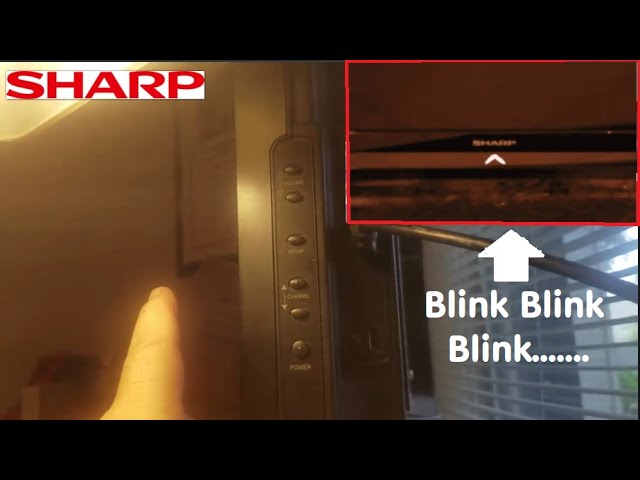
Is your Sharp Aquos TV’s power light blinking exactly 2 times? This blinking pattern isn’t random—it’s your TV’s way of telling you something needs attention.
If you’ve been wondering what those two blinks mean and how to fix the issue, you’re in the right place. You’ll discover the common causes behind the blinking power light and easy steps you can take to get your TV back to working perfectly.
Don’t ignore those blinks—they hold the key to solving the problem quickly and avoiding bigger headaches. Keep reading to find out what’s really going on with your Sharp Aquos and how you can fix it today!
Power Light Blink Meaning
The Sharp Aquos power light blinking twice signals a specific issue inside the TV. This blinking pattern is a way for the TV to tell users about a possible fault. Understanding what the power light blink means helps in diagnosing the problem quickly. It also guides the next steps to take for fixing the TV or seeking professional help.
Why It Blinks Twice
The power light blinks twice to show a short circuit or power supply problem. This blink code acts as a warning to protect the TV from further damage. It often means the TV’s internal parts are not receiving power correctly. Sometimes, dust or a loose connection inside the TV can cause this blinking. The TV may not turn on fully because of this issue. Checking the power source and cables is the first step to try.
Common Error Codes
Sharp Aquos TVs use different blink codes to report errors. Two blinks usually point to power or circuit board faults. Other blink patterns mean different problems, such as overheating or signal issues. For example, three blinks may indicate a backlight error. Five blinks could signal a main board failure. Knowing these codes helps to identify the exact problem. It saves time and prevents unnecessary repairs or replacements.
Possible Causes
The Sharp Aquos power light blinking twice signals a problem inside your TV. This blinking pattern helps identify the cause. Understanding these causes can guide your next steps for repair or troubleshooting.
Several reasons can make the power light blink two times. Each reason relates to different parts or functions of the TV. Knowing these helps you avoid guesswork and focus on the real issue.
Power Supply Issues
The power supply unit delivers electricity to the TV. If it fails or has unstable voltage, the TV might blink twice and not start. Loose cables or a damaged power board can cause this. This issue stops the TV from powering up correctly.
Short Circuit Protection
The TV has a safety feature to protect from short circuits. A short circuit can happen inside the TV’s wiring or components. When detected, the TV blinks twice and shuts down to avoid damage. This protection prevents further electrical faults.
Internal Hardware Faults
Hardware faults inside the TV can cause the blinking light. Components like the main board, backlight inverter, or display panel might fail. These parts are essential for the TV’s operation. Faulty hardware can stop the TV from turning on properly.
Firmware Glitches
Firmware controls the TV’s functions and settings. Corrupted or outdated firmware can cause the power light to blink twice. This glitch may prevent the TV from booting up. Updating or resetting the firmware often fixes this problem.
Quick Fixes
The Sharp Aquos power light blinking twice signals a common issue. Quick fixes often solve this problem without professional help. These steps help restore your TV’s normal function fast. Follow each method carefully to avoid further damage.
Performing A Soft Reset
Start by unplugging your TV from the power outlet. Wait for about 60 seconds to clear the TV’s memory. Plug the TV back in and press the power button. This resets the TV’s internal software and can fix minor glitches. The blinking light should stop if the reset works.
Power Cycle Steps
Turn off the TV using the remote or power button. Unplug the TV from the wall socket. Press and hold the TV’s power button for 30 seconds. This drains leftover power and resets the TV’s hardware. Plug it back in and turn the TV on. Check if the power light still blinks twice.
Checking Power Connections
Inspect the power cord and plug for any loose connections. Make sure the plug fits tightly into the socket. Avoid using extension cords or power strips during testing. Use a different outlet if possible. Secure power connections ensure stable electricity flow to your TV.
Inspecting For Visible Damage
Look over the TV and power cord for signs of wear or damage. Check for frayed wires, cracks, or burnt marks. Damage can cause power issues and blinking lights. If you spot any damage, stop using the TV. Replace the damaged parts or seek professional repair.

Advanced Troubleshooting
Advanced troubleshooting helps resolve complex issues with the Sharp Aquos TV. The power light blinking twice often signals internal errors. Simple fixes might not work. Following detailed steps can identify and sometimes solve these problems.
Factory Reset Procedure
Start by unplugging the TV from the power source. Wait at least 60 seconds before plugging it back in. Press and hold the power button on the TV itself, not the remote. Hold for about 10 seconds until the TV restarts. This clears temporary glitches and resets settings to default. Note that personal settings and apps will be erased.
Testing Internal Components
Open the back panel only if confident and safe. Check for visible damage or burnt parts on the circuit board. Use a multimeter to test power supply voltages carefully. Inspect the main board for swollen or leaking capacitors. Loose connections may cause blinking lights. Re-seat cables and connectors firmly. Damaged components usually need replacement to fix the issue.
When To Seek Professional Repair
Professional help is necessary if the blinking persists after resets and checks. Internal parts like the power supply or main board often require expert tools. Avoid opening the TV if unsure about electronics safety. Certified technicians have the skills to diagnose and fix complex faults. Repairs by professionals prevent further damage and keep the TV safe to use.
Preventive Measures
Preventing the Sharp Aquos power light from blinking twice saves time and avoids damage. Taking simple steps keeps your TV working well. These easy actions reduce errors and extend the TV’s life. Follow these preventive measures to keep your Sharp Aquos running smoothly.
Surge Protection Tips
Use a surge protector to guard against power spikes. Sudden voltage changes can harm your TV’s circuits. Plug your Sharp Aquos into a quality surge protector. Avoid plugging too many devices into one outlet. Unplug the TV during storms to prevent damage.
Regular Maintenance Advice
Clean your TV and its vents often. Dust blocks airflow and causes overheating. Check the power cable for damage regularly. Keep the TV in a dry, cool place. Avoid placing it near heat sources or moisture. Inspect connections to ensure they are secure.
Firmware Update Importance
Keep your TV’s firmware up to date. Updates fix bugs that may cause blinking lights. They also improve TV performance and add new features. Check for updates through the TV menu or Sharp’s website. Install updates promptly to avoid issues.
Frequently Asked Questions
Why Is My Sharp Tv Blinking And Not Turning On?
Your Sharp TV blinks and won’t turn on due to power supply issues or internal short circuits. Check the power source and reset the TV. If blinking persists, seek professional repair to avoid damage.
Does Sharp Aquos Have A Reset Button?
Sharp Aquos TVs do not have a dedicated reset button. Use the settings menu to perform a factory reset instead.
How To Hard Reset Aquos Sharp?
To hard reset Aquos Sharp, unplug the TV, wait 60 seconds, then press and hold the power button for 15 seconds. Plug it back in and turn on.
How Old Is A Sharp Aquos Tv?
Sharp Aquos TVs have been produced since 2001. Their age depends on the specific model’s manufacturing year. Check the serial number for exact age.
What Does Two Power Light Blinks Mean On Sharp Aquos Tv?
Two blinks usually indicate a power supply or short circuit issue. The TV’s safety feature stops it from turning on to avoid damage.
Conclusion
The Sharp Aquos power light blinking twice signals a specific issue. This usually points to a power supply or hardware fault. Simple resets may help, but some problems need expert repair. Watching for blinking patterns can guide troubleshooting steps. Regular maintenance keeps your TV running smoothly.
Understanding these signals saves time and frustration. Stay calm and check the user manual for more details. Your Sharp Aquos TV can work well again with the right approach.