
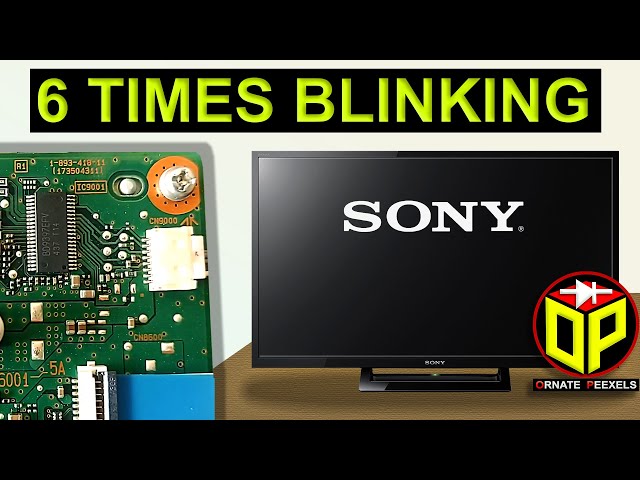
If you own a Sony TV and suddenly see the red light blinking 6 times, you’re probably worried. Is your TV broken? How serious is this problem? Can you fix it yourself, or do you need a professional? These are common questions, and finding clear, practical answers is not always easy. Many guides online are short or confusing, leaving you more frustrated.
This article explains everything you need to know about the Sony TV red light blinking 6 times issue. You’ll learn what this signal means, why it happens, and what you can do about it. We’ll cover all six main causes, walk you through troubleshooting, and offer helpful advice based on real-world experience. By the end, you’ll have a clear action plan, whether you’re a tech beginner or a confident DIYer.
What Does The Red Light Blinking 6 Times Mean On Sony Tvs?
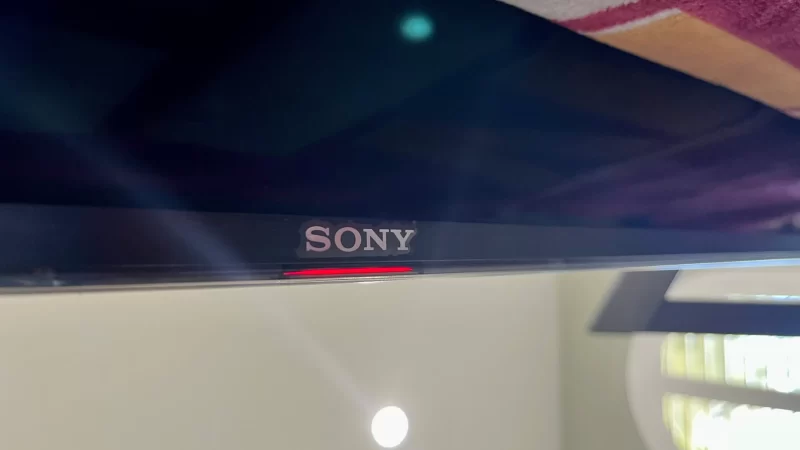
Sony TVs have a built-in system to warn you of problems. When something goes wrong, the standby light (usually red) blinks a certain number of times. Each blink code means something different. Six red blinks is one of the most common error signals on Sony Bravia and other Sony LED/LCD TVs.
This error usually points to a hardware problem inside the TV. The TV will not turn on, and you’ll just see the red light blinking in groups of six. The most important thing to know: The six-blink code almost always means a protection circuit has been triggered. This circuit protects the TV from further damage.
Why Does Sony Use Blink Codes?
Sony engineers use these codes so technicians can quickly identify what’s wrong without opening the TV. The number of blinks tells you which part of the TV is affected—like a secret language for repairs.
But don’t worry. You don’t need to be an expert to understand what’s happening. This article breaks down each possible cause of the 6-blink code, how to spot it, and what you can do.
The 6 Main Causes Of Sony Tv Red Light Blinking 6 Times
There are exactly 6 main hardware issues that trigger the six-blink error. Each relates to a different component inside your Sony TV. We’ll explain each one, how to identify it, and what action to take.
1. Backlight Inverter Board Failure
The backlight inverter board powers the LED or fluorescent backlights inside your TV. If this board fails, your TV can’t light up the screen. Sony TVs sense this problem and trigger the 6-blink code.
Symptoms
- The screen stays completely black, even if sound works.
- The TV tries to turn on, then the light starts blinking.
- Sometimes, you might see a very faint image if you shine a flashlight on the screen.
Why It Happens
Over time, the inverter board’s electronic parts can wear out or short-circuit. Power surges, overheating, or poor ventilation can speed up this process. In some cases, a failed inverter can damage other parts if not fixed.
What You Can Do
- Unplug the TV for 5–10 minutes and try again (this rarely helps but is worth a shot).
- If the problem returns, do not keep trying to power on—it can cause more damage.
- Replacing the backlight inverter requires opening the TV and handling delicate parts. If you’re not experienced, call a technician.
Non-obvious Insight
A failing inverter sometimes makes a quiet buzzing or clicking sound before it fully dies. If you hear this, mention it to your technician—it helps pinpoint the cause faster.
2. Led Strips Or Ccfl Backlight Failure
Sony TVs use either LED strips or CCFL tubes to light up the screen. If one or more of these fail, the TV’s safety system will sense it and flash the red light six times.
Symptoms
- No picture at all, but you might hear sound if you listen closely.
- Sometimes, the screen lights up for a second and then goes dark.
- The TV may briefly show the Sony logo, then shut off.
Why It Happens
Backlight strips can fail due to age, heat, or poor power quality. In humid climates, moisture can speed up corrosion inside the TV. Manufacturers usually design TVs so if even one LED or tube fails, the whole backlight shuts off for safety.
What You Can Do
- Shine a strong flashlight at the screen while turning the TV on. If you see a faint image, the backlight is the problem.
- Replacing LED strips is tricky and requires opening the TV panel. DIY is possible but risky.
- If your TV is under warranty, contact Sony support first.
Non-obvious Insight
Many people replace the power board or main board, thinking they are the problem. In reality, the backlight is the most common cause of the 6-blink code, especially in Sony Bravia models made after 2015.
3. Power Supply Board Failure
The power supply board is the heart of your TV’s electronics. It delivers stable power to all other boards. If it fails, your TV won’t start, and the red light will blink six times.
Symptoms
- The TV is completely dead except for the blinking light.
- No sound, no picture, and sometimes a faint burning smell.
- You may hear a clicking sound when you try to turn on the TV.
Why It Happens
Power boards can fail due to:
- Voltage spikes (from storms or poor wiring)
- Old capacitors (they swell or leak over time)
- Dust buildup causing overheating
What You Can Do
- Unplug the TV and check if the power outlet is working.
- If you have some electronics experience, open the TV and look for swollen capacitors or burnt spots.
- Replacing the power board is often cheaper than buying a new TV, but only try this if you’re confident.
Non-obvious Insight
A power supply can sometimes test as “good” with a multimeter but still fail under load. This is why symptoms can be confusing—sometimes the TV works for a few seconds, then blinks.
4. T-con Board Failure
The T-Con (Timing Control) board is a small but important part that controls the flow of data to your TV’s screen. If it fails, the TV won’t show any picture, and the red light may blink six times.
Symptoms
- The TV turns on, the backlight works, but there’s no image—just a blank or gray screen.
- No sound or menu appears.
- Sometimes, the TV will power cycle (turn on and off repeatedly).
Why It Happens
The T-Con board is sensitive to:
- Power surges
- Moisture
- Manufacturing defects
A T-Con failure is more common in humid areas or after a lightning storm.
What You Can Do
- If you’re handy with electronics, you can replace the T-Con board yourself—it’s usually easy to access.
- If your TV is still under warranty, don’t open it; contact Sony.
Non-obvious Insight
On some Sony models, the T-Con board is covered by a metal shield. If you open the TV, check for loose cables or corrosion before ordering a new board—sometimes the fix is simple.
5. Main Board Failure
The main board is like the brain of your Sony TV. It handles input signals, smart TV features, and communication between all parts. If this board fails, you’ll often see the 6-blink warning.
Symptoms
- The TV won’t respond to the remote or buttons.
- No picture, no menu, no sound.
- Sometimes, the TV restarts by itself or gets stuck in a loop.
Why It Happens
Main boards are packed with tiny chips. They can fail due to:
- Overheating (if the TV runs hot for hours)
- Power surges
- Defective memory chips
What You Can Do
- If your TV is out of warranty, replacing the main board is sometimes cost-effective.
- Always use the correct part number—Sony has many similar-looking boards.
- If you’re not sure, get a technician’s help. Wrong installation can damage the TV further.
Non-obvious Insight
Many people overlook the main board as a cause. If you’ve replaced the power and T-Con boards and the problem remains, the main board is likely the issue.
6. Panel (screen) Failure
The panel is the most expensive part of your TV. If it fails, the TV cannot show an image, and the 6-blink error often appears.
Symptoms
- No picture, even though you hear clicks or the TV tries to turn on.
- Sometimes, you see colored vertical or horizontal lines before the screen goes dark.
- The red light blinks six times every time you try to power up.
Why It Happens
Panels rarely fail on their own. The most common causes:
- Physical damage (TV dropped or hit)
- Manufacturing defects
- Long exposure to high humidity or heat
What You Can Do
- If your panel is damaged, repair is not usually cost-effective. It’s cheaper to buy a new TV.
- For newer TVs under warranty, Sony sometimes replaces the panel for free.
- Always check for loose cable connections before deciding the panel is dead.
Non-obvious Insight
Some TVs with minor panel faults can still work for months but show strange colors or flicker before dying completely. If you see these signs, back up your settings and prepare for replacement.
Comparison Of Key Sony Tv Parts Involved In The 6-blink Error
To help you see the differences between the main components mentioned above, here’s a comparison:
| Part Name | Main Function | Common Failure Cause | DIY Repair Level |
|---|---|---|---|
| Backlight Inverter Board | Powers backlight LEDs/CCFLs | Overheating, power surge | Intermediate |
| LED/CCFL Backlight | Illuminates screen | Age, moisture | Advanced |
| Power Supply Board | Distributes electricity to all parts | Voltage spikes, capacitor failure | Intermediate |
| T-Con Board | Controls image signal timing | Moisture, power surge | Easy |
| Main Board | Processes all TV functions | Overheating, memory chip failure | Intermediate |
| Panel | Displays image | Physical damage, manufacturing defect | Not practical |
How To Troubleshoot Sony Tv Red Light Blinking 6 Times
Troubleshooting this error doesn’t always require expensive tools, but you should work carefully. Here’s a step-by-step guide that will help most users:
- Unplug your TV from power and leave it off for at least 10 minutes. This resets the protection circuits.
- Check your power outlet by plugging in another device. Sometimes, the problem is outside the TV.
- Look for signs of life: Does the screen flash briefly? Do you hear any sounds?
- Shine a flashlight at the screen while the TV is on. If you see a faint image, the backlight is likely the problem.
- Listen for clicks or buzzes from inside the TV. These can hint at a failing board.
- Check for overheating: Feel the back of the TV. If it’s unusually hot, leave it off and contact a technician.
- Inspect for physical damage: Has the TV been dropped or exposed to water?
If you’re comfortable opening the TV:
- Look for swollen or leaking capacitors on the power board.
- Check all cable connections between boards.
- Smell for burning or scorched areas (do not touch them).
If none of these steps help, it’s best to call a Sony-certified technician.
Diy Vs Professional Repair: What’s Realistic?
Not all problems can be fixed at home. Here’s a quick guide:
| Problem | DIY Friendly? | Tools Needed | Cost Estimate |
|---|---|---|---|
| Loose cable or connector | Yes | Screwdriver | $0–$10 |
| Replacing T-Con board | Yes | Screwdriver | $30–$100 |
| Replacing power or main board | Maybe | Screwdriver, basic electronics | $50–$200 |
| Replacing backlight or panel | No | Advanced tools | $150–$400 (not recommended) |
How To Avoid Sony Tv Red Light 6-blink Problems
Prevention is easier than repair. Here are tips to reduce the risk of this error:
- Use a surge protector to prevent damage from voltage spikes.
- Keep the TV cool: Place it in a well-ventilated area and dust the vents regularly.
- Avoid moisture: Don’t place TVs near windows, bathrooms, or kitchens.
- Turn off the TV properly; don’t unplug it while it’s on.
- Don’t leave the TV on for long periods if you’re not watching.
A little care goes a long way. Most hardware failures happen after years of heat, dust, or small surges.
What To Do If Your Tv Is Still Under Warranty
If your Sony TV is still covered by warranty or extended protection:
- Do not open the TV. Opening the case usually voids the warranty.
- Gather your purchase receipt, serial number, and a photo/video of the blinking light.
- Contact Sony customer service via their official website or phone.
- Describe the problem and steps you’ve tried. Sony may send a technician or offer a replacement.
Sony’s warranty typically covers hardware failures that are not caused by physical damage or liquid spills.
For more information, check the official Sony Support Page.
Real-world Examples: What Owners Experience
Let’s look at a few real cases to make this guide more practical.
Case 1:
A Sony Bravia user in Texas noticed the TV screen went black after a lightning storm. The red light blinked 6 times. After unplugging and waiting, the problem remained. A technician found the power supply board had a blown capacitor. Replacement cost: $90. The TV worked perfectly after.
Case 2:
A family in Florida found their 4-year-old Sony TV’s screen was black, but faint images were visible with a flashlight. The red light blinked 6 times. The issue was a failed LED backlight strip. The repair shop replaced all strips for $160. Lesson: Replacing just one strip can lead to quick repeat failures—replace the full set.
Case 3:
In Singapore, a user’s Sony TV started blinking red 6 times after being placed near a window during rainy season. The T-Con board had moisture damage. The user replaced it themselves for $40, and the TV was restored.

When To Repair And When To Replace Your Sony Tv
Is it worth fixing your Sony TV, or should you buy a new one? Here’s how to decide:
- Repair if: The TV is under 5 years old, and the repair cost is less than 40% of a new model.
- Replace if: The panel is damaged, or the repair cost is very high.
- Consider repair: If you love your TV’s picture quality and repairs are affordable.
If you’re unsure, get a repair estimate first, then compare it to the price of a new Sony TV with similar features.
Common Mistakes To Avoid
Many TV owners make these errors when facing the 6-blink code:
- Continuing to power on the TV: This can cause more damage if the problem is a short circuit.
- Opening the TV under warranty: This often voids support.
- Guessing and replacing random boards: This gets expensive and rarely solves the problem.
- Ignoring early warning signs: Flickering, lines, or buzzing sounds often mean a part is about to fail.
Being careful and methodical saves time and money.
Frequently Asked Questions
What Does 6 Blinks Mean On My Sony Tv?
Six red blinks usually indicate a hardware failure in your Sony TV, such as problems with the backlight, power supply board, T-Con board, main board, or even the panel. It’s a protection signal to prevent further damage.
Can I Fix The 6-blink Error Myself?
Some issues, like a loose cable or a failed T-Con board, can be fixed at home if you have basic tools. However, replacing the backlight, main board, or panel is complex. If you’re not experienced, it’s safer to call a technician.
How Much Does It Cost To Repair The 6-blink Problem?
Costs vary:
- T-Con board: $30–$100
- Power board: $50–$150
- Main board: $70–$200
- Backlight replacement: $100–$250
Panel replacement is usually not worth it.
Does The 6-blink Code Mean My Tv Is Dead?
Not always. Many TVs with this error can be repaired, especially if the problem is with the T-Con, power, or main board. If the panel is dead, it’s often better to buy a new TV.
Where Can I Find More Information Or Help?
The official Sony Support Page has troubleshooting guides and contact info for Sony-certified technicians.
When your Sony TV red light blinks 6 times, it can be stressful—but understanding the causes and solutions gives you control. With the right approach, you can often get your TV working again, or at least make the best decision about repair or replacement. Remember, acting early and carefully is the key to saving money and avoiding bigger problems.