
A thick black line running across your Samsung TV screen can be frustrating and distracting. You sit down to enjoy your favorite show, but all you see is a bold stripe breaking the picture. If you have faced this issue, you are not alone.
Many Samsung TV owners have reported this problem, and it can show up on both new and old models. The causes range from simple loose cables to complex panel failures. The good news is, with the right knowledge, you can often identify the source and even fix it yourself—or at least know when it is time to call for professional help.
This detailed guide will help you understand why thick black lines appear on Samsung TV screens, how to troubleshoot the issue, what solutions work, and how to prevent it in the future. We’ll also cover warranty concerns, repair costs, and answer the most common questions people have about this problem.
Understanding Thick Black Lines On Samsung Tv Screens
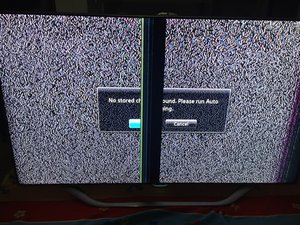
A thick black line is more than just a cosmetic issue. It means something inside your TV is not working as it should. Sometimes the line is vertical, other times it is horizontal. It may run across the middle, the side, or the bottom of the screen.
The line can be a single stripe or multiple bands, and sometimes it flickers or changes position.
The appearance of a thick black line can point to different types of problems. To fix it, you first need to understand what is happening inside your TV.
Types Of Black Lines
- Vertical Lines: These run from the top to the bottom of the screen.
- Horizontal Lines: These go from one side to the other.
- Single Thick Line: Only one bold stripe appears.
- Multiple Lines: Several black lines, thick or thin, can show up together.
What Causes Black Lines To Appear?
The root causes are usually related to:
- Physical damage to the screen or internal parts
- Loose or faulty connections
- Panel defects or aging
- Firmware or software glitches
- External devices sending bad signals
Sometimes, a black line may show up after moving the TV, a power surge, or even following a software update.
Common Causes Of Thick Black Lines On Samsung Tvs
Knowing the cause is the first step in fixing the problem. Here are the most common reasons you might see a thick black line on your screen:
- Panel Failure: The display panel is the most expensive part of your TV. If it is cracked, damaged, or has dead pixels, it can create thick lines.
- Loose or Damaged Cables: The ribbon cables inside your TV connect the panel to the main board. If these are loose or broken, they can cause display problems.
- T-Con Board Problems: The timing control (T-Con) board manages the signals sent to the display panel. A bad T-Con can produce black lines.
- Main Board Issues: If the main board has failed, it can send incorrect signals to the panel, resulting in lines.
- Software/Firmware Bugs: Sometimes, a bug in the TV’s software can cause display errors.
- External Device Problems: If a cable box, game console, or streaming device is faulty, it may create lines on the screen.
- Physical Impact: Dropping the TV or hitting the screen can damage internal parts, causing thick lines.
- Aging and Wear: Older TVs may develop lines as their components wear out over time.
It’s important to carefully observe the line—does it appear on all sources, or only one? Does it go away when you restart the TV? These clues can help you identify the cause.

How To Diagnose The Problem
Before you can fix the issue, you need to understand what is wrong. Here are the steps to diagnose a thick black line on your Samsung TV:
1. Check For Physical Damage
Look closely at the screen in good light. If you see cracks, dents, or clear signs of impact, the problem is likely physical.
2. Test Different Input Sources
Change the input source—switch between HDMI, cable, antenna, and streaming. If the line appears on all sources, the problem is inside the TV. If it only appears on one source, the issue could be with that device or cable.
3. Run A Picture Test
Many Samsung TVs have a built-in Picture Test. You can access this from the Settings menu:
- Go to Settings > Support > Self Diagnosis > Picture Test
If the black line appears during the test, the problem is in the TV hardware.
4. Check Cables And Connections
Unplug and replug all cables. Make sure HDMI, power, and other cables are secure and not damaged.
5. Update Firmware
Sometimes, a software glitch can cause display problems. Go to Settings and check for the latest firmware update.
6. Observe When The Line Appears
Note if the line appears after the TV has been on for a while, or only when it’s cold. Does it flicker, move, or change color?
7. Try A Factory Reset
As a last resort before opening the TV, perform a factory reset. This can rule out software errors.
Diy Troubleshooting Steps
If you are comfortable, you can perform some basic troubleshooting at home. Here are safe steps you can try:
Power Cycle The Tv
- Turn off the TV and unplug it from the wall.
- Wait at least 60 seconds.
- Plug it back in and turn it on.
This simple step can clear minor glitches.
Check External Devices
Disconnect all external devices (like streaming sticks, gaming consoles). Turn on the TV with no devices connected. If the black line disappears, the problem may be with one of the devices or its cables.
Inspect And Replace Cables
Damaged or loose cables can cause display issues. Try using a new HDMI cable or swapping cables between ports.
Update Tv Software
Go to Settings > Support > Software Update > Update Now. Install any available updates.
Run The Picture Test Again
If the line still appears, run the Picture Test as described earlier. Lines that show up during this test point to an internal hardware problem.
Factory Reset
To do a factory reset:
- Go to Settings > General > Reset
- Enter your PIN (default is 0000)
- Confirm the reset
This will erase your settings, so use it as a last step.
When To Call For Professional Repair
Not all TV problems can be fixed at home. If you see these signs, it’s time to call in a professional:
- The line appears during the Picture Test and does not go away
- There is visible damage to the screen
- You hear strange noises or smell burning
- The TV does not respond to any troubleshooting
Professional repair is often needed if the panel or T-Con board is bad. These parts are delicate and should not be handled without experience.
Average Cost Of Repair
Repair costs vary depending on the part and your location. Here’s a rough estimate for Samsung TVs:
| Component | Estimated Cost (USD) | Repair Time |
|---|---|---|
| Panel Replacement | $300 – $800+ | 2-5 Days |
| T-Con Board | $80 – $250 | 1-2 Days |
| Main Board | $120 – $350 | 1-3 Days |
| Cables/Internal Connectors | $50 – $150 | 1 Day |
Panel replacement is usually the most expensive. In many cases, it is cheaper to buy a new TV than to replace the panel, especially if your TV is several years old.
Warranty And Support Considerations
If your Samsung TV is still under warranty, do not try to repair it yourself. Unauthorized repairs may void your coverage. Instead:
- Check your purchase date and warranty period.
- Contact Samsung Support through their website or by phone.
- Provide your TV’s model and serial number, along with a description of the problem.
- Follow their instructions for authorized service or possible replacement.
Samsung’s standard warranty is usually one year, but some retailers offer extended plans.
If your TV is out of warranty, compare repair costs with the price of a new model. Sometimes, a new TV can be more cost-effective, especially if your current unit is outdated.
Preventing Black Lines In The Future
You can reduce the risk of developing black lines with good habits and regular care:
- Avoid Physical Impact: Never press hard on the screen or move the TV roughly.
- Keep the TV Cool: Overheating can damage internal parts. Make sure there is space around the TV for airflow.
- Use Quality Power Sources: Power surges can harm electronics. Use a surge protector.
- Clean Carefully: Use a soft, dry cloth to clean the screen. Avoid harsh chemicals.
- Update Software: Keep your TV’s firmware up to date to fix bugs and improve performance.
- Check Cables Regularly: Replace any damaged or loose cables quickly.
Small steps can greatly extend your TV’s lifespan and reduce the chance of problems.
Real-world Examples And Data
Samsung has sold millions of smart TVs worldwide, and display issues are among the most common complaints. According to a 2022 industry report, about 7% of TV repairs are related to visible lines or bands on the screen. Among these, a thick black line is a frequent symptom. Most of the time, these issues occur in TVs older than three years, but they can also happen in newer models due to manufacturing defects or shipping damage.
Some users report seeing a thick black line after moving their TV to a new location. In many cases, the problem was traced back to a loose internal cable or damage from the move. In other cases, the line appeared gradually, starting as a thin stripe and becoming thicker over time, often due to panel aging or T-Con board failure.

Comparing Black Line Issues: Samsung Vs Other Brands
How does Samsung compare to other TV brands when it comes to thick black lines? Here’s a comparison of common issues reported by users:
| Brand | Frequency of Black Line Issues | Average Cost of Repair |
|---|---|---|
| Samsung | Moderate | $200 – $500 |
| LG | Moderate | $180 – $480 |
| Sony | Low | $220 – $600 |
| TCL | High | $120 – $350 |
| Vizio | Moderate | $150 – $400 |
Samsung’s display panels are known for their quality, but no brand is immune to defects. The repair cost for Samsung is similar to other major brands, though panel replacement tends to be more expensive for larger or newer models.
Advanced Troubleshooting: For Experienced Users
If you are comfortable opening electronic devices, you can try further troubleshooting—but beware, this will void any warranty and carries some risk.
Inspecting Internal Cables
Inside the TV, ribbon cables connect the T-Con board to the panel. If these cables are loose or not seated properly, they can cause thick black lines. Gently reseating these cables can sometimes fix the issue.
Testing The T-con Board
A faulty T-Con board often shows as one or more thick lines, flickering, or half of the screen not displaying correctly. Replacing the T-Con is less expensive than the panel, but requires careful work.
Checking For Burned Components
Burn marks, strange smells, or visible damage on the circuit boards are signs of a failed component. These should be replaced by a professional.
Important: If you do not have experience with electronics, do not attempt these steps. TVs hold high voltages even when unplugged.
Non-obvious Insights Most Beginners Miss
When dealing with a thick black line on your Samsung TV, there are a few details many people overlook:
- Lines that only appear with certain apps or HDMI ports might be caused by a failing port or app, not the panel. Try switching ports or reinstalling the app.
- Temperature can affect the display. Some lines may appear only when the TV is hot or cold. If the line disappears after the TV warms up, it may point to a loose connection or a failing component that is sensitive to temperature changes.
Understanding these subtleties can save you time and prevent unnecessary repairs.
When Is It Time To Replace Your Tv?
If your TV is more than five years old, and the repair cost is more than half the price of a new model, it is usually better to replace it. Modern TVs offer better picture quality, smart features, and energy efficiency.
Plus, technology moves fast, and newer TVs often come with longer warranties and improved reliability.
Summary Of Key Actions
- Check for physical damage first.
- Test multiple input sources to isolate the problem.
- Run the Picture Test in the TV menu.
- Update firmware and factory reset if needed.
- Try safe DIY fixes, like cable checks and power cycling.
- Contact Samsung or a technician for hardware issues.
- Compare repair costs with the price of a new TV.
If you follow these steps, you can find the cause of the thick black line and decide on the best solution.
For more in-depth repair guides and TV troubleshooting tips, visit the official Samsung Support.
Frequently Asked Questions
What Causes A Thick Black Line To Suddenly Appear On My Samsung Tv?
A sudden black line can be caused by a loose cable, a faulty T-Con board, or a panel defect. It can also happen after physical impact, a power surge, or a software glitch. Always check cables and run the Picture Test to help identify the source.
Can I Fix A Thick Black Line On My Tv Myself?
You can try basic fixes such as checking cables, updating software, and running the Picture Test. If the problem is internal, like a bad panel or T-Con board, it is better to contact a professional. Opening the TV may void your warranty and can be risky.
Does A Factory Reset Remove A Black Line On The Screen?
A factory reset will only fix black lines caused by software errors. If the line is due to hardware damage or a faulty component, a reset will not help. Use the reset as a troubleshooting step before seeking repairs.
How Much Does It Cost To Fix A Thick Black Line On A Samsung Tv?
Costs range from $50 for cable issues to $800 or more for panel replacement. Most common repairs, like T-Con board replacement, cost between $80 and $250. Always get a quote before agreeing to service.
Will Samsung Replace My Tv If It Has A Black Line?
If your TV is under warranty and the black line is caused by a manufacturing defect, Samsung may repair or replace it. Physical damage or issues outside the warranty period are usually not covered. Contact Samsung Support for your options.
A thick black line on your Samsung TV can be annoying, but you now have the knowledge to diagnose and solve the problem. With a careful approach, you can decide on the best fix—whether it is a simple cable swap, a professional repair, or a new TV.
Regular care and quick action can keep your screen looking clear for years to come.