
If your Toshiba Fire TV remote has suddenly stopped working, you’re not alone. Many people experience this problem, and it can be very frustrating, especially when you just want to relax and watch your favorite show. The good news is, most remote issues are easy to fix at home, even if you are not a tech expert. In this guide, you’ll learn why your Toshiba Fire TV remote might stop working, how to fix it, and what to do if nothing seems to help. You’ll also find out how to prevent future problems, so you can keep enjoying your TV without worry.
Common Reasons Your Toshiba Fire Tv Remote Stops Working
Understanding why your remote control is not working is the first step toward fixing the issue. There are several reasons this can happen, and sometimes, it’s a combination of more than one.
1. Dead Or Weak Batteries
The most common cause is battery problems. Remotes use a small amount of power, but over time, batteries can lose their charge or leak. Even if you replaced the batteries recently, they might be low quality or not seated correctly.
2. Remote Not Paired
Sometimes, the remote can become unpaired from the TV, especially after a software update or power outage. If the remote is not paired, it can’t send commands to your TV.
3. Physical Obstructions
Infrared (IR) remotes need a clear line of sight to the TV’s receiver. If something is blocking the path, the signals won’t reach your TV. Even newer remotes that use Bluetooth can have problems if there are thick walls or devices causing interference.
4. Interference From Other Devices
Devices like Wi-Fi routers, microwaves, and even other remotes can cause signal interference. This is more likely if your entertainment area is crowded with electronics.
5. Faulty Remote Or Tv Sensor
Sometimes the remote itself is broken, or the IR sensor on the TV is not working. This can happen due to drops, water damage, or manufacturing defects.
6. Software Glitches
Toshiba Fire TVs run on software that can sometimes freeze or become unresponsive, causing the remote to seem like it’s not working.
7. Outdated Firmware
If your TV’s firmware is out of date, it may not recognize the remote or may have bugs that affect remote functionality.
8. Dirty Contacts
Batteries or the remote’s buttons can get dirty over time, especially with frequent use. This can stop the remote from working correctly.
Step-by-step Solutions For A Toshiba Fire Tv Remote That’s Not Working
Now that you know the main causes, let’s walk through the steps to get your remote working again. Try each solution in order, as most problems are fixed with the first few steps.
1. Check And Replace The Batteries
- Remove the battery cover and take out the old batteries.
- Inspect for any leakage, corrosion, or dirt.
- Insert fresh, high-quality batteries (preferably alkaline).
- Make sure the batteries are inserted in the correct direction.
- Test the remote.
Pro Tip: Even if the batteries are new, try another set. Sometimes, new batteries from the same pack can be faulty.
2. Power Cycle The Tv And Remote
- Unplug your Toshiba Fire TV from the wall.
- Wait for at least 60 seconds.
- While waiting, press and hold the remote’s power button for 20 seconds to drain any residual charge.
- Plug the TV back in and turn it on.
- Try using the remote again.
This simple reset can solve many software and pairing issues.
3. Re-pair The Remote With Your Toshiba Fire Tv
If your remote uses Bluetooth (most newer Toshiba Fire TV models do), it may need to be re-paired.
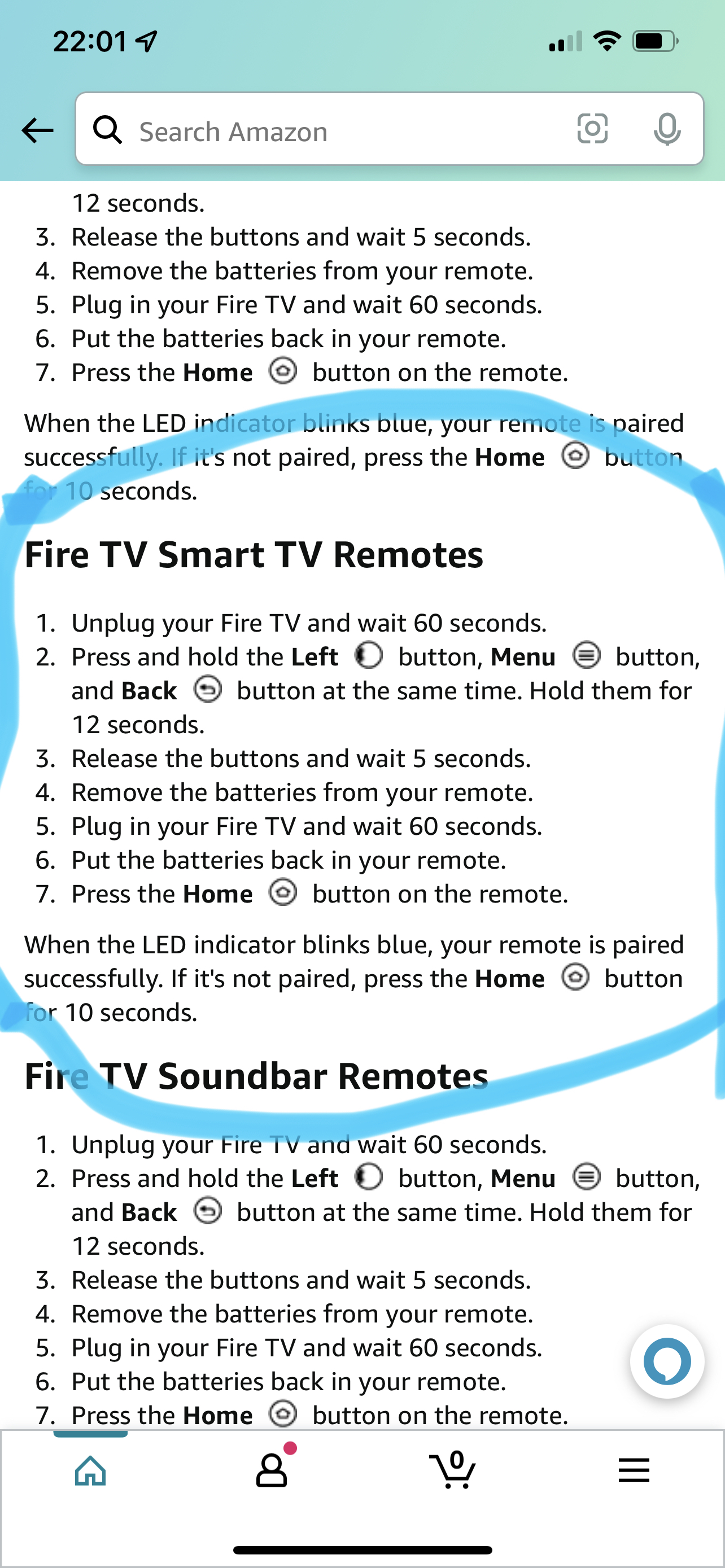
- Hold down the Home button on the remote for 10 seconds.
- Watch for a pairing message on the screen.
- If nothing happens, repeat the process.
- If you have a spare remote or a Fire TV app on your phone, use it to navigate to Settings > Controllers & Bluetooth Devices > Amazon Fire TV Remotes > Add New Remote.
4. Remove Physical Barriers
- Make sure nothing is blocking the front of your TV (where the sensor is located).
- Move any objects, decorations, or soundbars out of the way.
- Try using the remote from different angles and distances.
5. Check For Interference
- Move Wi-Fi routers, cordless phones, and other electronics away from the TV and remote.
- Turn off or unplug any devices that could cause interference and test the remote again.
6. Clean The Remote And Battery Contacts
- Open the battery compartment and remove the batteries.
- Use a cotton swab or soft cloth to clean the contacts.
- If needed, use a small amount of rubbing alcohol to remove corrosion.
- Press all the remote buttons a few times to loosen any stuck keys.
7. Update The Tv’s Software
- If possible, use the TV’s on-screen controls or a different remote/app.
- Go to Settings > My Fire TV > About > Check for Updates.
- Install any available updates.
Outdated firmware can cause many issues, including remote problems.
8. Test The Remote With Another Device Or Camera
A quick way to check if your remote is sending a signal is to use your phone’s camera.
- Open your phone’s camera app.
- Point the remote at the camera and press any button.
- Look for a flashing light at the front of the remote through the camera screen (IR remotes only).
- If you see a flash, the remote is working. If not, the remote may be faulty.
9. Try The Fire Tv App As A Remote
Download the Amazon Fire TV app on your smartphone. It allows you to control your TV using your phone.
- Connect your phone to the same Wi-Fi network as your TV.
- Open the app and follow the instructions to pair.
- Use the app to navigate the TV and test functions.
This can help you rule out if the TV itself is the problem.
10. Factory Reset The Tv (last Resort)
If all else fails, you may need to reset your TV to factory settings. This erases all your settings and apps, so only use it if nothing else works.
- Use the Fire TV app or a connected keyboard/mouse to navigate to:
- Settings > My Fire TV > Reset to Factory Defaults.
- Confirm and wait for the process to finish.
Warning: You will need to set up your TV from scratch after a factory reset.
Toshiba Fire Tv Remote Types And Their Unique Troubleshooting
Not all Toshiba Fire TV remotes are the same. Some use infrared (IR), while others use Bluetooth. Knowing which type you have can help you troubleshoot more effectively.
Ir Remotes
IR remotes require a direct line of sight to the TV’s sensor. If your remote only works when you point it directly at the TV, it’s probably IR.
- Check for obstructions.
- Use the camera test mentioned earlier.
- IR remotes are more sensitive to dirty sensors (both on the remote and TV).
Bluetooth Remotes
Bluetooth remotes can work from farther away and do not need a direct line of sight.
- Check for wireless interference.
- Make sure the remote is paired.
- If the remote works sometimes but not always, try re-pairing or moving devices that cause interference.
Voice Remotes
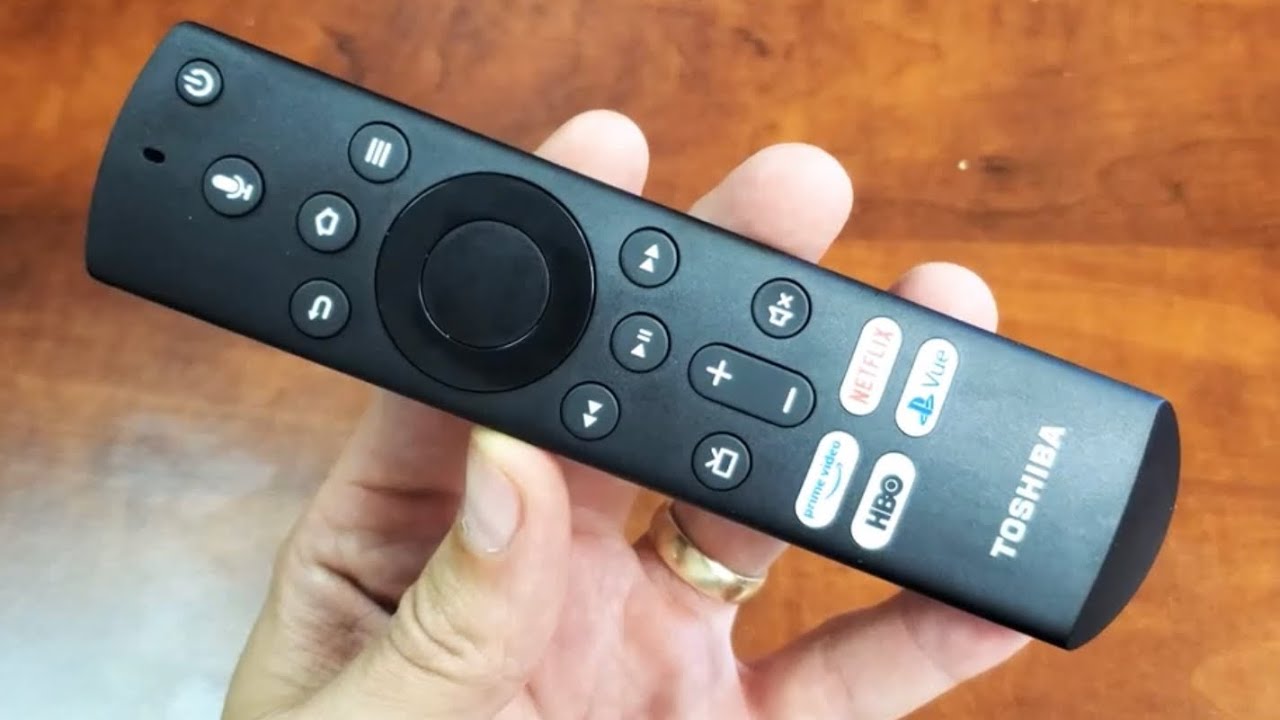
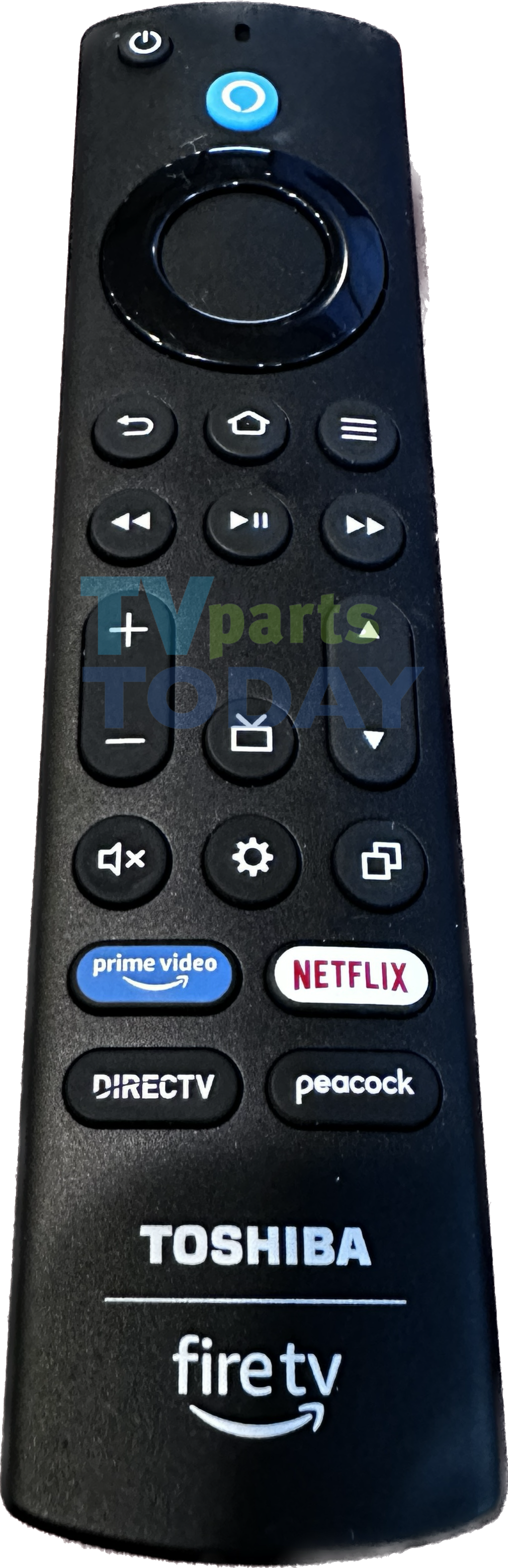
Many Toshiba Fire TV models now come with Alexa Voice Remote. These remotes use both Bluetooth and IR.
- If voice commands do not work but buttons do, the microphone may be blocked or broken.
- If nothing works, follow the steps for both IR and Bluetooth troubleshooting.
Data Comparison: Common Toshiba Fire Tv Remote Issues And Fix Rates
To help you understand which issues are most common and how often they are fixed with simple steps, see the data below.
| Problem | Percentage of Cases | Fixed by Basic Steps |
|---|---|---|
| Dead Batteries | 45% | 95% |
| Unpaired Remote | 25% | 90% |
| Physical Obstruction | 10% | 98% |
| Interference | 8% | 85% |
| Faulty Remote | 7% | 10% |
| Software Glitches | 5% | 60% |
Insight: Most remote problems (more than 80%) are fixed with simple battery replacement or re-pairing. Only a small number require replacing the remote or advanced troubleshooting.
Credit: www.youtube.com
What To Do If Your Toshiba Fire Tv Remote Still Doesn’t Work
If you’ve tried everything above and your remote still isn’t working, it’s time to look at replacement or professional support.
1. Contact Toshiba Or Amazon Support
Both companies offer customer support for Fire TV products. They can guide you through more advanced troubleshooting or arrange a replacement if your remote is under warranty.
- Have your model number and purchase details ready.
- Describe the steps you’ve already tried.
- Some users have reported that support sometimes provides a free replacement if your device is still covered.
2. Buy A Replacement Remote
If your remote is out of warranty, you can purchase a new one.
- Make sure you buy a compatible remote for your Toshiba Fire TV model.
- Consider buying from the official Toshiba or Amazon website, or trusted sellers.
3. Use Universal Remotes
Some universal remotes are compatible with Toshiba Fire TV models. Be sure to check for compatibility before purchasing.
4. Continue Using The Fire Tv App
If buying a new remote is not an option right now, you can continue to use the Fire TV app on your smartphone. It offers almost all the same features as the physical remote, including voice control.
Tips To Prevent Future Toshiba Fire Tv Remote Problems
A little care can help you avoid remote issues in the future. Here’s how:
- Change batteries regularly: Don’t wait for the remote to stop working. Replace batteries every few months, or sooner if you notice a delay in response.
- Keep the remote clean: Wipe the remote with a soft, dry cloth. Avoid using water or harsh chemicals.
- Protect from drops and spills: Remotes are not waterproof or drop-proof. Keep them away from drinks and handle them gently.
- Update your TV software: Regular updates can fix bugs that cause remote problems.
- Store remote properly: Avoid leaving it in hot or humid places, as this can damage the internal parts.
- Avoid mixing old and new batteries: This can cause leaks and poor performance.
Credit: www.amazonforum.com
Advanced Troubleshooting: Hidden Issues Beginners Miss
Sometimes, even after trying the basic steps, the problem is more subtle. Here are two less obvious issues that many beginners overlook.
Firmware Update Stalls Or Fails
If your Toshiba Fire TV starts a firmware update but never completes, it can cause the remote to stop responding. To fix this:
- Unplug the TV for 5 minutes, then plug it in and try again.
- If the update fails repeatedly, check your internet connection or use a wired connection if possible.
- Sometimes, updating through a USB drive (if supported) can resolve the issue. Check Toshiba’s website for model-specific instructions.
Remote Pairing Limit Reached
Toshiba Fire TVs have a limit on the number of remotes or Bluetooth devices they can pair with (usually 7). If you’ve paired many devices in the past, new remotes may fail to connect.
- Go to Settings > Controllers & Bluetooth Devices > Amazon Fire TV Remotes.
- Remove old or unused remotes from the list.
- Try pairing your remote again.
Troubleshooting Flowchart: Which Step Should You Try Next?
If you’re unsure which step to take, follow this guide:
| Symptom | Possible Cause | Recommended Action |
|---|---|---|
| No response at all | Dead batteries, unpaired remote, faulty remote | Replace batteries, re-pair remote, test with camera |
| Works only sometimes | Interference, weak batteries, dirty contacts | Move other devices, replace batteries, clean contacts |
| Some buttons don’t work | Stuck or dirty buttons, software glitch | Clean remote, power cycle TV |
| Voice commands fail | Blocked mic, Bluetooth issue | Check mic opening, re-pair remote |
| TV not responding to any remote | TV sensor issue, software freeze | Power cycle TV, update firmware |
When To Consider Professional Repair
If your TV is still under warranty and none of the above solutions work, it might be a hardware problem. This could mean a faulty IR sensor or a problem with the TV’s main board. It’s best not to open the TV yourself unless you are experienced, as this can void your warranty or cause damage.
Contact Toshiba’s authorized service center for further help. Sometimes, the cost of repair is high compared to buying a new remote or even a new streaming device. Evaluate your options based on the age of your TV and the cost of replacement parts.
Real-world Example: Solving A Remote Problem With Simple Steps
Let’s look at a common case. Sarah bought a Toshiba Fire TV last year. One evening, her remote stopped working. She replaced the batteries, but nothing happened. She thought the remote was broken.
Instead of buying a new remote right away, Sarah tried pairing the remote again by holding the Home button for 10 seconds. The TV displayed a pairing message, and the remote started working. She later found out her remote lost connection after a recent power outage.
This example shows that even when things seem bad, a simple fix often works. Don’t give up before trying all the basic steps.
How Toshiba Fire Tv Remotes Compare To Other Brands
It’s useful to know how Toshiba’s remotes stack up against other popular brands.
| Brand | Remote Type | Typical Issues | Ease of Fixing |
|---|---|---|---|
| Toshiba Fire TV | IR/Bluetooth/Voice | Pairing, battery, interference | Easy |
| Samsung Smart TV | Bluetooth/IR | Battery, software, compatibility | Medium |
| LG Smart TV | Magic Remote (Bluetooth) | Pairing, app bugs | Medium |
| Roku TV | RF/IR | Batteries, pairing, lost remote | Easy |
| Sony Android TV | IR/Bluetooth | Battery, software updates | Medium |
Key Insight: Toshiba Fire TV remotes are generally easier to troubleshoot and fix than many other brands, thanks to their simple design and widespread support.
Frequently Asked Questions
Why Did My Toshiba Fire Tv Remote Stop Working After A Power Outage?
A power outage can cause the remote to lose pairing with the TV. Try holding the Home button for 10 seconds to re-pair the remote, or unplug the TV for 60 seconds and try again.
Can I Use My Phone As A Toshiba Fire Tv Remote?
Yes, you can use the official Amazon Fire TV app on your smartphone. It works over Wi-Fi and offers most of the same features as the physical remote.
How Do I Know If My Remote Is Broken Or If It’s The Tv?
Try the camera test: Use your phone’s camera to see if the remote’s IR light flashes when you press a button. If it flashes, the remote is probably fine. If the TV still doesn’t respond, the problem may be with the TV.
Where Can I Buy A Replacement Toshiba Fire Tv Remote?
You can buy a replacement remote from the official Toshiba website, Amazon, or trusted electronics retailers. Be sure to check compatibility with your TV model.
How Often Should I Change The Batteries In My Toshiba Fire Tv Remote?
It depends on usage, but most users should replace the batteries every 3-6 months to avoid unexpected remote issues. Always use high-quality, fresh batteries.
If you follow these steps and tips, you’ll likely solve your Toshiba Fire TV remote problem quickly. For more official troubleshooting and support, check the Amazon Fire TV Help Page.
Remember, most remote issues are simple to fix and don’t require professional help. Take your time, try each step, and you’ll be back to enjoying your favorite shows in no time.
Credit: tvpartstoday.com