
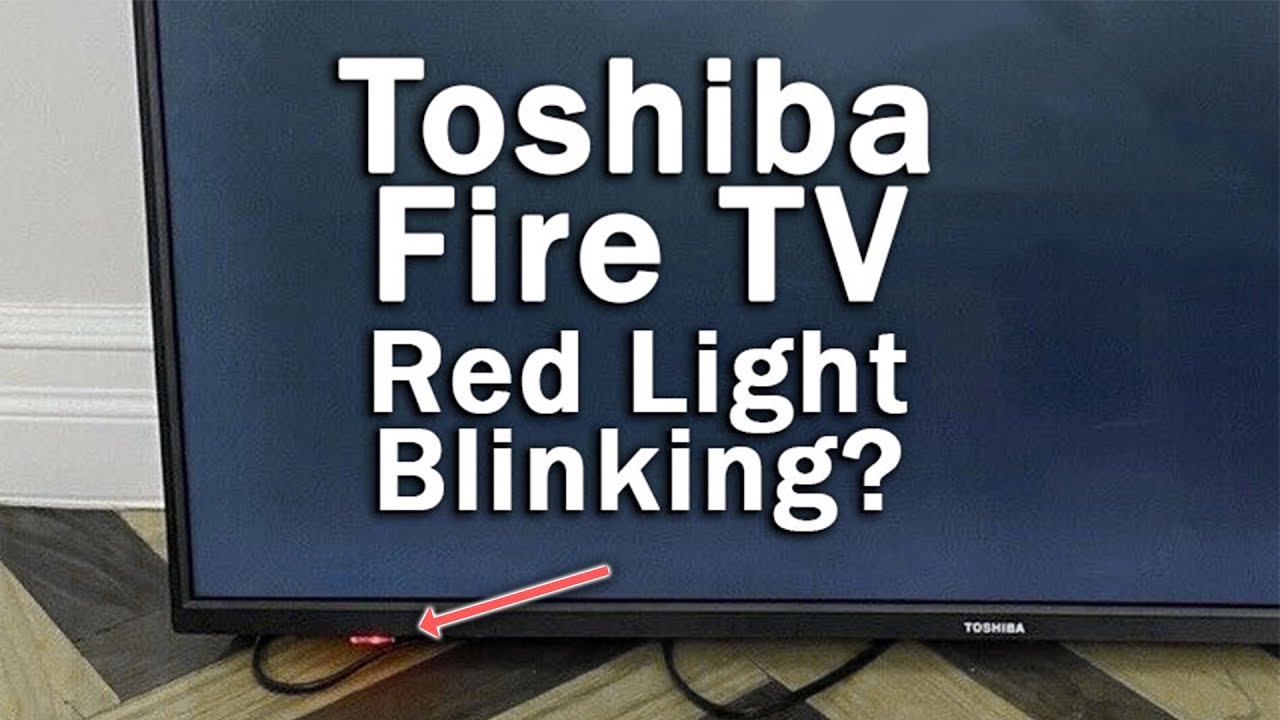
When your Toshiba TV suddenly stops working and the red standby light blinks five times, it’s not just a random signal—it’s your TV’s way of asking for help. Many people panic or rush to buy a new television, but understanding what those five blinks mean can save you time, money, and frustration. In this guide, you’ll learn exactly what causes the Toshiba TV red light to blink five times, how to diagnose the problem, and what steps you can take to fix it. Whether you’re a tech-savvy person or a beginner, you’ll find clear explanations and practical solutions here.
Why Does The Red Light Blink Five Times On Toshiba Tvs?
A blinking red light on your Toshiba TV is a type of error code. Like many modern electronics, Toshiba TVs use these codes to point out specific problems. When your TV blinks five times, it’s telling you something is wrong inside the television. This code usually means there is a hardware failure—a part inside the TV is not working as it should. Instead of guessing, these blinks help you or a technician understand where to look.
Many people don’t realize that each number of blinks means a different thing. Five blinks is a common error, but it’s not the only one. For Toshiba TVs, five blinks often point to problems with the power supply board, the main board, or the backlight inverter. Sometimes, it can even be a sign of a faulty cable or a minor software glitch. Knowing what each area does is important for fixing the problem.
What To Do Before Troubleshooting
Before you start opening your TV or calling a repair shop, a few simple steps can help you avoid unnecessary work or even fix the problem right away:
- Unplug Your TV: Remove the power cord from the wall and wait at least 5 minutes. This simple “power reset” can sometimes clear error codes.
- Check All Connections: Make sure the power cable is securely plugged into both the TV and the wall socket. Wiggle the cable gently to check for a loose connection.
- Try a Different Outlet: Sometimes the problem is with the wall socket, not the TV. Plug the TV into a different outlet to rule this out.
- Remove External Devices: Disconnect all HDMI cables, USB devices, or streaming sticks. Sometimes, these devices can cause a conflict.
- Look for Physical Damage: Inspect the TV for any signs of damage, like a cracked screen, water exposure, or burning smells.
If the red light still blinks five times after these checks, it’s time to look deeper. The next sections will explain the five main causes for this error.

Credit: www.ebay.com
The 5 Main Reasons For Toshiba Tv Red Light Blinking 5 Times
Each of these five causes deserves attention. Understanding them will help you decide if you can fix the TV yourself or if you need a professional. Let’s look at each reason in detail.
1. Power Supply Board Failure
The power supply board is like the heart of your TV. It takes electricity from your wall and sends it to all parts of the television. If this board fails, the TV cannot work. In Toshiba TVs, a blinking red light five times often means the power supply board is not sending power correctly.
Why does this board fail?
- Capacitors (small cylinder-shaped parts) can swell or leak.
- Fuse blows due to a power surge or lightning strike.
- Dust or moisture causes a short circuit.
- Age and wear.
How to check for this problem:
- Listen for clicking or buzzing sounds when you try to turn on the TV.
- If you open the back panel (only if you know how! ), look for swollen or leaking capacitors.
- Use a multimeter to check if the board is sending the right voltage (for advanced users).
Fixes:
- Replace blown fuses or bad capacitors (if you have experience with electronics).
- Clean the board gently with a dry brush if it’s dusty.
- If the whole board is faulty, you may need a new power supply board. These can be found online with your TV’s model number.
Tip: Always unplug the TV before opening it. Power supply boards can hold dangerous electricity even when unplugged.
2. Main Board Malfunction
The main board is the “brain” of your Toshiba TV. It controls the image, sound, and how the TV responds to your remote. If this board fails, the TV might not start, and the red light may blink five times.
Why does the main board fail?
- Bad solder joints from years of heat.
- Static electricity or a lightning strike.
- Short circuits from liquid spills.
- Faulty microchips.
How to check for this problem:
- If your TV makes startup sounds but shows no picture or backlight, the main board might be the issue.
- The TV might turn on for a second, then shut off with the blinking code.
- No “click” sound from the relay when you press the power button.
Fixes:
- Reseating the ribbon cables (disconnect and reconnect them gently).
- If you see physical damage, the main board will need repair or replacement.
- Main boards can sometimes be repaired by specialized technicians, but often replacement is easier.
Non-obvious insight: Some Toshiba TVs have a “factory reset” button on the main board. Pressing this (if you can find it) can sometimes clear the error.
3. Backlight Inverter Or Led Strip Issue
The backlight inverter (or LED driver) powers the lights behind your TV screen. Without it, you get a black screen even if the TV is on. If this part fails, the TV may detect the problem and blink five times.
Why does the backlight fail?
- Power surges.
- Age and heat.
- Manufacturing defects in the LED strips.
- Moisture or dust entering the TV.
How to check for this problem:
- In a dark room, turn on the TV and shine a flashlight close to the screen. If you can see a very faint image, the backlight is not working.
- The TV turns on, but the screen is completely black with the red light blinking.
Fixes:
- Replacing the LED strips or backlight inverter. This is a delicate job but can be done if you’re comfortable opening the TV.
- In some cases, only a single LED is faulty. Replacing the whole strip is often easier than finding the exact bad LED.
Non-obvious insight: Turning the TV on and off repeatedly can sometimes cause further damage to the backlight. Avoid doing this.
4. Faulty Cables Or Connectors
A loose or damaged cable inside your TV can cause the five-blink error. This is less common but much easier to fix than a faulty board.
Why do cables fail?
- They get loose during shipping or moving the TV.
- Pets chew on cables.
- Heat causes plastic connectors to expand and contract, loosening over time.
How to check for this problem:
- If you recently moved the TV, this is a likely cause.
- Open the back panel and gently press all ribbon cables and connectors to make sure they’re secure.
- Inspect for visible damage, like bent pins or frayed wires.
Fixes:
- Reseat all cables inside the TV.
- Replace any cable that looks damaged.
- If you’re not comfortable opening the TV, a technician can do this quickly.
Tip: Take a photo of the inside before disconnecting anything. This makes it easier to remember where each cable goes.
5. Software Or Firmware Glitch
While most five-blink errors are hardware-related, sometimes a software glitch can trick the TV into thinking there is a hardware problem. This is rare but possible, especially after a failed update or a power outage.
Why does this happen?
- Interrupted firmware updates.
- Corrupt software files.
- Power loss during a reset.
How to check for this problem:
- The TV started blinking after a recent update.
- There was a storm or power outage right before the problem.
- No signs of physical damage inside the TV.
Fixes:
- Hard reset: Unplug the TV, press and hold the power button for 30 seconds, then plug it back in.
- Firmware reinstall: Some Toshiba TVs allow you to reinstall firmware using a USB stick. You’ll need the correct file from the Toshiba support website.
- If you’re not sure, contact Toshiba support for step-by-step instructions.
Non-obvious insight: Sometimes, using a universal remote can trigger software glitches if the wrong codes are sent. Always use the original remote when updating or resetting.
How To Identify Which Problem Is Causing The 5 Blinks
You may wonder, “How do I know which of these five problems is the real cause?” Here’s a simple comparison chart to help you match symptoms to the likely issue:
| Symptom | Most Likely Cause | Recommended Action |
|---|---|---|
| No power, no sound, no picture | Power Supply Board | Check/replace power supply board |
| TV clicks, red light blinks, no image | Main Board | Check/replace main board |
| Very faint image with flashlight | Backlight Inverter/LED | Replace backlight or inverter |
| Problem after moving TV | Cables/Connectors | Reseat or replace cables |
| Happened after update/power outage | Software Glitch | Reset TV, reinstall firmware |
This table should help narrow down the cause. If you’re still not sure, a professional diagnosis is the safest choice.
When To Repair And When To Replace
Repairing a TV can be cost-effective, but sometimes replacement is smarter. Here’s how to decide:
Repair If:
- The TV is less than five years old.
- The repair cost is less than half the price of a new TV.
- The problem is with cables, connectors, or a small part.
Replace If:
- The screen is cracked or damaged.
- Multiple boards are faulty.
- The repair estimate is close to a new TV price.
- The TV is more than eight years old.
Here’s a quick comparison of repair costs for each issue:
| Problem | DIY Cost (USD) | Professional Repair (USD) |
|---|---|---|
| Power Supply Board | $30-$80 | $100-$200 |
| Main Board | $40-$120 | $120-$300 |
| Backlight Repair | $25-$70 | $100-$250 |
| Cables/Connectors | $5-$15 | $50-$100 |
| Firmware/Software | $0 | $50-$90 |
Non-obvious insight: Many older Toshiba TVs use boards that are hard to find. If replacement parts are not available, recycling the TV might be your best option.
How To Safely Open Your Toshiba Tv (if Needed)
If you decide to look inside your TV, remember these safety tips:
- Unplug the TV from the wall and wait at least 10 minutes.
- Place the TV face down on a soft surface (like a bed).
- Use the correct screwdriver to remove all screws. Keep them in a cup.
- Gently lift the back panel. Do not force it.
- Take a photo of the inside before touching anything.
- Only touch the edges of boards, not the components.
- If you see damaged or burnt parts, replace the whole board, not just the single part.
Warning: If you are not comfortable with electronics, it’s safer to let a technician handle it.

Credit: function101.com
How To Prevent The 5-blink Issue In The Future
Many TV problems can be avoided with a few simple habits:
- Use a surge protector to protect against power spikes.
- Keep the TV away from water and humidity.
- Dust the vents and back panel every few months.
- Do not block the ventilation holes; overheating can damage internal parts.
- When moving the TV, handle it gently and avoid dropping.
- Always update software/firmware using the official method only.
Common Mistakes To Avoid
Even smart people make these errors when trying to fix a blinking Toshiba TV:
- Forcing the TV on and off repeatedly. This can make the problem worse.
- Using the wrong replacement part. Always match the part number to your TV model.
- Touching the power supply board too soon. It can hold a charge even when unplugged.
- Ignoring the warranty. If your TV is under warranty, do not open it—this will void your coverage.
- Not labeling cables. If you disconnect multiple cables, label them or take photos.
Credit: www.youtube.com
Getting Professional Help
If you’ve tried the steps above and the problem remains, it’s time to call a professional. Here’s what you can do:
- Contact Toshiba support directly. They can guide you and sometimes offer a free diagnosis if your TV is under warranty.
- Use a certified TV repair shop. Check reviews and ask for a repair estimate before agreeing.
- Consider the TV’s age and value before spending money on repairs.
For more details on electronic repair and troubleshooting, you may find helpful information on the Wikipedia Television Repair page.
Frequently Asked Questions
Why Does My Toshiba Tv Blink Red Five Times After A Power Outage?
A power outage can cause a surge that damages the power supply or main board. Sometimes, it also corrupts the software. Try unplugging your TV for 10 minutes and plugging it back in. If the blinking continues, hardware damage is likely.
Can A Software Update Fix The Five-blink Error?
In rare cases, a corrupted software update can cause the error. If your TV supports firmware updates via USB, download the latest version from Toshiba’s official website and follow the update instructions. If this doesn’t work, the problem is probably hardware-related.
Is It Safe To Open The Back Of My Toshiba Tv To Check For Problems?
If you have experience with electronics and the TV is out of warranty, you can carefully open the back. Always unplug the TV first and avoid touching the power supply board directly. If you’re not confident, it’s best to let a technician handle it.
How Can I Tell If The Problem Is With The Backlight?
Turn on the TV in a dark room and shine a flashlight close to the screen. If you see a faint image, the backlight is the issue. This means the TV turns on, but the lights behind the screen are not working.
Should I Repair Or Replace My Toshiba Tv If It Blinks Red Five Times?
If the TV is newer and the repair cost is reasonable, repair is a good option. If it’s old or the cost is high, replacement is smarter. Compare repair quotes with the price of a new TV before deciding.
When your Toshiba TV blinks red five times, it can be stressful—but it doesn’t have to mean the end. By understanding what this error means, checking each possible cause, and taking careful steps, you can often fix the problem or make an informed choice about repair or replacement. With these tips and insights, you’re now equipped to handle the five-blink mystery with confidence.