
Is your GE dehumidifier pump not working, leaving you frustrated with standing water and a damp home? You’re not alone—and the good news is, this problem often has simple fixes you can try yourself.
Whether the pump isn’t draining water through the hose or the unit’s auto-stop feature is acting up, understanding what’s causing the issue is the first step to getting your dehumidifier back on track. You’ll discover easy troubleshooting tips and practical solutions to tackle common pump problems, so you can restore your GE dehumidifier’s performance quickly and keep your space dry and comfortable.
Keep reading to find out how to diagnose and fix the problem before it worsens or leads to costly repairs.
Common Pump Issues
Common pump problems often stop your GE dehumidifier from working properly. These issues usually affect water removal. Understanding these problems helps fix your unit faster.
Some pump troubles come from simple blockages or stuck parts. Others involve the pump reservoir where water collects before draining. Checking these parts is a good first step.
Clogged Or Kinked Hose
The discharge hose can get clogged with dirt or insects. A blocked hose stops water from flowing out. Sometimes the hose bends sharply, causing a kink. Kinks block water flow just like clogs do.
Disconnect the hose from the unit. Flush it with warm water under pressure. Straighten any kinks carefully. This clears the way for smooth drainage.
Stuck Float Switch
The float switch detects water levels inside the tank or near the pump. It can get stuck, making the dehumidifier think the tank is full. This prevents the pump from turning on.
Remove the water bucket and check the float. Move it up and down to see if it is free. If stuck, clean around it gently to restore proper movement.
Pump Reservoir Blockage
The pump reservoir holds water before it drains out. Debris can build up inside the reservoir or the pump intake filter. This stops water from moving, even if the pump motor hums.
Take out the water bucket to find the small white drain hose and pump. Clean the reservoir and the pump intake carefully. Removing dirt helps the pump work correctly again.
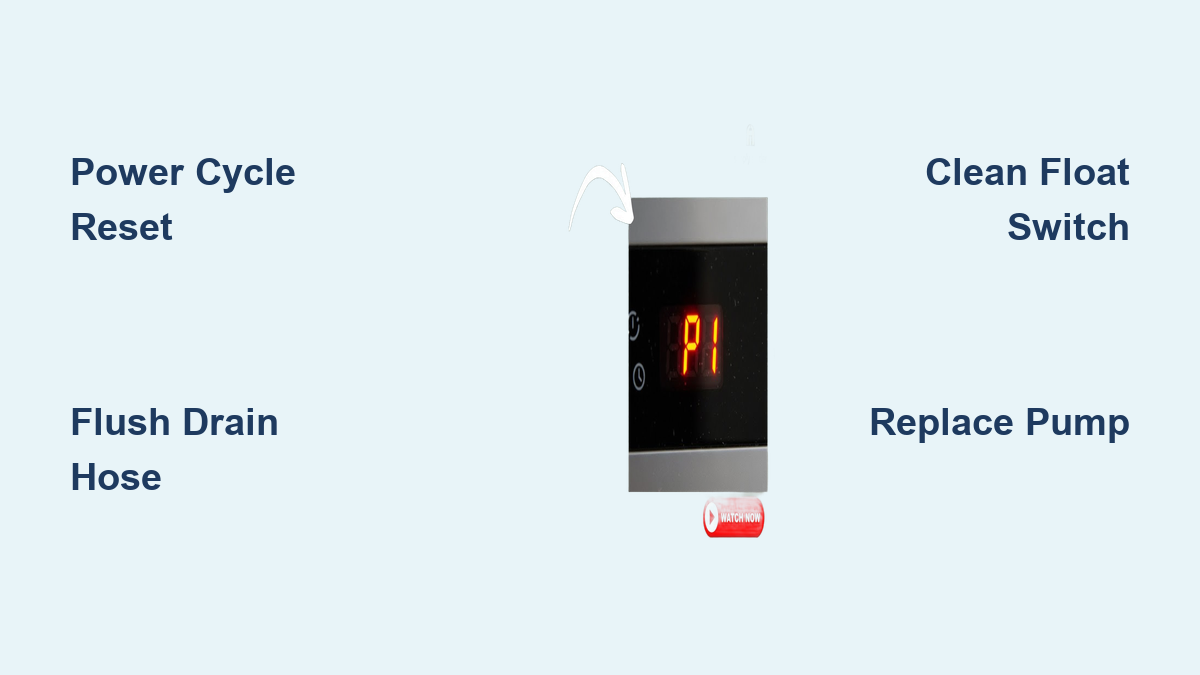
Credit: aircare.best
Basic Troubleshooting Steps
Basic troubleshooting steps help identify simple issues causing the GE dehumidifier pump to stop working. These quick checks often solve the problem without needing repairs. Follow these steps carefully to restore your dehumidifier’s pumping function.
Checking The Pump Switch
Locate the pump switch on your GE dehumidifier. This switch controls the pump operation. Make sure the switch is turned on. Sometimes it may be accidentally switched off. If it feels loose or broken, it might need replacement. Test the switch by toggling it a few times to ensure it clicks properly.
Inspecting The Water Bucket
Remove the water bucket and examine it closely. Check for cracks or damage that could cause leaks. Look inside for the float mechanism. The float controls the pump activation. Ensure it moves freely up and down. A stuck float can stop the pump from working. Clean any dirt or debris around the float and bucket edges.
Flushing The Discharge Hose
Disconnect the discharge hose from the dehumidifier. Blockages often build up inside this hose. Run warm water through the hose to flush out dirt, dust, or small insects. Use a gentle but steady water flow to clear clogs. After flushing, reconnect the hose securely. Check for any kinks or bends that could block water flow.
Advanced Fixes
Advanced fixes for your GE dehumidifier pump address deeper issues. These steps require more care but can resolve persistent problems. Follow the instructions closely to avoid damage.
Cleaning The Pump Intake
Turn off and unplug the dehumidifier before cleaning. Locate the pump intake, usually near the water reservoir. Remove any visible debris or buildup gently. Use a soft brush or cloth for stubborn dirt. Flush the intake with clean water to clear blockages. Let it dry completely before reassembling the unit.
Resetting The Dehumidifier
Unplug the dehumidifier from the power source. Wait at least five minutes to allow the system to reset. Plug the unit back in and turn it on. This reset clears minor electronic glitches that can stop the pump. Test the pump to see if it works after the reset.
Testing The Pump Motor
Remove the water bucket to access the pump motor. Listen for a humming sound when the pump activates. No sound may indicate a faulty motor. Use a multimeter to test the motor’s electrical continuity. Replace the motor if it fails the test to restore pump function.
When To Replace Parts
Knowing when to replace parts in your GE dehumidifier is key to keeping it working well. Some parts wear out over time and cause the pump to stop working. Timely replacement saves you from bigger problems and costly repairs. Watch for clear signs that parts need changing.
Signs Of Pump Motor Failure
The pump motor may fail if you hear strange noises like buzzing or humming. It may also stop pumping water completely. Another sign is if the pump runs but no water moves through the hose. The motor might overheat or shut off suddenly. These symptoms mean the motor or pump parts need replacement soon.
Using An External Condensate Pump
Sometimes the internal pump fails and replacing it is hard. Using an external condensate pump can be a good alternative. This pump moves water out and keeps the dehumidifier running. External pumps are easy to install and often last longer. They work well if your GE pump is broken or clogged.
Warranty And Service Options
Check if your GE dehumidifier is still under warranty before replacing parts. Warranty may cover pump motor or other key components. GE customer service can offer repair or replacement advice. Some parts may not be serviceable locally, so contacting GE directly helps. Knowing your warranty and service options avoids unnecessary expenses.
Preventive Maintenance Tips
Preventive maintenance helps keep your GE dehumidifier pump working smoothly. Small care steps reduce the chance of breakdowns. Following simple routines extends the life of the pump. Regular attention avoids common problems like clogs and hose damage. This section covers key tips to maintain your unit properly.
Regular Cleaning Routines
Clean the water tank and pump area often. Remove dust and debris that block water flow. Wipe the float switch to ensure it moves freely. Flush the drain hose with warm water to clear clogs. Avoid letting dirt build up inside the pump reservoir. These steps keep the pump running efficiently and prevent false full-tank signals.
Avoiding Hose Damage
Check the hose for kinks or cracks regularly. Avoid bending the hose sharply or pulling it tightly. Replace damaged hoses immediately to prevent leaks and blockages. Keep the hose clear of pets and pests that might chew it. Proper hose care stops water from backing up and damaging the pump.
Proper Storage Practices
Store the dehumidifier in a dry, cool place when not in use. Drain all water from the tank and hoses before storage. Remove and clean the hose to avoid mold growth inside. Cover the unit to protect it from dust and dirt. Good storage prevents corrosion and keeps the pump ready for use.

Credit: www.youtube.com
Frequently Asked Questions
What Is The Life Expectancy Of A Ge Dehumidifier?
A GE dehumidifier typically lasts between four to eight years with continuous use. Lifespan depends on maintenance and model quality.
Why Is My Dehumidifier Not Pumping Water Out The Hose?
Check if the hose is clogged or kinked, blocking water flow. Ensure the float switch moves freely and the pump is running. Clean debris from the pump reservoir. Confirm the pump is turned on and the bucket is properly placed.
Replace the pump if it has failed.
How To Hard Reset Ge Dehumidifier?
To hard reset a GE dehumidifier, unplug it for 5 minutes. Then, plug it back in to restore factory settings and fix minor glitches.
Is The Ge Dehumidifier Being Recalled?
GE dehumidifiers are not currently under recall. Check GE Appliances’ official site for updates or safety notices.
Why Is My Ge Dehumidifier Pump Not Working?
The pump may be clogged or stuck due to debris or a stuck float switch. Check the hose for blockages and ensure the float moves freely inside the water tank. Cleaning the pump reservoir often fixes the issue.
Conclusion
A GE dehumidifier pump not working can disrupt your home’s comfort. Common issues include clogged hoses, stuck float switches, or dirty pump reservoirs. Simple cleaning and checking the float can often restore function. If problems persist, the pump motor might have failed.
Warranty coverage may help cover repair or replacement costs. For older units, using an external condensate pump can be a practical solution. Regular maintenance keeps your dehumidifier running smoothly and avoids future pump troubles. Stay proactive to ensure your space stays dry and comfortable.