
When you press the power button on your Hisense TV and nothing happens, it can feel frustrating. You might worry your TV is broken, or you may wonder if there’s a simple fix. The truth is, many Hisense TV power issues are easy to diagnose and solve, even if you’re not a tech expert. This guide walks you through everything you need to know, from the most common reasons a Hisense TV won’t turn on, to advanced troubleshooting and when to seek help. You’ll also find practical tips, answers to common questions, and ways to prevent future problems.
Why Your Hisense Tv Won’t Turn On
A TV that won’t turn on is a common problem, but the causes can range from simple to complex. Understanding the main reasons is the first step to getting your screen working again. Here are the most typical causes:
- Power supply issues – The TV isn’t getting any electricity.
- Remote control problems – The remote isn’t sending the signal.
- Faulty cables or connections – Loose or damaged wires block power.
- System errors – Software glitches prevent startup.
- Internal hardware failures – Components like the power board or main board have failed.
- External device interference – Devices like game consoles or streaming sticks cause conflicts.
Many people assume the worst, but often, the fix is simple and quick. Let’s start with the basics and work towards more advanced solutions.
Quick Checks Before Troubleshooting
Before you try technical solutions, check a few basic things. These can save you time and, in some cases, solve the issue right away.
- Check the Power Outlet
- Plug another device (like a phone charger or lamp) into the same outlet. If it doesn’t work, the outlet may be faulty.
- Try a different wall socket with your TV.
- Inspect the Power Cord
- Look for visible damage, cuts, or bends.
- Make sure the cord is securely connected to both the TV and the wall.
- Look for Standby Light
- Most Hisense TVs have a small standby light on the front.
- If the light is on, the TV may be in standby mode.
- If the light is off, it could mean no power is reaching the TV.
- Try the Physical Power Button
- All Hisense TVs have a button on the TV itself (usually underneath or at the back).
- Press it to see if the TV responds.
If these quick checks don’t solve the problem, it’s time to dig deeper.
Common Causes And Solutions
Understanding exactly what’s stopping your TV from turning on helps you fix the problem faster. Here’s a breakdown of the main causes, with clear steps to solve each one.
Power Supply Problems
Without power, your TV can’t work. Even a small issue can block electricity.
How to check:
- Plug another device into the same outlet.
- Use a different outlet for your TV.
- Inspect for tripped circuit breakers in your home.
Solution:
If the outlet or circuit is the problem, restore power or use another socket. If your power cord is damaged, replace it with an official Hisense or compatible cord.
Remote Control Failure
Sometimes the TV is fine, but the remote control is the problem.
How to check:
- Try turning on the TV with the button on the unit, not the remote.
- Use fresh, high-quality batteries in the remote.
- Check for any sticky buttons or battery corrosion.
Solution:
If the TV turns on with the physical button, the remote is at fault. Clean the remote, replace batteries, or try a universal remote.
Faulty Cables Or Connections
Loose or broken cables can interrupt the power or signal.
How to check:
- Unplug and replug the power cord at both ends.
- Check HDMI, USB, and other cables. Remove all except the power cable.
- Look for bent or damaged pins.
Solution:
Replace any damaged cables. For the power cord, always use a certified replacement.
Software/system Errors
Hisense TVs, especially smart models, run on complex software. Sometimes, glitches stop the TV from starting.
How to check:
- If the standby light blinks, this often means a system error.
- The TV may make clicking sounds but not turn on.
Solution:
Try a power cycle:
- Unplug the TV from the wall.
- Wait 60 seconds.
- Press and hold the power button on the TV for 30 seconds (if possible).
- Plug the TV back in and turn it on.
This resets the TV’s software and often solves startup issues.
Internal Hardware Failures
Some problems are inside the TV. Common failures include the power board, main board, or backlight.
How to check:
- If there’s no standby light and other devices work in the outlet, the power board may be faulty.
- If the standby light is on, but the screen stays black, the backlight or main board could be the issue.
Solution:
Internal repairs often require a professional. Opening the TV can void your warranty. Only attempt repairs if you have experience and proper tools.
External Device Interference
Sometimes, a connected device (like a streaming stick or game console) can stop the TV from turning on correctly.
How to check:
- Unplug all external devices (HDMI, USB, etc. ).
- Try turning on the TV with nothing connected.
Solution:
If the TV turns on, reconnect devices one by one to find the problem device. Update or replace the faulty device as needed.
Hisense Tv Standby Light Codes
The standby light on your Hisense TV can give clues about what’s wrong. Here’s a handy reference:
| Standby Light Behavior | Possible Meaning | What to Do |
|---|---|---|
| Solid Red | TV is off, getting power | Try turning on with button/remote |
| Blinking Red | Error or system issue | Power cycle TV |
| No Light | No power | Check outlet and power cord |
| Light turns on, then off | Startup issue | Try power cycling, check for hardware issue |
Understanding these codes can save you time and help you decide if you need expert help.
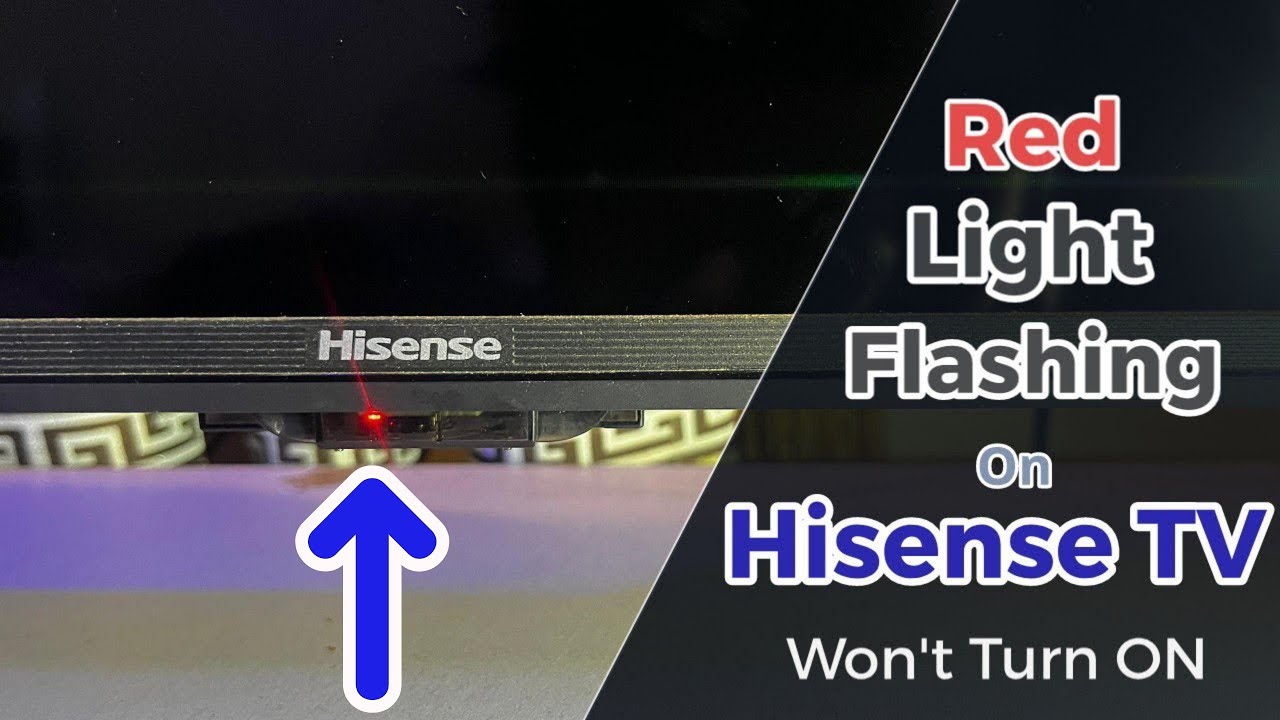
Credit: www.youtube.com
Step-by-step Troubleshooting Guide
If your Hisense TV still won’t turn on, follow these steps in order. This systematic approach increases your chances of finding the problem.
- Unplug the TV from the wall.
- Wait at least 1 minute.
- Press and hold the power button on the TV for 30 seconds. This drains any remaining power and resets the system.
- Plug the TV back in and try turning it on.
- Check the standby light. Use the table above for clues.
- Try a different power outlet.
- Use the physical power button, not the remote.
- Remove all external devices.
- Replace the power cord if you suspect damage.
- If the TV turns on, reconnect devices one at a time.
If you still have no luck, it’s time to look at more advanced options or consider professional help.
Advanced Solutions For Persistent Issues
Some TV problems are more stubborn. These steps help when the basics don’t work, but they require more care.
Check For Backlight Failure
Sometimes, the TV is on, but the screen is black because the backlight is broken.
How to check:
- Turn on the TV and shine a flashlight at the screen from a few inches away.
- If you see faint images or movement, the backlight is faulty.
Solution:
Backlight repair usually means replacing LED strips inside the TV. This is best done by a technician, as it involves opening the TV and handling delicate parts.
Reset The Tv To Factory Settings
If your TV is stuck on a black screen or won’t boot, a factory reset can help. Some Hisense TVs have a small reset button (often near the ports).
How to reset:
- Find the reset hole (use a paperclip).
- Hold it for 20 seconds while the TV is plugged in.
- Release and wait for the TV to reboot.
Be aware this will erase all your settings and apps.
Firmware Update Or Reinstallation
Corrupt firmware can prevent startup. Some Hisense TVs allow you to reinstall firmware using a USB drive.
How to update:
- Download the correct firmware for your model from the Hisense support website.
- Follow the instructions to install the firmware via USB.
If this seems too technical, seek help from a professional or Hisense support.
Internal Hardware Repairs
If you suspect a power board or main board failure, you’ll need to open the TV. Unless you have experience, this should be left to a qualified repair shop.
Warning:
Opening your TV can void your warranty. Always check your warranty status first.

Comparing Common Power Problems
Here’s a comparison to help you quickly spot the difference between common issues:
| Problem | TV Symptoms | DIY Fix | Needs Technician? |
|---|---|---|---|
| Dead Power Outlet | No lights, no sound | Yes | No |
| Faulty Power Cord | No lights, no sound | Yes (replace cord) | No |
| Remote Control Issue | TV won’t respond, standby light on | Yes (try button on TV, replace batteries) | No |
| Backlight Failure | Faint image with flashlight, sound works | No | Yes |
| Main Board Failure | Standby light on, but nothing else | No | Yes |
This table makes it clear when you can fix things yourself and when you need expert help.
When To Call For Professional Help
Some problems are too complex for home fixes. Here’s when you should call a technician:
- No standby light, and you’ve checked the outlet and power cord.
- The TV makes clicking or popping sounds but won’t start.
- You see faint images but no backlight.
- The TV turns on but shows only a colored screen or lines.
- You tried a factory reset, but nothing changes.
Professional repair shops have tools to test power boards, main boards, and other parts safely.
Hisense Tv Warranty And Support
If your TV is under warranty, don’t open it or try risky fixes. Contact Hisense customer service first. You’ll need your model number, serial number, and proof of purchase.
Common warranty coverage includes:
- Power board and main board issues
- Screen and backlight failures (if not caused by physical damage)
- System software errors
You can reach Hisense support through their official website or phone. For more information on Hisense TV warranties, visit the official Hisense Warranty Page.
Preventing Future Power Issues
A few simple habits can help your Hisense TV last longer and avoid sudden power problems.
1. Use A Surge Protector
Electrical surges can damage sensitive circuits. Always plug your TV into a quality surge protector.
2. Keep The Tv And Cables Clean And Dust-free
Dust can build up inside the TV and cause overheating or short circuits.
3. Unplug During Storms
Lightning can cause power surges. If a storm is coming, unplug your TV to stay safe.
4. Don’t Overload Outlets
Too many devices on one outlet can cause tripped breakers or damage.
5. Update Your Tv’s Software
Regular updates can fix bugs that might cause startup problems.
6. Handle With Care
Avoid moving the TV roughly or letting it get wet.

Real-world Example: Hisense Tv Power Issue
Let’s look at a common real-life case.
Situation:
John bought a new Hisense 55-inch TV. After six months, it suddenly wouldn’t turn on. The standby light was on, but the screen stayed black.
What John did:
- He checked the outlet with another device—no problem.
- Tried the physical power button—no luck.
- Unplugged the TV, waited, and tried again—nothing.
- Shined a flashlight on the screen—saw faint images.
Diagnosis:
The backlight had failed. John contacted Hisense support, and since he was still under warranty, the company sent a technician. The backlight was replaced, and the TV worked again.
Lesson:
Even when it seems like a total failure, sometimes only one part (like the backlight) is the problem. Warranty coverage can save you money.
Frequently Asked Questions
Why Won’t My Hisense Tv Turn On But The Red Light Is On?
A solid red standby light usually means the TV is getting power but is in standby mode. Try pressing the physical power button on the TV. If it still won’t turn on, unplug the TV for a minute, then try again. If the problem continues, it could be a system or main board issue.
How Do I Reset My Hisense Tv If It Won’t Turn On?
To reset a Hisense TV that won’t start, unplug it from the wall, wait 60 seconds, then press and hold the power button (on the TV, not the remote) for 30 seconds. Plug it back in and try to turn it on.
Some models have a small reset button near the ports, which you can press with a paperclip.
What Should I Do If My Hisense Tv Turns On But The Screen Is Black?
If the TV turns on (you hear sound or see the standby light change) but the screen stays black, try shining a flashlight on the screen. If you see faint images, the backlight is likely broken. This usually needs a professional repair.
How Can I Tell If My Hisense Tv Power Board Is Faulty?
Common signs of a power board failure include no lights, no sound, and no response from the TV, even when using different outlets and cords. If you have electrical skills, you can test the board with a multimeter, but most people should consult a technician.
Are Hisense Tvs Reliable?
Hisense TVs are generally reliable and offer good value for their price. Like all electronics, they can experience issues, especially if not protected from surges or dust. Regular care and using quality accessories can help your TV last longer. For more detailed reviews, you can check independent sources like RTINGS.com.
Final Thoughts
A Hisense TV that won’t turn on can be worrying, but most problems are easy to solve with a careful, step-by-step approach. Start with simple checks like the power outlet, cord, and remote. Move on to power cycling and unplugging devices. If the TV still won’t start, look for clues like the standby light or try a factory reset. For hardware issues, don’t hesitate to contact Hisense support or a trusted technician—especially if your TV is under warranty.
Remember, prevention is key. Use a surge protector, keep the TV clean, and keep your software up to date. With these tips, you’ll not only fix today’s problem but also keep your Hisense TV running smoothly for years to come.