
If you’ve brought smart home technology into your life, chances are you’ve enjoyed the convenience of Ikea’s blinds with remotes. They let you control the light with just a click—until one day, the remote stops working. Suddenly, your automated comfort turns into frustration.
But before you give up or call for support, know that most Ikea blind remote problems have clear solutions. In this guide, you’ll learn practical steps to diagnose and fix the issue, understand how these systems work, and avoid common mistakes that could cost you time and money.
Understanding Ikea Blinds Remotes
Ikea’s smart blinds, especially models like Fyrtur and Kadrilj, use a small wireless remote to raise or lower your shades. These remotes communicate via radio signals, often using Zigbee—a wireless protocol popular in smart homes. Some setups include a signal repeater and a gateway (like Ikea’s Tradfri hub), which let you control blinds with your phone or voice assistants. But even without a hub, the remote should work directly with the blinds.
When your Ikea blinds remote is not working, the issue could be with the remote, the blinds, the repeater, or even interference in your home. Understanding the main parts helps you troubleshoot smarter:
- Remote control: Sends commands using radio signals.
- Blinds motor: Receives signals, moves the shade up or down.
- Signal repeater: Extends the remote’s reach.
- Hub (optional): Allows app and voice control.
Knowing this, you can target each part when something fails.
Common Reasons Your Ikea Blinds Remote Isn’t Working
Many things can stop a remote from working, but a few causes are most likely:
- Dead or weak batteries
- Remote not paired with blinds
- Interference from other devices
- Out of range
- Signal repeater issues
- Firmware problems
- Blinds or remote hardware fault
- Physical obstruction or installation errors
Let’s explore each cause with practical troubleshooting.
Step-by-step Troubleshooting Guide
Fixing an Ikea blinds remote that isn’t working is often simple if you follow a logical process. Start with the easiest solutions first.
1. Check The Batteries
This is the most common issue and also the fastest to fix.
- Open the remote’s battery compartment (usually on the back).
- Remove the batteries and check for corrosion or dirt on contacts.
- Replace with new, high-quality AAA batteries (or the type specified for your model).
- Make sure batteries are inserted correctly (matching + and – signs).
If the remote works after new batteries, you’re done! If not, move to the next step.
Pro Tip: Even if your batteries are “new,” they may not be fresh. Use a reliable brand and check the expiry date.
2. Confirm Remote And Blinds Are Paired
Sometimes, the remote loses its connection to the blinds. Pairing issues are especially common after battery changes or power interruptions.
- Hold the remote close to the blinds (within a few inches).
- Press and hold both up and down buttons together for at least 10 seconds.
- The blind should move slightly (a quick up-and-down motion) to confirm pairing.
- If nothing happens, repeat the process.
Tip: Some models have a small pairing button on the blind itself. Check your manual for the exact steps.
3. Test The Range
Remotes can only reach so far. Ikea blinds remotes typically work up to 32 feet (10 meters), but walls and furniture can block signals.
- Try operating the remote right next to the blinds.
- If it works up close but not far away, consider moving the signal repeater closer to the blinds.
4. Check For Interference
Many household devices (like Wi-Fi routers, cordless phones, or microwaves) can interfere with Zigbee signals.
- Turn off or move other electronic devices near the blinds and remote.
- Test if the remote starts working after moving these devices.
5. Inspect The Signal Repeater
If your blinds setup includes a signal repeater, it must be plugged in and working.
- Ensure the repeater is connected to power.
- Try plugging it into a different outlet, closer to the blinds.
- Some repeaters have a small indicator light—make sure it’s on.
6. Examine The Blinds
Sometimes, the problem is with the blinds, not the remote.
- Check if the blinds respond to manual controls (if available).
- Listen for any noise when you press the remote—if you hear a motor sound, but the blinds don’t move, they may be stuck.
- Look for obstructions in the blind’s path.
7. Update Firmware
Ikea releases updates that fix bugs and improve performance. If you use the Tradfri gateway, check for firmware updates:
- Open the Ikea Home Smart app.
- Go to the blinds device page.
- Look for a firmware update option.
8. Reset The System
If all else fails, a factory reset can help.
- For the remote: Press and hold both buttons for at least 10 seconds until the light flashes.
- For the blinds: Press the small reset button (usually under the battery cover) for at least 5 seconds.
After resetting, pair the devices again.
Comparing Ikea Blinds Remote Models
Ikea offers several remote models. Understanding the differences can help you troubleshoot or decide if an upgrade is needed.
| Remote Model | Supported Blinds | Battery Type | Pairing Method | Signal Range |
|---|---|---|---|---|
| Fyrtur Remote | Fyrtur, Kadrilj | AAA | Both buttons (10s) | 32 feet (10m) |
| Tradfri Shortcut Remote | Multiple devices | CR2032 | Reset pinhole | 32 feet (10m) |
| Open/Close Remote | Fyrtur, Kadrilj | AAA | Both buttons (10s) | 32 feet (10m) |
Notice: Most Ikea blinds remotes use simple pairing and standard batteries, but check your manual for unique steps.
Advanced Troubleshooting
If you’ve tried the basic steps and your remote still doesn’t work, it’s time to dig deeper. Sometimes, the problem is not obvious.
1. Signal Obstruction
Heavy walls, mirrors, or even metal blinds can block signals. If your blinds are in a corner or behind thick curtains, try moving the repeater or even the blinds themselves temporarily to test.
2. Multiple Remotes Or Devices
If you have several Ikea remotes or smart home devices, they may interfere with each other. Each remote should be paired to its specific blind. Accidentally pairing one remote to multiple blinds can create confusion—only one may respond, or commands may not work at all.
- Unpair all remotes and pair them again, one at a time, starting with the blind closest to your hub or repeater.
3. Battery Contact Issues
Sometimes, the battery compartment gets loose or dirty.
- Gently bend the battery contacts up with a small screwdriver to ensure a tight fit.
- Clean contacts with a dry cotton swab.
4. Factory Reset Sequence
If you think your remote or blind is “stuck,” try the reset sequence:
- Remove batteries from the remote.
- Wait 30 seconds.
- Replace batteries.
- Pair the remote to the blind as before.
5. Firmware Glitches
If you use the Ikea Home Smart app, check if the app recognizes the remote and blinds. Sometimes, deleting the device and adding it again can fix software bugs.
6. Physical Damage
Remotes are small and can be dropped easily. Check for cracks, loose buttons, or water damage. If the remote has been dropped in water, remove the batteries immediately and let it dry for 24 hours.
Preventing Future Remote Problems
A bit of regular care can prevent most Ikea blinds remote issues.
- Change batteries every 12 months, even if the remote still works.
- Keep the remote dry and away from direct sunlight.
- Clean the battery compartment during every battery change.
- Update firmware when notified.
- Avoid placing routers or high-powered electronics next to blinds or the remote.
When To Replace Your Remote
Sometimes, remotes just wear out. If you’ve tried every troubleshooting step and the remote still doesn’t work, it may be time to buy a replacement. Signs you need a new remote:
- No light or response even with fresh batteries
- Buttons are physically stuck or broken
- The remote only works from a few inches away, even after moving the repeater
Ikea remotes are affordable and easy to pair with your existing blinds.
Comparing Ikea Blinds Remotes To Competitors
How do Ikea’s remote-controlled blinds compare to similar products from other brands? Here’s a quick look:
| Brand | Remote Price (USD) | Battery Life | Range | Smart Home Integration |
|---|---|---|---|---|
| Ikea Fyrtur | $15 | 1 year | 32 feet (10m) | Yes (via Tradfri) |
| Somfy | $35 | 2 years | 65 feet (20m) | Yes |
| Yoolax | $20 | 1.5 years | 49 feet (15m) | Yes |
Ikea’s remotes are budget-friendly and reliable for most homes, but their range and battery life are shorter than high-end brands like Somfy.

Real-world Examples And Insights
Let’s look at some situations Ikea blinds owners have faced, and what they learned:
Case 1: After a power outage, the remote stopped working. The owner tried new batteries but didn’t realize the remote had lost its pairing. After re-pairing the remote, everything worked.
Insight: Power interruptions can break the pairing. Always try re-pairing after outages.
Case 2: Remote worked only in the morning, not at night. It turned out that a nearby Wi-Fi router scheduled heavy downloads at night, causing interference with the blinds’ signal.
Insight: Time-of-day problems can be due to network interference, not the blinds themselves.
Case 3: User replaced batteries but still had no luck. The issue was dirty battery contacts. After cleaning them with a cotton swab, the remote worked instantly.
Insight: Battery contacts are often overlooked. Always clean them during troubleshooting.
Common Mistakes To Avoid
Many users make the same errors when their Ikea blinds remote stops working. Here are mistakes to watch out for:
- Skipping the battery check: Even “new” batteries can be dead or poorly installed.
- Not re-pairing: After changing batteries or moving the blinds, always re-pair the remote.
- Ignoring interference: Placing routers, speakers, or metal objects near the blinds can block signals.
- Forgetting firmware updates: Outdated software can cause strange behavior.
- Not resetting: Sometimes, only a reset restores proper function.
When To Call Ikea Support
If you’ve tried all troubleshooting steps and your remote still doesn’t work, it may be time to contact Ikea support.
Prepare this information before you call:
- Blind model and purchase date
- Remote model
- Troubleshooting steps you’ve tried
- Any error lights or sounds
Ikea’s support team can guide you through advanced solutions or arrange for a replacement if your device is under warranty.
The Role Of The Ikea Home Smart System
If you use the Ikea Home Smart system (formerly Tradfri), your remote’s reliability depends on the hub and the app as well. Here’s what to check:
- Make sure your hub is online and updated.
- Restart your router and hub if devices drop offline.
- Use the app to control the blinds—if the app works but the remote doesn’t, the problem is with the remote. If both fail, check the hub and network.
Expert tip: The Ikea Home Smart app provides logs and error messages that can help you diagnose rare issues.
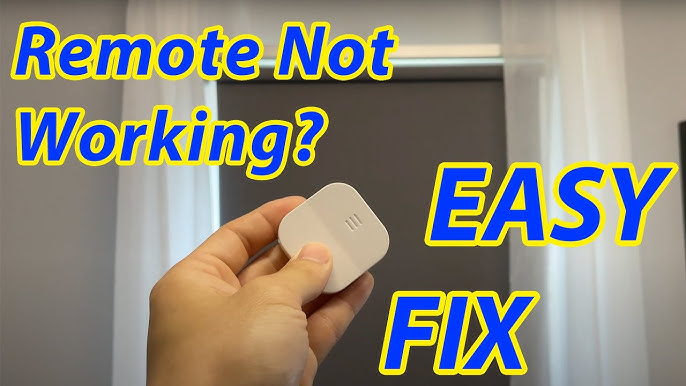
Ikea Blinds Remote Not Working: Quick Reference Checklist
If you want a fast recap, here’s a checklist you can follow:
- Replace the batteries with high-quality ones.
- Re-pair the remote and blinds.
- Test the remote close to the blinds.
- Move or reset the signal repeater if used.
- Check for interference from other devices.
- Clean the battery contacts.
- Reset both the remote and the blinds.
- Update firmware if you use the hub.
- Try the app—if it works, the remote is the issue.
- If all else fails, consider replacing the remote.
How To Pair A New Remote To Ikea Blinds
Lost or broken your original remote? Pairing a new one is easy:
- Insert fresh batteries in the new remote.
- Hold the remote next to the blinds.
- Press and hold both buttons for 10 seconds.
- The blind should move up and down briefly—pairing is complete.
For more help, Ikea’s official support page can be a useful resource: Ikea Smart Blinds Support.
How To Extend Your Remote’s Range
If your room is large or your walls are thick, the standard range may not be enough. Try these tips:
- Add a second signal repeater between the remote and the blinds.
- Move the blinds or repeater away from metal or dense walls.
- Avoid placing the repeater behind furniture.
If you have a smart hub, you can control blinds from your phone anywhere in your home.
Can You Control Ikea Blinds Without The Remote?
Yes, if your remote breaks, you can still use:
- The Ikea Home Smart app (with the Tradfri gateway)
- Voice assistants like Amazon Alexa or Google Assistant (with the hub)
- Manual controls on the blind (if equipped)
But for quick manual control, the remote is still the most convenient.

What If Multiple Remotes Control One Blind?
Ikea allows you to pair multiple remotes to one blind. This can be useful for large rooms or multi-user homes.
- Pair each remote using the same pairing steps, one at a time.
- Make sure each remote is close to the blind during pairing.
- If remotes seem to “fight” for control, reset all and pair again.
Real Data: How Often Do Ikea Remotes Fail?
While Ikea doesn’t publish failure rates, user forums suggest most remotes work well for 2–3 years with normal use. Battery changes are needed about once a year. Most problems are caused by pairing issues or battery/contact problems, not hardware failures.
Practical Tips For Long-term Success
- Store a spare set of batteries near your remote.
- Label your remotes if you have several blinds.
- Schedule a quarterly checkup: Test all remotes, clean contacts, and check app connectivity.
Frequently Asked Questions
What Type Of Batteries Do Ikea Blinds Remotes Use?
Most Ikea blinds remotes use AAA batteries. Some models, like the Tradfri Shortcut Remote, use a CR2032 coin cell. Always use the battery type listed in your manual for best results.
How Do I Reset My Ikea Blinds Remote?
To reset, press and hold both the up and down buttons on the remote for 10 seconds. The light on the remote should flash or the blinds should move briefly. After resetting, you’ll need to pair the remote to the blinds again.
Can I Control Ikea Blinds Without A Remote?
Yes, if you have the Ikea Home Smart hub (Tradfri gateway), you can control the blinds with the Ikea Home Smart app or through voice assistants like Alexa and Google Assistant. Some blinds also have a manual button for control.
Why Does My Remote Only Work From A Short Distance?
This usually means weak batteries, signal interference, or a problem with the signal repeater. Replace batteries, remove any nearby electronics, and try moving the repeater closer to the blinds.
My Remote Stopped Working After A Power Outage. What Should I Do?
Power interruptions can cause the remote and blinds to lose their pairing. Try re-pairing the remote to the blinds by holding both buttons for 10 seconds with the remote close to the blinds. If that doesn’t help, reset both the remote and the blinds.
Ikea’s smart blinds can make your life easier—when they work. By following these steps, you can solve most remote problems yourself and keep your home comfortable, stylish, and convenient. If you need official troubleshooting guides, check out resources like the Ikea Wikipedia page for more information on the brand and its products.