
Is your Primo water dispenser suddenly not working? It can be frustrating when you expect a fresh, cold drink and nothing comes out.
You might wonder why your dispenser stopped pumping water or why the cold water option isn’t dispensing. Don’t worry—you’re not alone, and the fix could be simpler than you think. You’ll discover easy steps to troubleshoot and get your Primo water dispenser back in action quickly.
Keep reading to avoid wasting time and enjoy hassle-free hydration again!
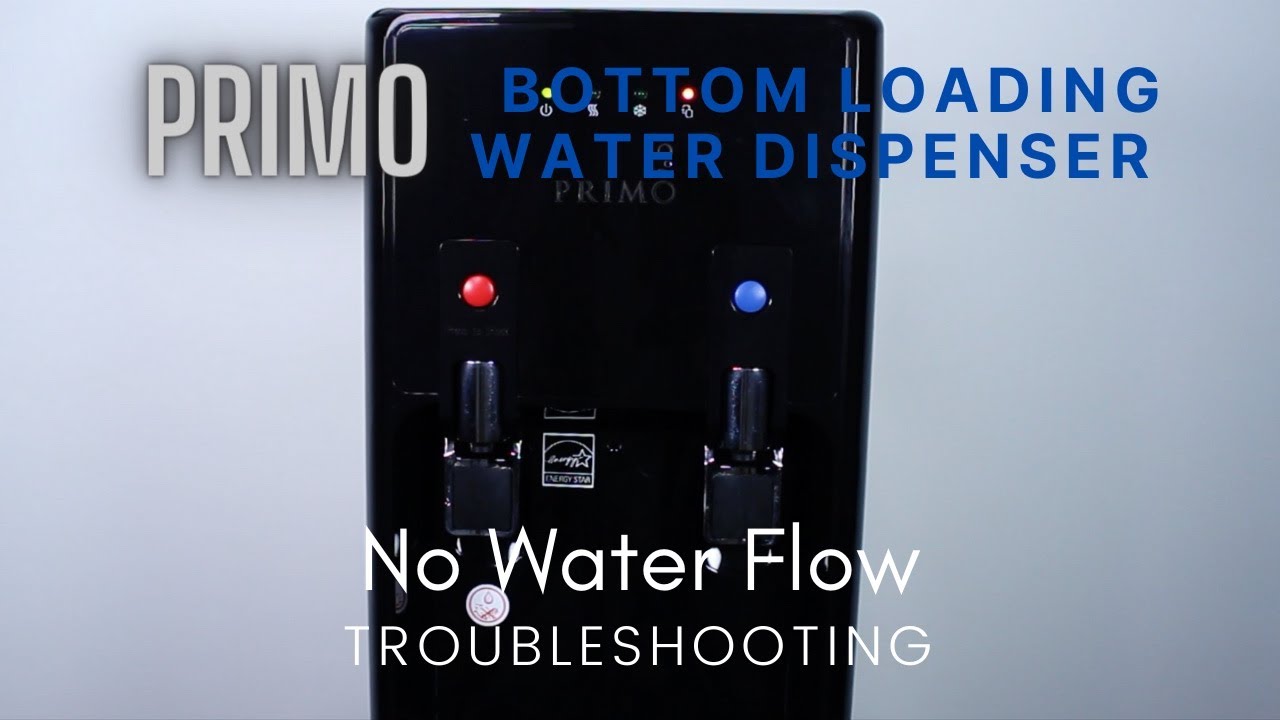
Common Reasons For No Water Flow
When your Primo water dispenser stops flowing water, the problem often lies in simple issues. Understanding common causes helps fix the problem quickly. Most no-flow issues are easy to solve with basic checks and cleaning.
Hose Connection Issues
The hose delivers water from the bottle to the dispenser. If the hose is loose or not fully connected, water cannot flow properly. Check if the hose is firmly attached to the pump and prop head. Reinsert it if necessary. A tight connection ensures smooth water flow.
Clogged Screen Filter
Inside the spout, a small screen filter catches dirt and debris. Over time, this filter can get clogged. A blocked filter stops water from passing through. Remove the filter and rinse it under clean water. Cleaning the filter often restores normal flow.
Airlock Problems
An airlock occurs when air blocks water movement inside the dispenser. This stops water from flowing out. To fix it, press and hold the cold or hot water button for a few seconds. This pushes air out and clears the blockage. Airlocks are common but easy to fix.
Basic Troubleshooting Steps
Basic troubleshooting helps find simple causes for your Primo water dispenser issues. It saves time and avoids unnecessary repairs. Follow these easy steps to check common problems and fix your dispenser quickly. These checks cover water bottle placement, power and settings, and resetting the machine.
Check Water Bottle Placement
Make sure the water bottle sits firmly in place. The bottle’s neck should fit tightly into the dispenser’s reservoir. A loose or tilted bottle can block water flow. Remove the bottle and reposition it carefully. Check for cracks or leaks on the bottle or dispenser neck. Replace the bottle if you see damage.
Inspect Power And Settings
Confirm the dispenser is plugged into a working outlet. Look for any tripped circuit breakers or blown fuses. Check the power switch on the machine. Ensure it is turned on. Review the temperature settings for hot and cold water. Adjust them if they seem incorrect. Sometimes, settings reset after power loss.
Resetting The Dispenser
Resetting the dispenser can clear minor errors. Unplug the unit and wait for about 30 seconds. Plug it back in and turn it on. This simple reset refreshes the system. Some models have a reset button—press it if available. Test the dispenser after resetting to see if it works properly.
Fixing Cold Water Dispensing Issues
Cold water not dispensing from your Primo water dispenser can be frustrating. This problem often happens due to thermostat or blockage issues. Fixing these can restore your dispenser’s cold water flow quickly.
Start by checking the thermostat. A faulty thermostat stops the cooling process. Next, look for any blockages in the cold water line. These blockages can stop water flow and reduce pressure.
Cleaning Or Replacing The Thermostat
The thermostat controls the water temperature inside the dispenser. Dirt or damage can cause it to stop working. First, unplug the dispenser and remove the thermostat cover. Use a soft cloth to clean dust and debris.
If cleaning does not help, test the thermostat with a multimeter. No continuity means it needs replacement. Buy a compatible thermostat and install it carefully. This step can fix cold water not cooling or dispensing.
Clearing Blockages In The Cold Water Line
Blockages often form from mineral deposits or dirt. These blockages stop water flow or make it slow. Locate the cold water line inside the dispenser. Disconnect it gently from the water tank and faucet.
Flush the line with warm water or vinegar to clear buildup. Use a small brush if needed. Reconnect the line and test the dispenser. Removing blockages helps restore proper cold water flow.
Resolving Hot Water Problems
Hot water issues with a Primo water dispenser can disrupt daily routines. Troubleshooting these problems often involves checking key components and cleaning the system. Resolving hot water problems can restore your dispenser’s function without professional help.
Testing The Heating Element
The heating element warms the water inside the dispenser. Use a multimeter to test its electrical resistance. Unplug the dispenser before testing to stay safe. Remove the heating element cover to access the wires. Place the multimeter probes on the heating element terminals. A reading of zero or infinity means the element is faulty. Replace the heating element if it shows no continuity.
Flushing The Hot Water System
Mineral build-up can block the hot water flow. Flushing the system removes these deposits. Turn off and unplug the dispenser. Remove the water bottle and drain any remaining water. Fill the reservoir with a mixture of vinegar and water. Let it sit for 15 to 30 minutes to dissolve deposits. Drain the solution completely and rinse the system with clean water. Repeat if necessary to clear stubborn blockages.
Dealing With Slow Water Flow
Slow water flow from your Primo water dispenser can be frustrating. It disrupts your daily routine and causes inconvenience. The good news? Most slow flow issues are easy to fix. Simple maintenance steps often restore normal water flow quickly.
Two common causes of slow water flow are a clogged spout screen filter and mineral build-up. Cleaning these parts improves water flow and dispenser performance. Follow these steps to get your Primo dispenser working smoothly again.
Cleaning The Spout Screen Filter
The spout screen filter catches dirt and debris to keep water clean. Over time, particles can clog the filter. This reduces water flow and pressure.
To clean it, first turn off the dispenser. Remove the water bottle and the drip tray. Locate the screen filter inside the spout. Gently remove the screen using tweezers or a small brush.
Rinse the screen under warm running water. Use a soft brush to remove stubborn dirt. Avoid harsh chemicals or abrasive tools that can damage the filter. After cleaning, dry the screen and reinstall it carefully. Replace the drip tray and water bottle. Test the water flow to see if it improves.
Removing Mineral Build-up
Mineral deposits from hard water can clog the internal pipes and spout. These deposits slow water flow and reduce dispenser efficiency. Removing mineral build-up restores smooth water flow.
Prepare a mixture of equal parts white vinegar and water. Unplug the dispenser and remove the water bottle. Pour the vinegar solution into the reservoir or drip tray area. Let it sit for 15 to 30 minutes to dissolve the minerals.
Use a soft cloth or brush to clean the spout and visible parts. Flush the dispenser by running clean water through it several times. This clears vinegar residue and loosened minerals. Repeat the process if needed. Regular cleaning prevents future build-up and keeps water flowing freely.
Handling Airlocks In The System
Airlocks in a Primo water dispenser block the flow of water. This causes the dispenser to stop working properly. The air trapped in the system stops water from moving through the pipes. Clearing these airlocks restores the water flow. Regular care helps keep the system free of airlocks. Understanding how to handle airlocks can save time and avoid frustration.
Steps To Clear Airlock
First, unplug the water dispenser from the power outlet. Remove the water bottle carefully to avoid spills. Press and hold the cold water button for about 30 seconds. This helps push air out of the system. Replace the water bottle and plug the dispenser back in. Dispense water several times to check if the flow improves. Repeat the process if the airlock remains. This simple method often clears the blockage quickly.
Preventing Future Airlocks
Use clean water bottles to prevent debris buildup. Always place the bottle firmly onto the dispenser. Avoid tilting the bottle too much when installing. Replace water bottles before they become empty. Regularly clean the dispenser’s water lines and spouts. Keep the dispenser in a stable, upright position. These steps reduce the chance of air entering the system. Consistent care keeps the dispenser running smoothly.
Maintenance Tips To Avoid Issues
Keeping your Primo water dispenser in good condition prevents many common problems. Simple maintenance helps it work smoothly every day. Regular care avoids clogs, leaks, and other issues that stop water flow.
Follow these maintenance tips to keep your dispenser running well. They are easy steps anyone can do at home. Staying consistent with these habits extends the life of your water dispenser.
Regular Cleaning Schedule
Clean the dispenser every two weeks to stop dirt buildup. Use a mild soap and warm water to wipe the exterior. Remove and clean the drip tray to prevent mold and bacteria.
Sanitize the water reservoir once a month. Use a mixture of vinegar and water or a commercial cleaner made for water dispensers. Rinse well to avoid bad tastes or smells.
Cleaning stops blockages in the spout and keeps water fresh. It also reduces the risk of health problems from germs growing inside.
Proper Bottle Handling
Always check the water bottle for cracks or damage before placing it. A damaged bottle can leak or cause the dispenser to malfunction. Lift the bottle carefully to avoid spills and air bubbles.
Make sure the bottle is seated firmly on the dispenser. Air pockets between the bottle and dispenser stop water from flowing. Press down gently until you hear a click or feel it lock in place.
Replace empty bottles promptly to avoid dry running. Running without water can damage the pump and reduce its lifespan. Store extra bottles in a cool, clean area to keep water pure.
When To Contact Customer Support
Knowing when to contact customer support for your Primo water dispenser saves time and frustration. Some problems need expert help beyond simple fixes. Recognizing these situations helps you get the right solution faster. Below are key points to guide you on when to reach out for support.
Identifying Warranty Coverage
Check your dispenser’s warranty status before calling support. Most Primo water dispensers come with a limited warranty. This covers repairs or replacements for certain defects. Locate your purchase receipt and warranty documents. These show what issues are covered and for how long. If your problem matches warranty terms, customer support can help arrange service or replacement.
Do not try to repair major issues yourself. This might void your warranty. Instead, inform support about your warranty and describe the problem clearly. They can guide you on the next steps without risking coverage loss.
Preparing For Service Calls
Prepare details before contacting customer support. Write down your dispenser’s model and serial number. Note the exact problem, including when it started and any error messages. Mention any troubleshooting steps you already tried. This helps support agents understand your case quickly.
Have your contact information and purchase details ready. If possible, take photos or videos showing the issue. This visual proof can speed up diagnosis. Clear communication during the call leads to faster, more accurate help.
Frequently Asked Questions
What To Do When Your Water Dispenser Is Not Working?
Check if the water bottle is properly seated and the cap is punctured. Clean or replace clogged filters. Press the cold or hot water button firmly to clear airlocks. Inspect the power connection and reset the dispenser if available. Contact support if issues persist.
Is There A Reset Button On A Primo Water Cooler?
Primo water coolers do not have a reset button. To fix issues, unplug the unit, wait a few minutes, then plug it back in. Check for blockages or airlocks if water doesn’t dispense properly.
What Is The Average Lifespan Of A Water Dispenser?
The average lifespan of a water dispenser is 5 to 10 years. Proper maintenance can extend its durability. Replace parts as needed.
How Do You Fix An Airlock In A Water Dispenser?
To fix an airlock in a water dispenser, remove the water bottle. Press and hold the cold water button for 20 seconds. Reinstall the bottle securely. This clears trapped air and restores water flow. Repeat if needed until water dispenses smoothly.
Why Is My Primo Water Dispenser Not Dispensing Water?
A common cause is an airlock in the water line blocking flow. Press the cold or hot water button while holding the reservoir lid to clear it. Also, check if the bottle is seated correctly.
Conclusion
A Primo water dispenser that stops working can be frustrating. Simple checks often fix common issues quickly. Make sure the hose is properly connected and clean the screen filter if clogged. Pressing the cold water button might clear airlocks inside.
Regular maintenance helps prevent future problems. Taking a few minutes to troubleshoot can save time and money. Keep your dispenser working smoothly and enjoy fresh water every day.