
Is your La-Z-Boy remote suddenly not working? It’s frustrating when you want to relax and your favorite recliner won’t respond.
But don’t worry—you’re not alone, and there’s usually a simple fix. Whether your remote won’t sync, the buttons don’t respond, or the chair just won’t move, this guide will help you get back to comfort fast. Keep reading to discover easy steps you can take right now to troubleshoot and fix your La-Z-Boy remote without calling for costly repairs.
Your perfect recline is just a few clicks away.
Check Power And Connections
Checking the power and connections is a simple first step to fix a Lazyboy remote not working. Power issues or loose cables often cause the remote to stop responding. Ensuring everything is properly connected and powered can save time and avoid unnecessary repairs.
Begin by inspecting the power supply. Confirm the recliner is plugged in and getting power. Next, check the remote batteries. Dead or weak batteries are a common reason for remote failure. Finally, verify the cable and control box. Loose or damaged cables can disrupt the signal between the remote and the chair.
Inspect Power Supply
Make sure the power cord is firmly plugged into the wall outlet. Test the outlet with another device to confirm it works. Check the recliner’s power switch if it has one. A tripped breaker or power surge can cut off electricity. Replace or reset as needed. Without power, the remote will not function.
Examine Remote Batteries
Open the remote’s battery compartment. Remove old batteries and check for corrosion or leaks. Insert fresh batteries matching the remote’s requirements. Use good quality alkaline batteries for better performance. Close the compartment securely. Test the remote after replacing batteries. Weak or dead batteries often cause signal loss.
Verify Cable And Control Box
Locate the cable connecting the remote to the chair’s control box. Inspect the cable for cuts, frays, or loose ends. Ensure the connectors fit tightly into the control box and remote. Wiggle the cable gently to check for intermittent connections. If the cable or control box looks damaged, consider replacing them. A secure connection is essential for proper remote operation.
Reset And Re-pair Remote
Resetting and re-pairing the Lazyboy remote can fix many common issues. This process refreshes the connection between your remote and chair. It often restores full control without extra tools or parts.
Follow these simple steps to reset and pair your remote quickly. Each step is easy and uses basic items you already have at home.
Locate Reset Button
Start by finding the reset button on your remote. Usually, it is under the battery cover. Remove the cover carefully to avoid damage. The reset button is often a small hole or a tiny switch.
Use Paperclip To Reset
Straighten a paperclip or use a similar thin object. Press it gently into the reset hole. Hold it for about five seconds until you feel a click or the remote lights blink. This action resets the remote’s internal settings.
Press Find Me Button On Chair
Locate the “Find Me” button on the side of your Lazyboy chair. It usually shows a magnifying glass icon. Press this button once to start pairing mode on the chair. This lets the chair search for the remote signal.
Confirm Successful Pairing
After pressing the “Find Me” button, watch for beeps or lights on the chair. These signals mean the remote and chair are pairing. Test the remote by pressing any button. If the chair responds, pairing is complete.
Disable Do Not Disturb Mode
Disabling the Do Not Disturb mode on your La-Z-Boy recliner can restore remote control functionality. This mode stops the remote from sending signals to the chair. Some models include a simple switch to activate or deactivate this feature. Turning it off ensures the remote communicates properly with your recliner.
Start by locating the switch on your chair. It is often placed in an easy-to-reach spot on the side panel. This switch must be off for the remote to work. Checking this first saves time and effort before moving to complex fixes.
Find Side Panel Switch
Look along the side of the recliner near the seat or armrest. The switch might be small and tucked away. It often has a label or icon indicating Do Not Disturb mode. Use a flashlight if needed to spot it clearly. Make sure the chair is plugged in to power on any indicator lights.
Toggle Switch Off
Once found, check the switch position carefully. If it is on, toggle it to the off position. This simple action disables Do Not Disturb mode. After switching off, test the remote immediately. Your recliner should now respond to the remote commands as usual. Repeat this step if the remote still does not work.
Sync Wireless Remote
The Sync Wireless Remote connects your La-Z-Boy chair to the control system. It allows you to adjust the recliner without wires. Sometimes, this connection can fail, causing the remote to stop working. Syncing the remote is a common fix. It resets the link between the remote and chair, restoring full function.
Syncing takes only a few minutes. You will need to prepare both the remote and the chair. Then follow a simple pairing process. This ensures the remote communicates properly with your recliner’s motor.
Prepare Remote And Chair
Remove the batteries from the remote to start fresh. Check the chair is plugged into a working outlet. Find the “Do Not Disturb” switch on the side of the chair. Make sure this switch is turned off. Replace the remote batteries with new ones. This step avoids power issues during syncing.
Locate the “Find Me” button on the chair. It usually has a magnifying glass icon. Keep it ready to press during pairing. Also, clear any obstacles around the chair and remote for a strong signal.
Step-by-step Pairing Process
Press and hold the “Find Me” button on the chair for a few seconds. Release it when you hear a beep. Open the battery cover on the remote. Find the reset hole underneath. Use a straightened paperclip to press the reset button gently.
Hold the reset button until you feel a click or hear a sound. This resets the remote’s internal memory. Press the “Find Me” button on the chair again. The chair will beep multiple times to confirm pairing. Test the remote by pressing any button.
If the chair responds correctly, syncing is complete. If not, repeat the process carefully. This step-by-step pairing often fixes most wireless remote problems.
Troubleshoot Wired Remote Issues
Troubleshooting wired remote issues for your La-Z-Boy recliner starts with simple checks. A wired remote may fail due to a damaged cable or handset. Faulty wiring inside the control box can also cause problems. Follow these steps to identify and fix common issues.
Check Handset And Cable
Inspect the remote handset for visible damage or wear. Look for cracks or stuck buttons that may block signals. Unplug the handset and check the cable for cuts or frays. A damaged cable can interrupt communication between the remote and recliner.
Test the cable by gently bending it while pressing buttons. If the recliner responds intermittently, the cable likely needs replacement. Ensure the connection points are clean and secure. Dust or loose plugs reduce the remote’s function.
Consider Control Box Replacement
The control box acts as the brain of your recliner’s power system. Failure here stops the remote from working properly. Signs include no response from the recliner even with a good handset and cable.
Check for burnt smells or visible damage on the control box. You may need to remove the recliner’s cover to inspect it. Replacing the control box often fixes deep wiring faults and restores remote control function.
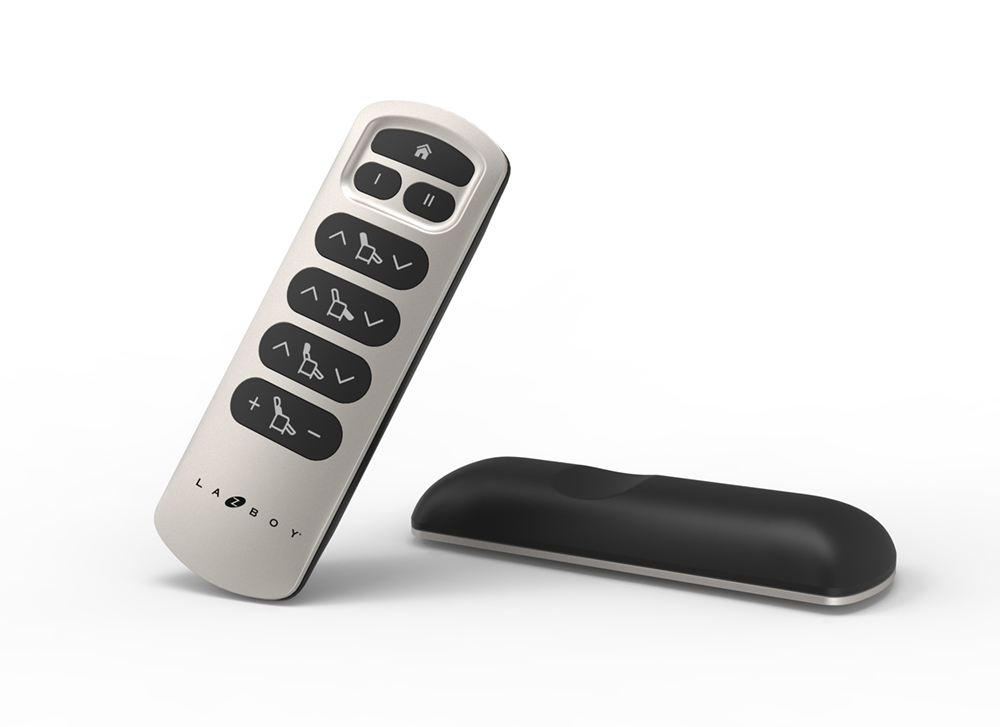
Manual Override Options
Manual override options provide a simple way to control your La-Z-Boy recliner without the remote. These options let you operate the chair directly. They are useful if the remote stops working or the batteries die. Knowing how to use manual controls helps avoid frustration. It also ensures you can still enjoy your chair’s full comfort features.
Use Chair Controls
Most La-Z-Boy recliners come with built-in buttons on the side. These buttons let you adjust the chair’s position manually. You can recline, lift, or return the chair to its original state. The buttons usually include clear symbols for ease of use. Press and hold the button until the chair moves to your desired position. Release the button to stop the motion immediately.
Access Emergency Features
Emergency features allow you to safely operate the recliner if the remote or chair controls fail. Some models include a backup power switch or a manual lever. These let you return the chair to the upright position. Check your chair’s user manual to find the location of these emergency options. Using them may require a simple pull or press. Always handle emergency features gently to avoid damage.
When To Contact Support
Knowing when to contact support for your La-Z-Boy remote is important. Some issues you can fix on your own. Others need professional help. Support can guide you through repairs or replacements. It saves time and avoids damage to your chair.
If simple fixes like resetting or changing batteries fail, contact support. Problems with wiring or internal parts need expert care. Also, if your chair is under warranty, support can help you use it. They offer services that protect your investment.
Warranty And Repair Services
Check your chair’s warranty before calling support. Most La-Z-Boy recliners come with a limited warranty. It covers defects and certain repairs for a set time. Support will verify your warranty status quickly.
Authorized repair services fix issues safely and correctly. They use genuine parts and follow La-Z-Boy standards. Trying to repair yourself can void the warranty. Support can schedule a repair or direct you to a service center.
Ordering Replacement Parts
Support helps you order authentic replacement parts. Using original parts keeps your recliner working well. Parts like remotes, cables, and control boxes are available.
Incorrect or cheap parts may cause more problems. Support ensures you get the right parts for your model. They also provide instructions to install parts safely. This helps extend the life of your La-Z-Boy recliner.
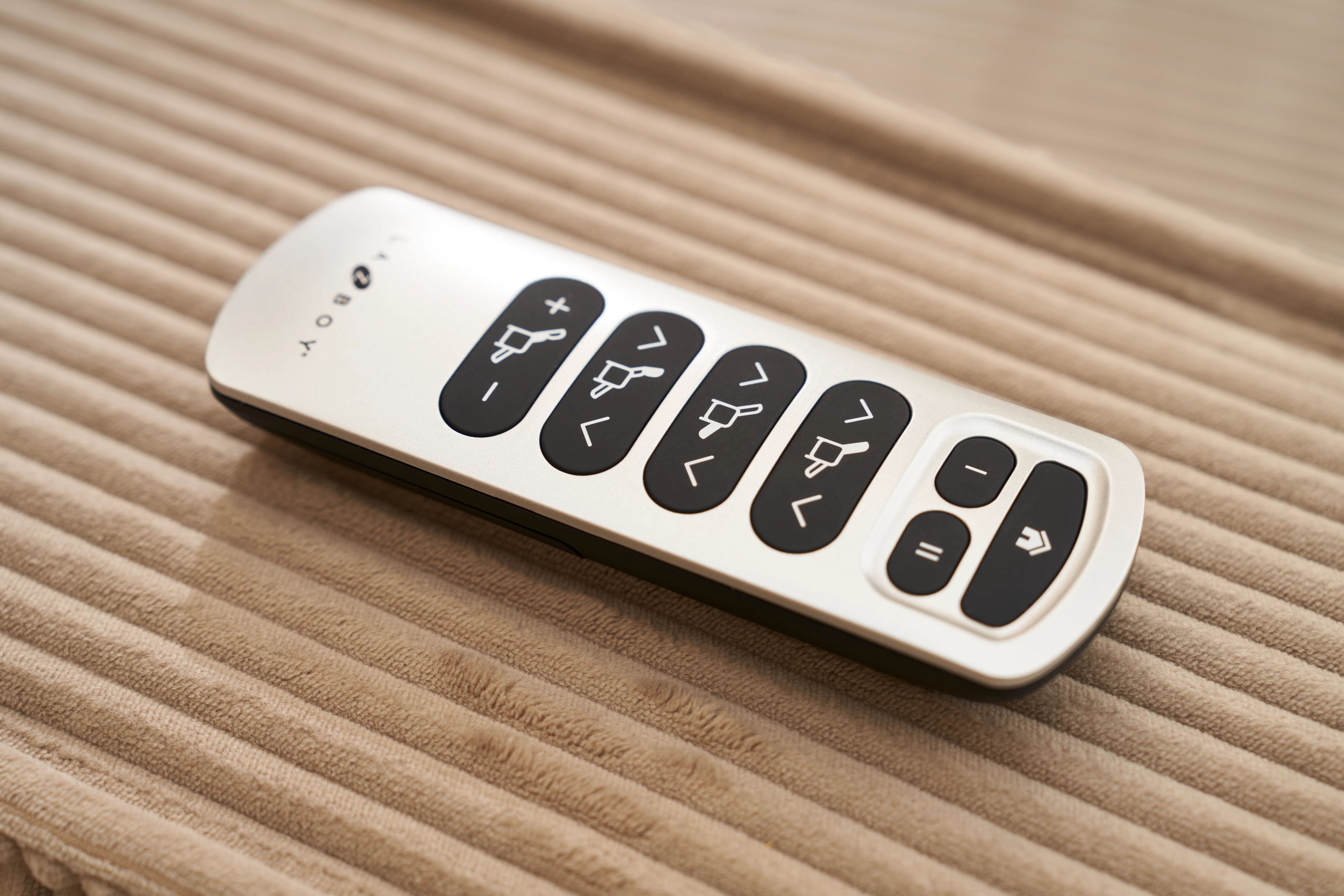
Preventive Maintenance Tips
Taking good care of your La-Z-Boy remote can prevent many common problems. Simple maintenance helps keep your remote working longer. These tips focus on easy habits that protect your remote from damage and failure. Follow these steps regularly to avoid frustration and costly repairs.
Regular Battery Checks
Check the remote’s batteries often. Weak batteries cause weak signals or no response. Replace batteries before they run out completely. Use fresh, high-quality batteries for the best performance. Remove batteries if you won’t use the remote for a long time. This stops battery leaks that can damage the remote.
Keep Components Clean
Clean the remote and its buttons gently with a dry cloth. Dirt and dust can block buttons and sensors. Avoid using water or liquid cleaners directly on the remote. Clean the battery compartment to remove any dirt or corrosion. Keeping the remote clean helps it respond better and last longer.
Avoid Moisture Exposure
Keep the remote away from water and high humidity. Moisture can cause internal damage and stop the remote from working. Do not use the remote with wet hands. Store the remote in a dry place when not in use. Protecting your remote from moisture keeps it reliable and safe.

Credit: www.youtube.com
Frequently Asked Questions
How Do I Reset My Lazyboy Recliner Remote?
To reset your La-Z-Boy recliner remote, turn off the “Do Not Disturb” switch. Replace batteries. Press the “Find Me” button on the chair. Use a paperclip to press the reset hole under the remote’s battery cover until it clicks. Press “Find Me” again to pair.
How Do You Fix An Unresponsive Remote Control?
Check the “Do Not Disturb” switch and turn it off. Replace batteries with fresh ones. Press the chair’s “Find Me” button. Reset the remote using a paperclip on the reset hole. Press “Find Me” again to pair. Replace parts if issues persist.
Where Is The Reset Button On My Power Recliner?
The reset button on your power recliner is under the remote’s battery cover. Use a paperclip to press it gently until you hear a click.
Is There A Manual Override For Electric Recliners?
Most electric recliners do not have a manual override. Use the remote or control panel for adjustments.
Why Is My Lazyboy Remote Not Responding?
The remote may need new batteries or a reset. Check the chair’s power source and connections.
Conclusion
A non-working Lazyboy remote can be frustrating. Start by checking the basics like batteries and switches. Resetting and re-pairing the remote often solves the problem. If it still won’t work, inspect the cables or control box. Replacement parts may be necessary for damaged components.
Always follow simple steps to save time and avoid extra costs. For detailed help, visit the official La-Z-Boy support site. Keep your recliner working smoothly and enjoy comfort without hassle.