
When you expect your home to be cool but your Nest Thermostat isn’t delivering, it can quickly turn comfort into frustration. The Nest is one of the most popular smart thermostats, designed to keep your house at the perfect temperature with advanced features and energy-saving technology. But, like any device, it sometimes fails to work as expected. If your Nest Thermostat is not cooling, the reasons can range from simple settings mistakes to complex HVAC system issues.
This article will guide you through every possible cause and solution for a Nest that doesn’t cool properly. You’ll learn how to check the thermostat settings, understand wiring problems, identify issues with your AC unit, and fix common mistakes that even experienced users sometimes miss.
Whether you’re new to smart thermostats or already familiar with Nest, you’ll find clear steps and expert tips to restore your comfort and avoid future cooling problems.
How The Nest Thermostat Controls Cooling
Understanding how your Nest Thermostat works with your cooling system is the first step. The Nest replaces your traditional thermostat and connects to your home’s HVAC wiring. When you set a lower temperature, the Nest sends a signal to your air conditioner to turn on.
It uses sensors and algorithms to maintain the set temperature as efficiently as possible.
Key parts involved in cooling:
- Thermostat wiring: Wires connect the Nest to your HVAC system, sending signals for heating or cooling.
- AC unit: The air conditioner receives the cooling signal and starts the process.
- C-wire: This wire delivers constant power, which can affect smart thermostats.
If any part of this chain fails, your Nest may not cool your home.
Common Reasons Your Nest Thermostat Is Not Cooling
Many people assume the thermostat itself is broken, but often the issue lies elsewhere. Let’s break down the most common causes.
1. Incorrect Thermostat Settings
Sometimes, the Nest Thermostat is simply set up wrong. Double-check:
- The mode is set to “Cool,” not “Heat” or “Off.”
- The temperature is set lower than the current room temperature.
- Schedules or “Eco” mode are not overriding your cooling settings.
A frequent mistake is to set the thermostat to “Heat” or “Off” by accident, especially if you use the app. Always confirm the mode and target temperature both on the device and in the app.
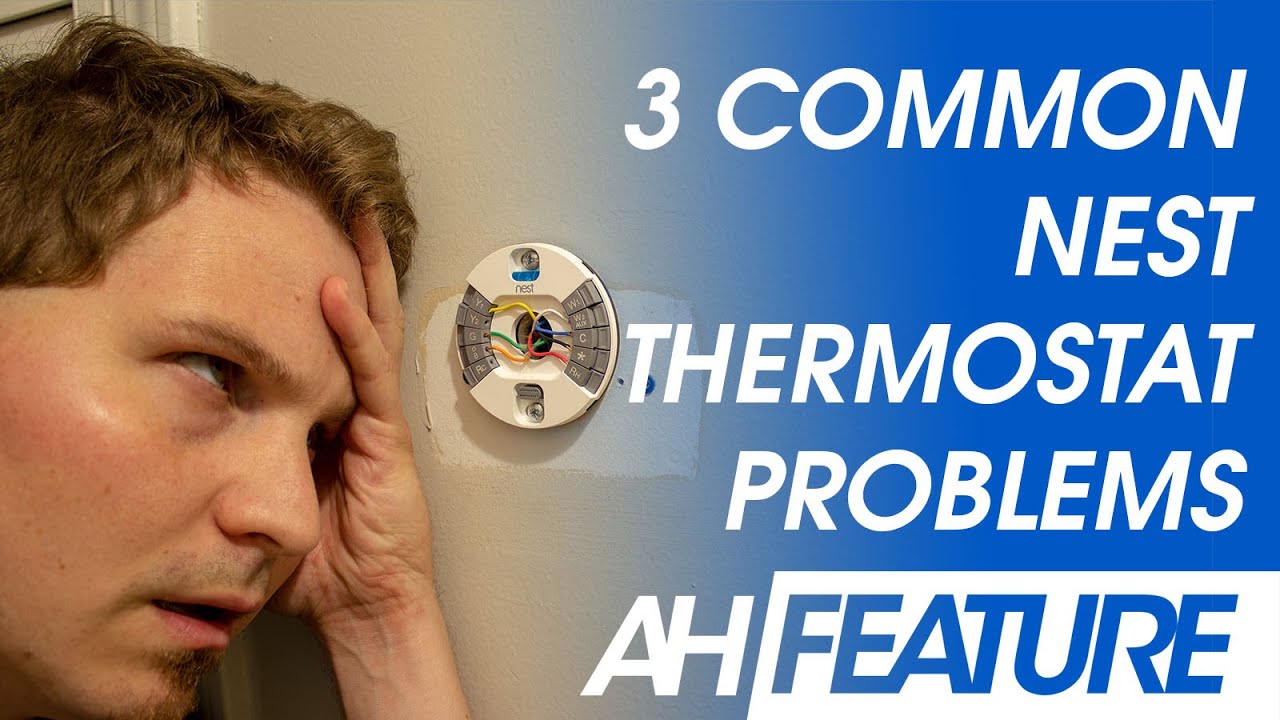
2. Wiring Problems
The Nest relies on correct wiring to send signals to your AC. If a wire is loose, disconnected, or in the wrong port, cooling will not work.
Symptoms of wiring issues:
- The display shows a wiring error.
- The cooling turns on for a moment, then shuts off.
- The Nest reboots randomly.
What to check:
- Turn off power at the breaker before touching any wires.
- Remove the Nest’s faceplate and examine the wires.
- Ensure the “Y” (cooling) wire is fully inserted and the “Rc” or “Rh” wire is connected.
- If your system has a C-wire, it should be connected for stable power.
If you recently installed the Nest, double-check the wiring diagram for your HVAC system.
3. Power Supply Issues
Smart thermostats need stable power. If they don’t get enough, they may lose connection with your AC unit.
Signs of power problems:
- The Nest display is blank or glitches.
- The device restarts or loses Wi-Fi.
- The system ignores cooling commands.
The C-wire (common wire) provides constant power. Some HVAC systems don’t have this wire, which can cause the Nest to underperform. If your system lacks a C-wire, consider installing one or using a power adapter.
4. Air Conditioner Problems
Sometimes, the issue isn’t with the thermostat at all. Your air conditioner itself may have a problem.
Common AC issues:
- Dirty air filters block airflow.
- Low refrigerant (needs a professional to check).
- Faulty capacitor or compressor.
- Outdoor unit not running.
If you hear the Nest click or show that cooling is on, but you don’t feel cold air, check your AC unit.
5. Blown Fuse Or Tripped Breaker
HVAC systems use fuses and breakers for safety. If one blows, the AC won’t start even if the Nest works.
How to check:
- Inspect your home’s breaker box for a tripped breaker labeled “AC” or “HVAC.”
- Check the HVAC control board (often in the attic or basement) for a blown fuse.
Replace any blown fuses with the correct type. If the breaker keeps tripping, call an electrician.
6. Software Or Firmware Glitches
Like all smart devices, the Nest Thermostat runs on software. Bugs or glitches can sometimes cause cooling failures.
What to do:
- Restart your Nest: Go to Settings > Reset > Restart.
- Check for updates: Settings > Software > Update.
- If the problem started after an update, search for known issues online.
Most glitches are temporary, but if they persist, you may need a factory reset.
7. Compatibility Problems
Not all HVAC systems are fully compatible with the Nest. Some older systems or multi-stage units may not respond correctly.
Signs of compatibility issues:
- The Nest setup wizard warns you about wiring.
- Cooling never works even with correct wiring.
- The AC cycles on and off rapidly.
Check Nest’s official compatibility guide or consult a professional installer.
8. Safety Switches Or Float Switches
Many modern AC systems have safety switches that stop operation if there is a risk of water leaks or other damage.
If your system has a float switch, it may turn off cooling if the drain line is clogged. Look for a small switch attached to the drain pan or line.
9. External Factors Affecting Performance
Sometimes, the problem isn’t inside your HVAC system.
Examples:
- Windows or doors left open let in warm air.
- Sunlight directly hits the thermostat sensor, making it “think” the room is warmer or cooler than it is.
- Recent renovations may have affected wiring or airflow.
Check your environment for these hidden causes.
Step-by-step Troubleshooting Guide
Now, let’s walk through detailed steps to diagnose and fix a Nest Thermostat that’s not cooling.
Step 1: Confirm Thermostat Settings
Start with the basics before moving to technical fixes.
- On the Nest display or app, set the mode to “Cool.”
- Lower the target temperature below the current room temperature.
- Wait a few minutes to see if the AC starts.
If the settings are correct but nothing happens, move to the next step.
Step 2: Listen And Observe
- Does the Nest make a “click” sound when you set cooling? This means it’s sending a signal.
- Is the AC unit inside or outside starting?
- Does the fan run but no cold air comes out?
These clues help you narrow down the source.
Step 3: Check For Error Messages
The Nest often displays error codes if there is a problem. Common codes include:
- E74: No power to the “Rc” wire.
- E73: No power to the “Y1” wire.
- N72: Power issues or no C-wire.
Look up any error code on the Nest website for specific guidance.
Step 4: Inspect Wiring
- Turn off power to your HVAC system at the breaker.
- Remove the Nest faceplate carefully.
- Check that all wires are fully inserted and have no corrosion.
- Make sure the “Y” wire (usually yellow) and “Rc” or “Rh” wires are connected.
Loose or misconnected wires are a very common cause of cooling failures.
Step 5: Test The Ac Manually
Some systems have a manual thermostat test mode.
- If you have the old thermostat, reinstall it and test cooling.
- Or, use a jumper wire to connect “Rc” to “Y” directly (only if you know what you’re doing).
If the AC works manually but not with the Nest, the problem is with the thermostat.
Step 6: Check Power Supply
If your Nest display is blank, has a low battery, or keeps restarting, it may not be getting enough power.
- Make sure the C-wire is connected.
- Check the HVAC control board for a blown fuse.
- If your system doesn’t have a C-wire, consider a power extender kit.
Step 7: Inspect The Ac Unit
Go outside to your AC unit:
- Listen for the sound of the compressor and fan.
- Check if the unit is running but not blowing cold air (may indicate low refrigerant or a bad capacitor).
- Inspect for ice buildup on the coils.
If the unit isn’t running at all, check the disconnect switch near the outdoor unit.
Step 8: Replace Air Filters
A clogged air filter can stop your system from working efficiently and can even trigger safety shutoff features. Change filters every 1-3 months.
Step 9: Reset The Thermostat
If all else fails, try a full reset:
- Go to Settings > Reset > All Settings.
- Re-enter your Wi-Fi and HVAC details.
This can clear software bugs.
Understanding Nest Thermostat Wiring
Proper wiring is critical for Nest cooling. Here’s a simple comparison of typical wire connections:
| Wire Label | Function | Common Color |
|---|---|---|
| Y | Cooling signal | Yellow |
| G | Fan control | Green |
| Rc/Rh | Power (cool/heat) | Red |
| C | Common wire (power) | Blue |
A missing or loose wire can prevent the cooling system from working. Always match your wiring with the HVAC diagram and, if unsure, get professional help.
When To Call A Professional
Some issues are best handled by experts. Call a certified HVAC technician if:
- You suspect a refrigerant leak (you notice ice buildup or hear hissing).
- The AC unit makes strange noises or smells.
- You find burned wires or visible damage.
- You feel uncomfortable with electrical work.
A pro can quickly diagnose problems that might take you hours to figure out.
Preventing Future Cooling Problems
Prevention saves time and money. Here’s how to keep your Nest Thermostat and AC running smoothly:
- Change air filters regularly.
- Schedule annual HVAC maintenance for cleaning and inspection.
- Keep vents and returns clear of furniture or drapes.
- Update Nest firmware as new versions are released.
- Monitor humidity and air quality using smart sensors.
Non-obvious tip: If you travel often, set up Nest Home/Away Assist to prevent the system from staying in “Eco” mode and not cooling when you return unexpectedly.

Advanced Troubleshooting: Multi-stage And Heat Pump Systems
Some homes have more complex HVAC systems, such as multi-stage or heat pumps. Nest supports these, but extra steps are needed.
Multi-stage Cooling
Multi-stage systems have more than one level of cooling. If your Nest isn’t controlling these stages, check:
- The wiring matches the system’s capabilities (Y1, Y2, etc. ).
- The system is set up correctly in the Nest settings.
- The firmware supports your HVAC model.
Heat Pump Systems
Heat pumps can heat and cool. Sometimes the reversing valve (O/B wire) is set wrong.
- In Nest settings, select the correct O/B orientation.
- If you get warm air instead of cold, swap the O/B setting.
Comparison: Single Vs Multi-stage Wiring
| System Type | Main Cooling Wire(s) | Additional Wires |
|---|---|---|
| Single-Stage | Y | None |
| Two-Stage | Y1, Y2 | May include W2, G, O/B |
| Heat Pump | Y, O/B | Aux/E, C |
If your system is multi-stage or a heat pump, consult the installation guide or a technician for proper setup.
Real-world Examples And Data
Let’s look at how often Nest Thermostat cooling issues occur and what fixes are most effective.
- According to Nest’s own support data, about 15% of support calls relate to cooling not working after installation.
- The most common cause is incorrect wiring (about 40% of cases).
- Power issues account for another 25%.
- Only about 10% are due to actual thermostat defects.
Insight: Many users overlook the need for a C-wire, thinking their system will work as before. However, Nest often draws “power stealing” from other wires, which may not be enough for stable cooling.
Another frequent mistake: People forget to check “Eco” or “Home/Away” settings, which can override their desired temperature.
Nest Thermostat And Smart Home Integration
If you have other smart devices, conflicts can occur.
- Smart assistants (Google Assistant, Alexa) may change settings without you realizing.
- Smart vents or zone controllers may close vents, reducing cooling.
Always check if someone else or another device has changed your settings.
Comparing Nest Thermostat To Other Smart Thermostats
You might wonder if other brands face similar cooling issues. Here’s a quick comparison:
| Brand | Common Cooling Issues | Ease of Troubleshooting |
|---|---|---|
| Nest | Wiring, power, mode settings | Moderate (good support) |
| Ecobee | C-wire requirement, sensor errors | Easy (built-in tests) |
| Honeywell T9 | Setup errors, Wi-Fi dropouts | Moderate |
Most smart thermostats need careful setup and wiring. Nest is popular but not unique in its troubleshooting steps.

Tips For New Nest Thermostat Owners
If you’re new to smart thermostats, remember:
- Take a photo of your old thermostat wiring before removing it.
- Label each wire with the stickers Nest provides.
- Use the installation guide and online tools to check compatibility.
- Register your device for warranty and updates.
And if you ever get stuck, the Nest support community and phone support can help.
Frequently Asked Questions
Why Does My Nest Thermostat Say It’s Cooling But No Cold Air Comes Out?
This usually means the thermostat is sending a signal, but the AC unit isn’t responding. Check the AC unit outside, air filter, and all wiring connections. Sometimes, a tripped breaker or blown fuse is the cause.
Can The Nest Thermostat Work Without A C-wire?
Yes, but it may not work reliably. Without a C-wire, the Nest “steals” power from other wires, which can cause cooling failures, especially with some HVAC systems. Installing a C-wire or a power extender kit is recommended for stable performance.
How Do I Reset My Nest Thermostat?
Go to the Nest menu, select Settings > Reset, and choose “Restart” for a soft reset or “All Settings” for a full factory reset. Make sure to write down your Wi-Fi and system details before a full reset.
What Does The Blinking Green Light On My Nest Mean?
A blinking green light means the Nest is updating or restarting. If it stays blinking for a long time (over 15 minutes), try removing the thermostat from the base and reinserting it to reboot.
Where Can I Find Official Help For Nest Thermostat Cooling Issues?
Google’s official Nest support site offers troubleshooting guides and wiring diagrams. For more complex problems, check out the Google Nest Help Center.
A Nest Thermostat not cooling can be annoying, but most issues are straightforward to diagnose and fix. By carefully checking settings, wiring, and your AC unit, you can restore comfort to your home quickly. And, with regular maintenance and smart habits, you’ll prevent most problems before they start.
Smart cooling should be easy—now you have the knowledge to make it happen.