
When you bring a baby home, safety and peace of mind become your top priorities. Many parents rely on a Samsung baby monitor to watch over their sleeping child. But what happens when you see the dreaded “Out of Range” message flashing on the monitor? This warning can cause instant anxiety. It means the parent unit and baby unit are not communicating, leaving you unsure if your child is okay. Understanding why this happens, how to fix it, and how to prevent it in the future is essential for every parent using a Samsung baby monitor.
This article explores everything you need to know about the Samsung baby monitor out of range issue. You will learn what causes it, how to troubleshoot, and how to optimize your setup for maximum reliability. We’ll also cover advanced tips, real-world examples, and clear solutions so you never feel lost when this warning appears. Let’s dive into the world of baby monitor connectivity and help you keep your home safe and connected.
What Does “out Of Range” Mean On A Samsung Baby Monitor?
When your Samsung baby monitor displays an out of range warning, it means the parent unit (the part you keep with you) cannot connect to the baby unit (the camera or microphone near your child). This message can appear suddenly or after you move one of the units. The monitor will usually beep or flash a message, alerting you that the connection is lost.
The main reason for this warning is that the wireless signal between the two units is too weak. Baby monitors use radio waves or Wi-Fi to send video and sound. If something blocks the signal, or if you are too far away, the units cannot communicate. This is not just annoying—it can be dangerous if you miss important sounds from your baby.
Some Samsung monitors will automatically try to reconnect when they lose signal, while others may require you to reset the devices. Knowing how your specific model handles this problem is important, but the basic meaning is always the same: your monitor cannot guarantee your baby’s safety until the connection is restored.
Main Causes Of Out Of Range Issues
Understanding why your Samsung baby monitor loses connection is the first step to fixing the problem. Here are the most common reasons:
- Distance: The baby unit and parent unit are too far apart. Most Samsung monitors have a maximum range of 900-1,000 feet in open space. Walls and floors reduce this range.
- Obstructions: Thick walls, metal objects, and large furniture can block the signal.
- Interference: Other wireless devices—like Wi-Fi routers, cordless phones, or microwaves—can interfere with the monitor’s signal.
- Low Battery: If either unit has a weak battery, it may lose connection.
- Electrical Outlets: Plugging the monitor into outlets that share a circuit with heavy appliances can cause electrical noise.
- Outdated Firmware: Some Wi-Fi-based Samsung monitors need regular software updates for stable performance.
- Faulty Hardware: Damage to the antenna or internal components can reduce range.
- Incorrect Pairing: If the units are not correctly paired, they cannot communicate.
- Environmental Factors: Concrete, thick insulation, or even dense plants outside can weaken signals.
Two insights that many parents miss:
- Baby monitors often have a shorter range indoors than advertised, sometimes only 30-50% of the stated maximum.
- Not all interference is obvious—your neighbor’s Wi-Fi or even a baby swing with a motor can weaken the signal.
Understanding these causes helps you narrow down the problem and restore your monitor’s connection faster.
How To Troubleshoot A Samsung Baby Monitor That Is Out Of Range
If you see the out of range warning, don’t panic. Follow these steps to troubleshoot:
- Check the Distance: Move the parent unit closer to the baby unit. If the warning disappears, distance was the problem.
- Remove Obstructions: Look for large objects, thick walls, or metal between the units. Try different positions.
- Change Frequency Channel: Many Samsung monitors let you change the wireless channel to avoid interference. Consult your manual.
- Turn Off Competing Devices: Temporarily unplug Wi-Fi routers, cordless phones, or microwaves to see if the connection improves.
- Check Power Supply: Make sure both units are plugged in or fully charged.
- Reset the Units: Turn both units off, wait 10 seconds, and turn them back on. This simple step often restores the connection.
- Re-pair the Devices: If resetting doesn’t work, follow your manual to pair the units again.
- Update Firmware: For smart monitors, check the app or Samsung’s website for updates.
- Try a Different Room: Move both units to another part of your home to test if the problem is location-specific.
Sometimes, the issue is temporary. For example, a neighbor using a new device can cause interference for a short time. If you try all these steps and the warning still appears, your monitor may need professional repair or replacement.
Comparing Samsung Monitor Ranges
To understand what “out of range” means, it’s useful to look at the actual range of popular Samsung models. Here’s a comparison:
| Model | Maximum Range (Open Space) | Realistic Indoor Range | Signal Type |
|---|---|---|---|
| Samsung SEW-3043W | 900 ft | 300-400 ft | 2.4 GHz FHSS |
| Samsung SEW-3053WP | 900 ft | 250-350 ft | 2.4 GHz FHSS |
| Samsung Wisenet SEW-3048WN | 900 ft | 300-350 ft | Wi-Fi |
| Samsung SEW-3037W | 900 ft | 200-300 ft | 2.4 GHz FHSS |
Key insight: The “maximum range” is measured outdoors with no walls. Indoors, the range is much less due to walls, floors, and furniture. Always test your monitor’s range in your actual home, not just rely on the box’s promises.
How To Maximize Samsung Baby Monitor Range
If your monitor keeps going out of range, you can do several things to improve performance:
- Place units high up: Signals travel better if the units are on shelves, not on the floor.
- Avoid corners and closets: Tight spaces can block wireless signals.
- Keep away from metal: Do not place units near metal shelves, refrigerators, or radiators.
- Use the shortest path: Keep the line between the two units as direct as possible.
- Limit Wi-Fi congestion: If using a Wi-Fi monitor, choose the 5 GHz band if possible to avoid crowded 2.4 GHz channels.
- Update firmware: Regular updates can improve range and fix bugs.
- Check for low battery: Weak batteries reduce signal strength.
- Use a Wi-Fi extender: For smart monitors, a Wi-Fi extender can help bridge gaps.
- Try different rooms: Some rooms have less interference than others.
Most parents don’t realize that even houseplants or fish tanks can absorb wireless signals. Testing several positions before you settle on the final spot can give you a much stronger and more reliable connection.
Common Mistakes When Using A Samsung Baby Monitor
Many out of range problems are avoidable. Here are mistakes parents often make—and how to avoid them:
- Placing monitors behind TVs or electronics: These devices create interference.
- Not charging the parent unit regularly: A weak battery can cause sudden dropouts.
- Ignoring firmware updates: Updates can fix bugs and improve range.
- Putting both units on the floor: Signals are weaker at ground level.
- Using the same outlet as a microwave: Microwaves create strong interference when running.
- Assuming max range indoors: Always test the actual range in your home.
- Not checking for new wireless devices: Smart bulbs, robot vacuums, or new Wi-Fi routers in your home or neighbors’ homes can suddenly cause problems.
- Failing to re-pair after a reset: Some models need manual re-pairing after being turned off.
Pro tip: After moving furniture or adding new electronics, always test your monitor’s range again. Simple changes can affect signal quality.
Real-life Examples: Out Of Range Problems And Solutions
Let’s look at some real situations parents have faced and how they solved their Samsung baby monitor out of range issues.
Case 1: A parent noticed their monitor lost connection every time they went to the backyard. The problem was solved by moving the baby unit higher on a shelf and using a Wi-Fi extender near the back door. The range increased by 40%, and the warning disappeared.
Case 2: Another user found that their monitor only went out of range in the evening. The cause was a neighbor’s Wi-Fi router operating on the same channel. Changing the monitor’s channel fixed the problem instantly.
Case 3: After switching to a new cordless phone, a parent’s video monitor started losing connection. Turning off the phone base while using the monitor resolved the issue, proving that home electronics can have unexpected effects.
Case 4: A monitor worked perfectly until the parent moved it to a room with thick stone walls. The solution was to move the parent unit closer to a doorway, reducing the number of walls in the signal’s path.
These cases show that trial and error—plus a little detective work—can solve most out of range problems.
Upgrading Or Replacing Your Samsung Baby Monitor
Sometimes, older monitors cannot overcome range limitations, especially in large homes or apartments with thick walls. Here’s how to know when to upgrade:
- Your monitor loses connection in multiple rooms, even after troubleshooting.
- Firmware is no longer updated by Samsung.
- You need more features (like smartphone access or HD video).
- Your home has new interference (like smart home devices) that older monitors cannot handle.
When choosing a new monitor, compare range, signal type, and features. See this quick comparison:
| Feature | Traditional FHSS Monitor | Wi-Fi Smart Monitor |
|---|---|---|
| Max Range | 900 ft (open) | Home Wi-Fi coverage |
| Interference | Possible from phones, microwaves | Possible from other Wi-Fi devices |
| Remote Viewing | No | Yes, via app |
| Security | Strong (private network) | Depends on Wi-Fi security |
| Ease of Setup | Very easy | May require app, updates |
Upgrading to a smart monitor may solve range problems if your home Wi-Fi is strong and stable. However, always secure your Wi-Fi network to prevent hacking.
How To Prevent Out Of Range Issues In The Future
Prevention is the best medicine. Here’s how to reduce the chances of losing signal:
- Test range before baby arrives: Try different rooms and floors.
- Update firmware regularly: For smart monitors, updates can prevent bugs.
- Choose the best location: Place units away from electronics and thick walls.
- Limit new devices: Be aware that adding new smart home gadgets can cause interference.
- Secure power sources: Use dedicated outlets for baby monitors when possible.
- Monitor battery health: Replace batteries yearly for best performance.
- Teach family members: Make sure everyone knows not to move the units or unplug them.
Many parents forget to test their monitor after moving to a new house or rearranging rooms. Make it a habit to check the connection anytime your home changes.
What To Do If Nothing Works
If you’ve tried all the troubleshooting steps and your Samsung baby monitor is still out of range, consider these options:
- Contact Samsung Support: Your device may need repair or replacement. Have your model number and serial number ready.
- Try a different brand: Some homes have layouts or interference that just don’t work with certain monitors. Ask friends or read reviews to see what works in similar homes.
- Use a wired solution: In extreme cases, wired monitors or cameras can bypass wireless problems.
- Get a professional assessment: Home networking experts can test for interference and suggest solutions.
Remember, your baby’s safety comes first. If your monitor cannot provide a reliable connection, don’t take risks—act quickly to find a better solution.
Samsung Baby Monitor Models And Their Range Features
Samsung has produced several popular baby monitor models over the years, each with its own strengths and weaknesses regarding range. Here’s a closer look at some favorites and what parents should know.
Samsung SEW-3043W: Known for its clear video, this model offers up to 900 feet of open-air range. However, parents in two-story homes often find the indoor range closer to 300 feet. It uses 2.4 GHz FHSS, so it’s less likely to be hacked, but can face interference from microwaves and cordless phones.
Samsung SEW-3053WP: This model offers Wi-Fi support for smartphone viewing. Range depends entirely on your home Wi-Fi network. In homes with strong Wi-Fi, parents report solid connections even in the backyard, but poor Wi-Fi leads to frequent “out of range” warnings.
Samsung Wisenet SEW-3048WN: This smart monitor uses Wi-Fi exclusively. It’s great for parents who want to check in from work or while traveling. However, it’s only as reliable as your home network and can be vulnerable to internet outages.
Samsung SEW-3037W: An older model, it’s well-liked for its ease of use and strong signal in apartments. Range drops quickly in larger homes with thick walls.
Key insight: No baby monitor is perfect for every home. Before buying, ask your neighbors what works for them, especially if you live in a dense area with lots of wireless devices.
Security Risks Related To Out Of Range
Most parents don’t think about security when their monitor loses signal, but it’s important. If you use a Wi-Fi monitor, losing connection can make your camera temporarily visible on your home network. Always:
- Use strong, unique passwords for your Wi-Fi and monitor app.
- Update firmware to fix security bugs.
- Log out of unused devices.
- Disable remote access features you do not use.
If your monitor uses FHSS (Frequency-Hopping Spread Spectrum), it is generally secure, but always buy from reputable sellers to avoid counterfeit units.
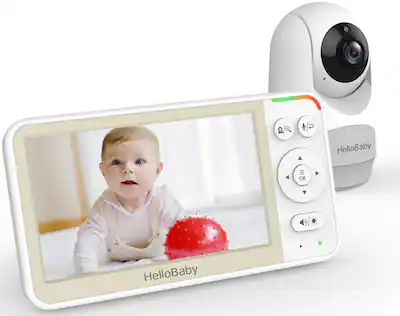
The Role Of Interference: How To Detect And Reduce It
Wireless interference is a leading cause of out of range warnings. It’s not always easy to identify, but here’s how to detect and fix it:
- Look for patterns: Does the warning happen when the microwave runs? When a certain device is on?
- Use a Wi-Fi analyzer app: These free apps can show crowded channels in your home.
- Switch channels: Many monitors let you manually change wireless channels to find a quieter frequency.
- Move away from routers or cordless phone bases: Even a few feet can make a difference.
One non-obvious tip: Some LED bulbs and smart plugs emit radio signals that can disrupt baby monitors. Unplug these devices if you suspect interference.
When To Call For Technical Support
If you’ve tried all suggestions and still have issues, it’s time to contact Samsung support or a qualified technician. Here’s when to seek help:
- The monitor goes out of range even when units are close together.
- You hear static, buzzing, or see flashing lights on the units.
- You cannot re-pair the devices even after a reset.
- Firmware updates fail or cause errors.
Having your model and serial number ready will speed up the process. Document when the problem started and what steps you have tried.
Alternatives To Samsung Baby Monitors
If your home or lifestyle doesn’t suit a Samsung baby monitor, consider these alternatives:
- Audio-only monitors: Use less power and often have better range, but no video.
- Wi-Fi cameras: Many smart home cameras now offer baby monitoring features.
- Wired baby monitors: Rare, but eliminate wireless interference.
- Phone apps: Some parents use two old smartphones—one as a camera, one as a viewer—over home Wi-Fi.
Each option has pros and cons. Always choose what works best for your home and your peace of mind.
Key Takeaways For Parents
- Test your monitor’s range before relying on it.
- Place units carefully to maximize signal.
- Update firmware and secure your network for best results.
- Don’t ignore out of range warnings—your baby’s safety depends on a reliable connection.
- Be flexible: If you move, rearrange, or add new electronics, retest your monitor.
For more technical details about wireless baby monitors, see Wikipedia’s article on baby monitors.
Frequently Asked Questions
Why Does My Samsung Baby Monitor Keep Saying Out Of Range Even When Close Together?
If your units are close and still show out of range, possible causes include interference from other wireless devices, a low battery, or faulty hardware. Try turning off other electronics nearby and charging both units. If the problem continues, your monitor may need servicing.
Can Wi-fi Baby Monitors Work Outside My House?
Yes, Wi-Fi baby monitors can work anywhere with a strong home Wi-Fi signal. However, range drops quickly outside. If your backyard or garage is far from your router, consider a Wi-Fi extender to boost coverage.
What Is The Best Way To Position My Samsung Monitor For Maximum Range?
Place both units high up, away from metal, and with as few walls as possible between them. Avoid corners and keep units off the floor. Test different spots to find the strongest connection.
Will Other Devices In My Home Affect My Baby Monitor’s Range?
Yes, many devices—especially cordless phones, Wi-Fi routers, and microwaves—can interfere with your baby monitor. Try changing the monitor’s wireless channel or moving devices apart to reduce problems.
How Do I Know If My Baby Monitor Needs To Be Replaced?
If you have frequent out of range warnings, even after troubleshooting, and your monitor is several years old or no longer receives firmware updates, it may be time to replace it with a newer model.
Keeping your child safe is every parent’s goal. Understanding and solving the Samsung baby monitor out of range issue puts you back in control and ensures you always have eyes—and ears—on what matters most.