
Is your Bose QuietComfort left earbud suddenly silent while the right one plays perfectly? It’s frustrating when your favorite earbuds stop working properly, especially when you rely on them daily for calls, music, or workouts.
But don’t worry—you’re not alone, and this problem is often fixable. In this guide, you’ll discover simple, step-by-step solutions to get your left earbud back in action quickly. From easy resets to cleaning tips and firmware updates, these troubleshooting tricks can save you time and money.
Keep reading to regain full sound and enjoy your Bose QuietComfort earbuds as they were meant to be.
Common Causes For Left Earbud Issues
Resetting Bose QuietComfort earbuds can often fix sound issues, including the left earbud not working. This process clears minor glitches and restores the earbuds to normal operation. Resetting is simple and does not erase your device pairing.
Resetting helps if the earbuds are out of sync or not charging properly. Follow the steps below for a soft reset, hard reset, and re-pairing your earbuds with devices.
Performing A Soft Reset
Place both earbuds in the charging case. Close the lid and wait for 30 seconds. Open the case and take out the earbuds. This soft reset refreshes the earbuds’ connection and can fix minor issues.
Hard Reset Steps
Remove the earbuds from the case. Press and hold the button on each earbud for 10 seconds until the light flashes red. Release the buttons. Place the earbuds back in the case and close the lid. Wait for the light to turn off. The hard reset restores factory settings and clears deeper problems.
Re-pairing With Devices
Delete the Bose QuietComfort earbuds from your device’s Bluetooth list. Open the charging case and press the button until the light blinks blue. On your device, search for Bluetooth devices and select your Bose earbuds. Complete the pairing process. This step ensures a fresh connection between earbuds and device.
Resetting Bose Quietcomfort Earbuds
The charging case and earbud contacts play a key role in the function of Bose QuietComfort earbuds. These contacts deliver power from the case to the earbuds. A problem here can cause the left earbud to stop working. Dirt, misalignment, or damage may block the charging process. Checking and cleaning these contacts often fixes the issue quickly. Proper placement of the earbuds in the case ensures good contact. This section guides you through checking the charging pins, cleaning the contacts, and placing the earbuds correctly.
Checking Charging Pins
Start by inspecting the charging pins inside the case. These small metal pins connect to the earbuds. Look for dirt, dust, or debris on the pins. Also, check if any pins are bent or damaged. Bent pins may not touch the earbuds properly. This stops charging and causes the earbud to lose power. Use a flashlight to see clearly inside the case. If pins appear dirty, cleaning is necessary. If pins are bent, gently straighten them with a small tool.
Cleaning Earbud Contacts
The earbud contacts are metal points on the earbuds. They must be clean to connect with the charging pins. Dirt, earwax, or oil can block the connection. Use a dry, soft cotton swab to clean the contacts. Avoid using liquids or harsh cleaners. Lightly rub the contacts until they look shiny and clean. Clean both the left and right earbuds. This simple step often restores charging and sound in the left earbud.
Ensuring Proper Placement In Case
Place each earbud correctly in the case for charging. The earbuds have small grooves that fit into the case slots. Make sure the left earbud sits firmly and aligns with the charging pins. A loose fit can break the connection. Close the case gently and check for charging lights. If the left earbud does not charge, remove and replace it. Repeat until the earbuds fit snugly and show signs of charging. Proper placement guarantees power flow and prevents the left earbud from stopping.
Charging Case And Earbud Contacts
Firmware updates and app tweaks often fix issues with the Bose QuietComfort left earbud. These updates improve performance and fix bugs. The Bose app also offers settings to help troubleshoot and adjust your earbuds. Simple actions like restarting the earbuds through the app can solve many sound problems. Follow these steps to ensure your earbuds work properly.
Checking For Firmware Updates
Open the Bose app on your phone. Connect your QuietComfort earbuds to the app. The app will check for any new firmware updates. If an update is available, follow the prompts to install it. Firmware updates can fix sound and connectivity problems. Keep your earbuds updated to avoid issues.
Using The Bose App Eq Settings
Place both earbuds in the charging case. Open the Bose app and connect to your earbuds. Go to the Equalizer (EQ) settings in the app. Change the EQ preset to something different, like Bass Boost. Wait a few seconds, then switch it back to your preferred setting. This tweak can help the left earbud start working again.
Restarting Earbuds Via App
Open the Bose app and connect to your earbuds. Find the option to restart or reset the earbuds within the app. This process refreshes the earbuds’ software. It can fix minor glitches causing the left earbud to stop working. After restarting, test the earbuds to see if the sound returns.
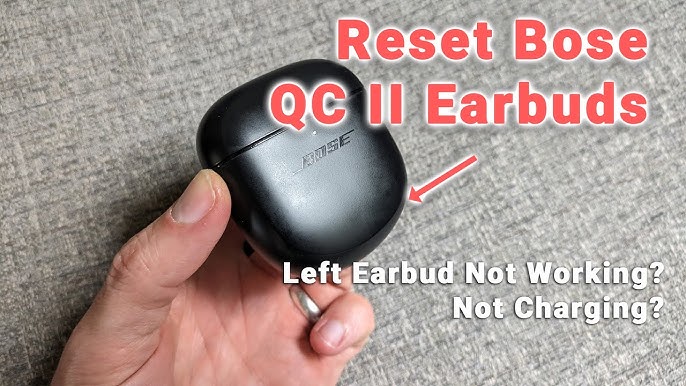
Firmware Updates And App Tweaks
Knowing when to contact Bose Support can save time and effort. Troubleshooting can fix many issues with your Bose QuietComfort left earbud. Some problems need professional help. Recognizing these signs helps you decide when to reach out.
Signs Of Hardware Failure
If the left earbud does not charge even after cleaning, it may have a hardware issue. No sound or very low volume on one side can also signal a problem. Frequent disconnections or inability to pair the earbud can mean internal damage. Physical damage or water exposure increases the chance of hardware failure. When basic fixes do not work, hardware failure is likely.
Replacement And Repair Options
Bose offers repair services for damaged earbuds. Sometimes, replacing the faulty earbud is the best choice. Contact Bose Support to learn about repair costs and procedures. They may offer to send a replacement if the issue is covered. Using authorized services ensures your earbuds get genuine parts. Avoid third-party repairs that might void your warranty.
Warranty And Service Information
Bose earbuds come with a limited warranty covering defects and hardware failures. Check your purchase date to see if your product is still under warranty. Warranty coverage may include repair or replacement at no extra cost. Keep your receipt and product details ready when contacting support. Bose customer service can guide you through warranty claims quickly and easily.
Frequently Asked Questions
Why Is My Bose Left Earbud Not Working?
Your Bose left earbud may not work due to low battery, dirty charging contacts, or Bluetooth desynchronization. Reset earbuds and update firmware via the Bose app. Clean earbud and case contacts gently. If issues persist, contact Bose Support for repair or replacement options.
Why Are My Bose Qc Earbuds Only Playing In One Ear?
Your Bose QC earbuds may play in one ear due to battery drain, dirty charging contacts, or Bluetooth desync. Reset earbuds, clean contacts, update firmware via Bose app, and re-pair them. Persistent issues might require Bose Support for repair or replacement.
Will Bose Replace One Earbud?
Bose may replace a single earbud if it’s under warranty and defective. Contact Bose Support with your proof of purchase.
Why Does My Left Earbud Not Work But My Right One Does?
Your left earbud may not work due to battery drain, dirty charging contacts, or Bluetooth desynchronization. Reset earbuds, clean contacts, update firmware, and re-pair them. If problems persist, contact Bose Support for repair or replacement options.
Why Is My Bose Quietcomfort Left Earbud Not Working?
A common cause is desynchronization between earbuds. Reset both earbuds and reconnect via Bluetooth to fix this issue.
Conclusion
Troubles with the left Bose QuietComfort earbud can be frustrating. Simple steps like resetting and cleaning often solve the issue. Checking for updates in the Bose app helps keep earbuds working well. Adjusting settings in the app might fix silent earbud problems.
If nothing works, the problem could be hardware related. Contact Bose support for repair or replacement options. Taking quick action can restore your earbuds’ full sound. Keep your earbuds clean and updated to avoid future issues. Your listening experience matters—don’t ignore signs of trouble.