
Has your Vizio sound bar remote suddenly stopped working, leaving you frustrated and unable to enjoy your favorite shows or music? You’re not alone, and the good news is that this problem is often easier to fix than you might think.
Whether it’s dead batteries, signal interference, or a simple glitch in the system, there are quick and effective steps you can take right now to get your remote back in action. Keep reading, and you’ll discover straightforward solutions that will have your sound bar responding to your commands again—no technical skills needed.
Don’t let a faulty remote ruin your entertainment experience!
Check Batteries And Placement
Checking the batteries and their placement is a simple first step when your Vizio sound bar remote stops working. Remote issues often arise from weak or dead batteries. Sometimes the problem is caused by batteries placed incorrectly inside the remote. Both cases block the remote from sending signals to your sound bar.
Inspecting the batteries and how they sit in the compartment takes only a few minutes. This process can quickly solve the problem without needing special tools or technical help. Proper battery care ensures your remote stays responsive and reliable.
Replace Old Batteries
Old batteries lose power and can no longer send a strong signal. Remove the batteries from the remote and check their expiration date. Replace them with new AAA batteries for best results. Using fresh batteries restores power and improves remote performance.
Keep spare batteries at home to swap out when needed. This avoids delays in fixing remote issues. Never mix old and new batteries in the same remote. That can cause uneven power flow and damage the remote.
Install Batteries Correctly
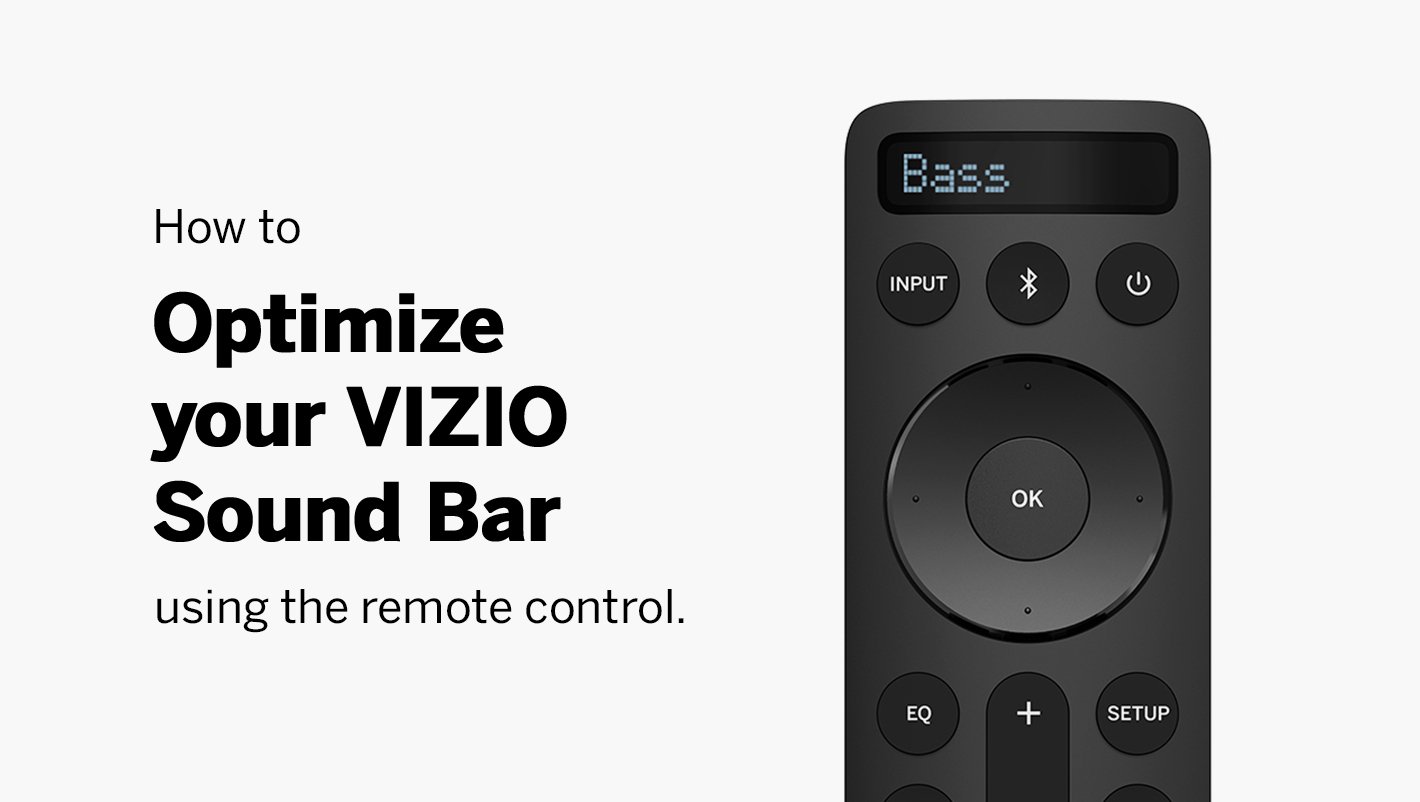
Inside the battery compartment, look for positive (+) and negative (-) signs. Match each battery’s ends with these symbols. Incorrect placement stops the remote from working. The remote needs proper battery contact to send commands.
After installing the batteries, close the cover securely. Loose covers can cause poor connections. Press a button on the remote to test if it now works. Correct battery placement is a common fix for many remote problems.
Credit: www.vizio.com
Inspect Remote Signal
Inspecting the remote signal is a key step to fix your Vizio sound bar remote. Most remotes use infrared (IR) signals. These signals need a clear path to the soundbar to work properly. Dirt, obstructions, or weak signals can stop the remote from working. Checking the signal helps find the root of the problem fast.
Test Infrared Signal With Phone Camera
Use your phone camera to test the remote’s IR signal. Point the remote at the camera lens. Press any button on the remote. Look at the phone screen. You should see a flashing light from the remote’s IR emitter. No light means the remote is not sending a signal. This test shows if the remote is working or needs new batteries.
Remove Obstructions Between Remote And Soundbar
Make sure nothing blocks the remote’s path to the soundbar. Objects like furniture, decorations, or even dust can block the IR signal. Move anything that might be in the way. Clean the remote sensor and the soundbar’s IR receiver. Keep a direct line of sight for the signal. This ensures the remote commands reach the soundbar clearly.
Power Cycle Soundbar And Remote
Power cycling your Vizio soundbar and remote can fix many common issues. This simple process clears minor glitches that stop the remote from working. It refreshes the device’s internal system and often restores proper remote function.
Follow these easy steps to power cycle your soundbar and remote. Doing so can save you time and avoid more complex fixes.
Unplug Soundbar From Power Source
First, unplug the soundbar’s power cord from the wall outlet. Leave it disconnected for at least 30 seconds. This pause allows the internal memory to reset fully. Avoid pressing any buttons during this time. After 30 seconds, plug the power cord back in securely.
Restart Soundbar And Test Remote
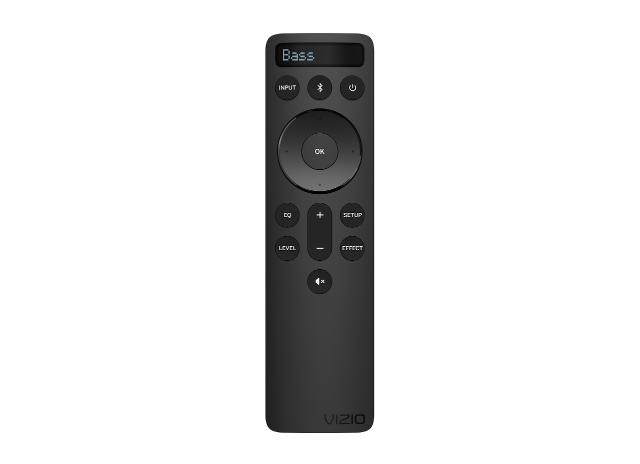
Turn the soundbar back on by pressing its power button or using the remote. Point the remote directly at the soundbar and press any button. Check if the soundbar responds to the commands. If it works, the power cycle fixed the problem. If not, try other troubleshooting steps or check the remote’s batteries.
Credit: www.vizio.com
Reduce Signal Interference
Signal interference can stop your Vizio sound bar remote from working properly. Small electronic devices and bright lights nearby can block or confuse the remote’s signals. Reducing this interference helps your remote connect clearly with the soundbar. Follow these simple tips to lower signal interference and improve remote response.
Move Nearby Electronics And Lights
Devices like routers, cordless phones, and LED lights can interfere with the remote’s signal. Move these electronics away from the soundbar and remote. Avoid placing your soundbar near bright lamps or sunlight. These light sources can disrupt the infrared signals your remote uses.
Clear Line Of Sight To Sensor
Many Vizio remotes use infrared signals that need a clear path to the soundbar sensor. Remove any objects blocking the front of your soundbar. Even small items like picture frames or decorations can cause problems. Point the remote directly at the sensor without obstacles in between.
Update Firmware And Software
Updating the firmware and software can often fix remote control issues with your Vizio soundbar. New updates improve performance and resolve bugs that block remote functions. These updates keep your device running smoothly and maintain compatibility with the remote. Regularly checking for updates ensures your soundbar has the latest features and fixes.
Check For Soundbar Firmware Updates
Power on your soundbar and connect it to the internet. Use the soundbar’s menu to find the settings or system update section. Select “Check for Updates” to see if a new firmware version is available. Download and install any updates found. This process may take a few minutes. Do not turn off the soundbar during the update. After updating, try the remote again to see if it works.
Use Vizio Mobile App For Control
Download the Vizio mobile app on your smartphone. Connect your phone and soundbar to the same Wi-Fi network. The app lets you control the soundbar without the physical remote. Use it to adjust volume, mute, or switch inputs. This app can also check for firmware updates and install them. It serves as a backup if your remote stops working.
Factory Reset Soundbar
Vizio soundbar remotes may stop working due to battery issues or signal blockage. Resetting the soundbar can fix internal glitches and restore remote function. Check for clear line of sight and replace old batteries to improve remote response.
Understanding The Factory Reset Soundbar
Resetting your Vizio soundbar restores it to original settings. This can fix many remote control problems. A factory reset clears glitches that stop the remote from working. It deletes all saved preferences and returns the soundbar to default mode.
Before resetting, try basic fixes like checking batteries and power cycling. If those do not help, a factory reset is the next step. It often solves issues caused by software errors or wrong settings.
How To Factory Reset Your Vizio Soundbar
Start by turning off the soundbar. Unplug it from the power source for 30 seconds. This step helps clear temporary faults.
Press and hold the volume down button and the input button at the same time. Keep holding them while plugging the power back in. Release the buttons when the soundbar’s LED flashes.
The flashing light means the soundbar is resetting. Wait a few minutes for the process to finish. Once done, the soundbar restarts with factory settings.
After The Factory Reset
Test the remote by pointing it at the soundbar and pressing buttons. The reset often restores remote control functions. You may need to re-pair the remote if it uses Bluetooth.
Reset also clears any custom audio settings. Adjust your sound settings again as needed. Check for firmware updates to keep the soundbar running smoothly.
Use Alternative Controls
When your Vizio sound bar remote stops working, alternative controls keep your audio running smoothly. These options help you manage sound without the original remote. Using other devices or apps can restore control instantly. Try these easy methods to keep your soundbar functional.
Control Soundbar With Tv Remote
Most Vizio soundbars connect easily to your TV remote. This setup lets you adjust volume and power using the TV remote. Look for HDMI ARC or CEC settings on your TV. Enable them to link the soundbar and TV controls.
Once linked, the TV remote sends commands to the soundbar. This removes the need for a separate remote. It is simple and effective for quick fixes. Check your TV’s menu to activate this feature.
Pair Soundbar With Vizio App
Vizio offers a free app that controls your soundbar. Download the Vizio SmartCast app on your smartphone. The app connects via Wi-Fi or Bluetooth to your soundbar.
Use the app to change volume, mute, or switch inputs. It also lets you update soundbar settings easily. The app is a handy backup when your remote fails. It works well and offers full control.
Credit: www.youtube.com
Contact Vizio Support
Contacting Vizio Support helps resolve your sound bar remote issues quickly. Their team offers expert guidance for device problems. They can identify the cause and suggest the best fix. Getting help from Vizio ensures you do not waste time on trial and error. Support can also guide you through warranty or repair options. Reach out with your model details for faster assistance.
How To Reach Vizio Support
Visit the official Vizio website to find contact options. You can call their customer service number for direct help. Live chat is available for quick questions and answers. Email support works well for detailed issues needing follow-up. Use social media channels for updates and quick tips.
Information To Prepare Before Contacting
Have your sound bar model number ready. Note the exact problem with your remote. Gather details on any troubleshooting steps already tried. Keep your purchase receipt or warranty info nearby. This helps the support team assist you faster.
What To Expect During Support
Support may guide you through basic checks like battery replacement. They could ask you to power cycle your sound bar and remote. Firmware updates might be recommended to fix bugs. If needed, they will explain repair or replacement options. Follow their instructions carefully for the best results.
Frequently Asked Questions
Why Did My Vizio Remote Suddenly Stop Working?
Your Vizio remote may stop working due to dead batteries, blocked IR signals, or internal glitches. Replace batteries, clear obstructions, and power cycle the device. Check the remote’s IR emitter with a smartphone camera. Update firmware or reset if issues persist.
What To Do If Your Vizio Soundbar Remote Is Not Working?
Replace batteries, check for obstructions, and ensure a clear line of sight to the soundbar sensor. Power cycle both devices. Test the remote’s IR signal with a smartphone camera. Update firmware or reset the soundbar if needed. Use the Vizio Mobile App as an alternative remote control.
Why Did My Soundbar Remote Stop Working?
Your soundbar remote may stop working due to dead batteries, signal obstructions, or internal glitches. Check and replace batteries, remove obstacles, power cycle the soundbar, and test the remote’s IR signal using a phone camera. Update firmware or reset the soundbar if issues persist.
Can You Turn On Vizio Soundbar Without Remote?
Yes, you can turn on a Vizio soundbar without the remote. Use your Vizio TV remote or the Vizio mobile app to control the soundbar easily.
Why Did My Vizio Sound Bar Remote Suddenly Stop Working?
The remote may have dead or misplaced batteries. Also, blocked infrared signals can stop it from working. Check battery placement and clear any obstacles.
Conclusion
A Vizio sound bar remote that stops working can be frustrating. Try simple fixes like changing batteries or clearing obstacles. Power cycling your devices often solves minor glitches. Also, check for signal interference and update the firmware if needed. Testing the remote’s IR signal with a phone camera helps identify issues.
Taking these steps can quickly restore your remote’s function. Stay patient and follow the troubleshooting tips carefully. Your sound bar will be back to normal soon.