
Is your Brio water dispenser suddenly not working? When you’re thirsty and reach for a refreshing glass, a malfunctioning dispenser can be frustrating.
You might wonder if it’s a simple fix or if you need to call for expensive repairs. The good news? Many common problems with Brio water dispensers have easy solutions you can try right now. You’ll learn straightforward steps to diagnose and fix your dispenser, so you can get back to enjoying clean, cold water without the hassle.
Keep reading to find out how to bring your Brio water dispenser back to life quickly and easily.

Common Issues
Brio water dispensers are popular for their convenience and reliability. Yet, like all devices, they can face common issues. Understanding these problems helps you fix them quickly and avoid frustration. Below are some typical faults that users may experience with their Brio water dispenser.
No Water Dispensing
This issue happens when the dispenser stops delivering water completely. It may be caused by an empty water bottle or a loose suction tube. Check if the water bottle is properly seated and the intake hose is secure inside the cabinet. Sometimes, air bubbles block the flow, so priming the system can help. Also, ensure that the buttons or levers are aligned correctly and not stuck.
Cold Water Not Working
Cold water failure is another frequent problem. The cooling system might be off or broken. Confirm that the dispenser is plugged in and the power is on. The compressor or cooling fan could be malfunctioning, which needs professional repair. Sometimes, a dirty or clogged filter affects the cold water output. Replacing the filter may restore cold water flow.
Continuous Beeping
Continuous beeping often signals an error or alert. It may indicate that the water filter needs replacement. Press and hold the filter reset button while plugging in the power cord to stop the beep. A wet drip tray or leak sensor activation can also cause the noise. Ensure the drip tray and the bottom of the cabinet are dry to reset the system.
Water Leakage
Leaks can appear around the dispenser base or inside the cabinet. Check for cracks in the water bottle or loose connections in the tubing. Misaligned parts inside the machine may cause water to drip. Remove the top cover to inspect and realign any loose components. Clean the drip tray regularly to prevent overflow and detect leaks early.
Quick Fixes
Quick fixes often solve common issues with your Brio water dispenser. These simple steps save time and avoid costly repairs. Follow each method carefully to get your dispenser working again. Most fixes require no tools or special skills.
Check Water Bottle And Suction Tube
Remove the water bottle from the dispenser. Check if the suction tube is firmly attached inside the bottle. Ensure the tube is not bent or blocked. Look inside the cabinet to see if the hose is loose or disconnected from the pump. Secure any loose parts before placing the bottle back.
Prime The System
Hold down the water button to start the pump. Keep it pressed for 10 to 15 seconds. This helps push air out and allows water to flow smoothly. Repeat if water does not come out immediately. Priming resets the dispenser and clears small blockages.
Realign Misaligned Buttons
Turn off and unplug the dispenser. Remove the top cover screws to access the buttons. Check if the plastic levers inside are off their guides. Gently push them back into place. Secure the cover and test the buttons again. Misaligned buttons often stop water flow.
Dry Leak Sensor Area
Turn off the dispenser and unplug it. Remove the drip tray and check for moisture near the leak sensor. Wipe the sensor and surrounding area dry with a soft cloth. A wet sensor disables the pump to prevent damage. Drying this area often restores normal operation quickly.
Resetting Your Dispenser
Resetting your Brio water dispenser can fix many common issues. Sometimes, the system needs a simple reset to work properly again. This process clears error signals and refreshes the dispenser’s settings. Follow the steps below to reset key parts of your unit.
Reset Filter Alert
The filter alert light notifies you when it is time to change the water filter. After replacing the filter, you must reset this alert. To reset the filter alert, press and hold the filter reset button. Keep holding while you plug the dispenser back into the power source. Release the button once the alert light turns off. This stops the beeping and resets the filter timer.
System Reboot Steps
Rebooting the water dispenser resets the entire system. Start by unplugging the dispenser from the wall outlet. Wait at least 30 seconds to let the internal system fully power down. Plug the dispenser back in and turn it on. This simple reboot often clears minor glitches and restores normal function. Check if water flows properly after the reboot.
Inspecting Internal Components
Inspecting the internal parts of your Brio water dispenser helps find hidden problems. This step is important when the dispenser stops working properly. It helps avoid unnecessary repairs or replacements. Understanding the main components inside makes troubleshooting easier. Focus on key parts like the intake hose, thermostat, and sensors. Each part plays a role in proper water flow and temperature control.
Take your time to carefully check these parts. Small issues inside can cause the whole system to fail. Use a flashlight and basic tools if needed. Always unplug the dispenser before opening any covers. Safety first.
Check Intake Hose Placement
The intake hose moves water from the bottle into the dispenser. Make sure it is placed firmly inside the water bottle. Sometimes it slips out or gets blocked. A loose or blocked hose stops water flow completely. Look inside the cabinet for the hose connection to the pump. It should be secure and free of cracks or kinks. Clean the hose if dirt or buildup is visible. Proper hose placement ensures smooth water delivery.
Examine Thermostat And Sensors
The thermostat controls water temperature inside the dispenser. Sensors detect water levels and system errors. Check if the thermostat is set correctly and not damaged. Faulty thermostats cause water to stay too warm or cold. Inspect sensors for dirt or moisture. A wet sensor can send wrong signals and stop the pump. Clean sensors gently and ensure they fit firmly. Proper sensor function keeps the dispenser running smoothly.
Maintenance Tips
Keeping your Brio water dispenser in top shape helps avoid many common problems. Regular maintenance supports smooth operation and extends the life of your dispenser. Small steps can prevent big issues.
Regular Cleaning
Clean your dispenser every two weeks to stop dirt buildup. Wipe the exterior with a soft cloth and mild soap. Clean the drip tray to avoid mold and spills. Flush the water system with clean water to remove any deposits inside.
Replacing Filters
Change the water filter every three months for fresh, clean water. Old filters slow water flow and reduce water quality. Follow the manufacturer’s instructions to replace filters properly. Reset the filter indicator after changing it to avoid false alerts.
Preventing Air Pockets
Air pockets can block water flow and cause dispenser issues. To avoid this, check that the water bottle is seated correctly. Prime the system by pressing the water button until water flows steadily. This clears trapped air and ensures smooth dispensing.
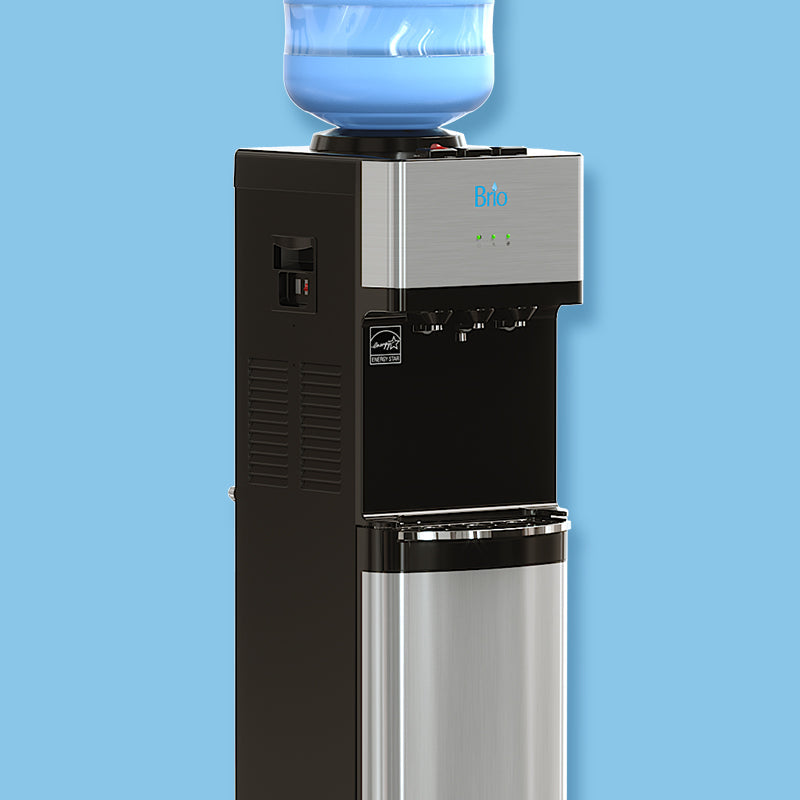
Credit: briowater.com
When To Call A Professional
Sometimes, fixing a Brio water dispenser requires expert help. Knowing when to call a professional saves time and prevents damage. Professionals have the tools and skills to solve complex issues safely. Below are signs that show you need expert repair.
Persistent Water Flow Issues
Water flow problems that keep coming back need professional attention. Simple fixes like realigning buttons or priming the system may not work. A technician can check internal parts like pumps and valves. They find hidden blockages or broken components quickly. Persistent flow issues might also cause leaks or water damage. Professionals prevent these risks by fixing problems correctly the first time.
Electrical Problems
Electrical faults in your dispenser can be dangerous. Flickering lights, no power, or strange noises signal electrical issues. Avoid opening the dispenser yourself to check wiring. A certified technician can safely test and repair electrical parts. They ensure your dispenser meets safety standards. Handling electrical problems professionally avoids shocks and fire hazards.

Credit: www.youtube.com
Frequently Asked Questions
How Do I Reset My Brio Water Dispenser?
To reset your Brio water dispenser, unplug it first. Press and hold the filter reset button while plugging it back in. Release the button after the light stops flashing. This clears error alerts and resets the system for normal use.
Why Is There No Water Coming Out Of My Water Dispenser?
No water from your dispenser may result from an empty bottle, loose intake hose, misaligned buttons, or a wet leak sensor disabling the pump. Check these components and prime the system to restore flow.
How Do You Reset A Brio?
To reset a Brio water dispenser, unplug it, press and hold the filter reset button, then plug it back in while holding the button. Release the button after a few seconds to complete the reset.
Why Is The Cold Water Not Working On My Brio Water Dispenser?
Check the water bottle and suction tube for secure placement. Realign any misaligned buttons. Ensure the drip tray and cabinet are dry to avoid sensor issues. Prime the system by holding the cold water button to restart the pump.
Why Is My Brio Water Dispenser Not Dispensing Water?
Check if the water bottle is empty or the hose is loose. Also, ensure the intake tube is properly seated inside the bottle.
Conclusion
A Brio water dispenser not working can cause daily hassle. Start by checking the water bottle and suction tube. Make sure buttons inside the dispenser are aligned correctly. Dry any wet areas around the drip tray to avoid sensor issues.
Resetting the filter alert might help stop beeping sounds. Simple fixes often solve common problems quickly. Taking these steps can restore your dispenser’s function without extra cost. Stay patient and follow the troubleshooting tips carefully. Your Brio dispenser can work well again with basic care and attention.