
You rely on your AirTags to keep track of your important things—your keys, wallet, or backpack. But how long can you actually count on them before the battery dies?
Knowing the lifespan of your AirTag’s battery helps you avoid those frustrating moments when your tracker suddenly stops working. You’ll discover exactly how long AirTags last, what affects their battery life, and simple tips to make sure yours keeps going strong.
Keep reading to make the most out of your AirTags and never lose track again.

Credit: www.youtube.com
Airtag Battery Basics
The AirTag battery is a key part of how this small device works. Understanding its basics helps you know what to expect from your AirTag. The battery type and how long it lasts affect its daily use and reliability.
Battery Type And Specs
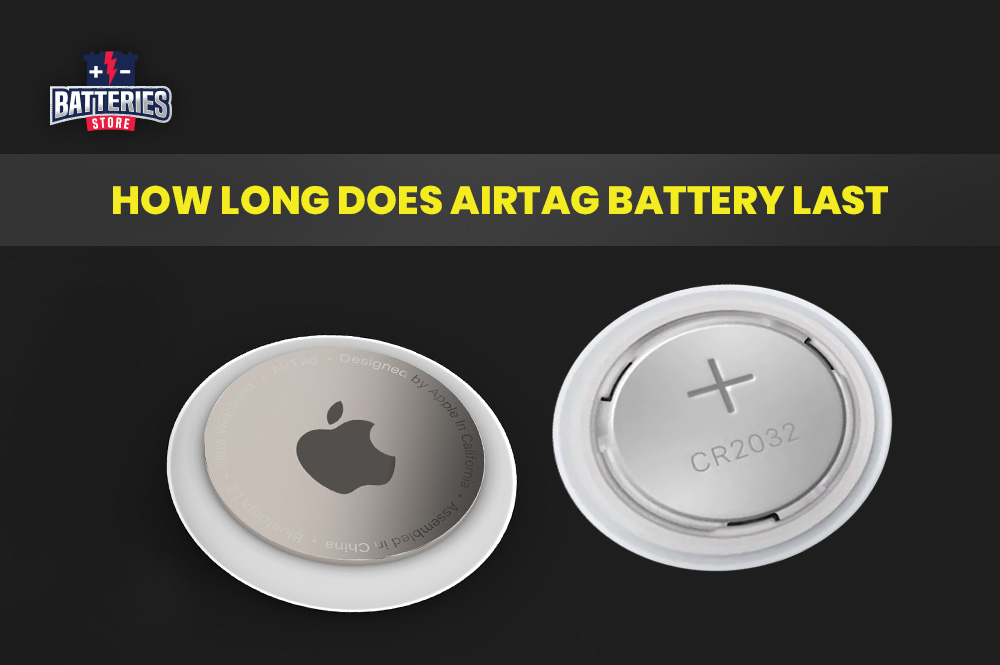
Apple AirTags use a CR2032 coin cell battery. This battery type is common and easy to replace. It measures about 20mm in diameter and 3.2mm thick. The battery is non-rechargeable but simple to swap out. You can find these batteries in many stores worldwide.
Official Battery Life Estimate
Apple estimates the AirTag battery will last about one year. This estimate assumes normal daily use. Frequent use or harsh conditions can shorten battery life. Your iPhone will notify you when the battery is low. This helps you replace the battery before it dies.
Factors Affecting Battery Life
The battery life of an AirTag depends on several important factors. Understanding these factors helps you know how long your AirTag will last before needing a battery change. Battery life varies based on how you use the device and the conditions it faces.
Usage Frequency Impact
Using your AirTag more often drains the battery faster. Each time the AirTag communicates with your device or the Find My network, it uses power. Frequent tracking or alerts increase battery consumption. Less frequent use means the battery lasts longer, often up to a year.
Environmental Conditions
Extreme temperatures affect battery performance. Very cold or hot weather can reduce battery life quickly. Keeping your AirTag in moderate temperatures helps maintain its battery health. Moisture and physical damage may also impact the battery’s efficiency.
Network And Location Pings
AirTags use Bluetooth and the Find My network to update their location. When your AirTag is in busy areas with many devices, it sends more signals. These frequent pings use extra battery power. In quieter locations, the battery drains slower due to fewer pings.
Monitoring Battery Status
Monitoring the battery status of your AirTag ensures it stays functional. A healthy battery keeps your device ready to find your belongings anytime. Regular checks help avoid sudden power loss and keep tracking uninterrupted. Apple provides simple tools to keep an eye on battery levels and send alerts before the battery dies. This section explains how to monitor your AirTag’s battery effectively.
Checking Battery In Find My App
Open the Find My app on your iPhone or iPad. Tap the “Items” tab to see all your AirTags. Select the AirTag you want to check. The battery icon appears near the name. This icon shows the current battery level. A full icon means good battery health. A low icon suggests the battery is running low. Checking here is quick and easy anytime.
Low Battery Alerts
Your iPhone sends a notification when an AirTag’s battery is low. The alert appears in the Find My app and as a push notification. This warning lets you replace the battery soon. It helps prevent losing your AirTag due to power failure. The low battery alert usually comes weeks before the battery dies. This gives enough time to buy and install a new battery.
Extending Airtag Battery Life
Extending the battery life of your AirTag helps keep your items tracked longer. The battery inside an AirTag usually lasts about one year. Taking simple steps can help you get the most from each battery. Small changes in how you use and care for your AirTag make a big difference.
Using Quality Batteries
Choose well-known battery brands for better performance. High-quality batteries last longer and provide steady power. Avoid cheap or off-brand batteries that drain quickly. Always check the battery type recommended by Apple, which is CR2032. Using the right batteries reduces the need for frequent replacements.
Avoiding Extreme Temperatures
Keep your AirTag away from very hot or cold places. Extreme heat can cause the battery to drain fast. Cold weather also lowers battery efficiency and shortens life. Store your AirTag in a moderate temperature environment. This helps maintain a stable battery charge over time.
Optimizing Usage Habits
Limit how often you use the AirTag’s sound feature. Frequent alerts and plays use more battery power. Turn off unnecessary notifications in the Find My app. Avoid using the AirTag in areas with weak signals to reduce battery use. Regularly check the battery status on your device to plan timely replacements.
Replacing Airtag Battery
Replacing the AirTag battery is simple and keeps your device working smoothly. The battery usually lasts about one year. Changing it yourself saves time and money. This section explains how to replace the battery, which brands work best, and signs to watch for.
How To Replace The Battery
Turn the AirTag over with the metal side down. Press down and twist counterclockwise. The cover will pop off. Remove the old battery carefully. Insert a new CR2032 battery with the plus (+) side facing up. Align the cover and twist clockwise until it locks. Your AirTag will make a sound to confirm it works.
Recommended Battery Brands
Choose high-quality CR2032 batteries for best results. Duracell and Energizer are reliable choices. These brands last longer and perform better. Avoid batteries with bitter coating. They may not work well with AirTags. Using good batteries helps your AirTag last the full year.
Signs It’s Time To Replace
Your iPhone will send a notification when the battery is low. The AirTag may stop responding in the Find My app. You might hear no sound when pressing the AirTag. If tracking feels slower, check the battery status. These signs mean it is time to change the battery soon.

Common Battery Issues
Battery issues are the most common concern for AirTag users. The battery powers the device’s tracking and communication features. Problems can arise that affect performance and battery life. Understanding these issues helps you manage your AirTag better.
Unexpected Battery Drain
Sometimes, AirTags lose battery faster than expected. This can happen if the AirTag is frequently moving or constantly connecting to devices. A damaged or old battery can also cause quick drainage. Using the Find My app often to check location also uses more power.
Battery Life Variations By Use Case
Battery life changes depending on how you use the AirTag. If it stays in one place, the battery lasts longer. If you attach it to items that move a lot, the battery drains faster. Environmental factors like cold weather also reduce battery life.
Troubleshooting Tips
Check the battery status in the Find My app regularly. Replace the battery with a high-quality CR2032 coin cell for best results. Avoid exposing your AirTag to extreme temperatures. Restart your AirTag by removing and reinserting the battery if it acts up. Keep your device’s software updated to fix bugs that affect battery life.
Comparing Airtag Battery To Competitors
Comparing the AirTag battery to its competitors reveals key differences in design and user experience. Many popular trackers offer a variety of battery solutions. These affect how long you can use them before needing a recharge or replacement. Understanding these differences helps choose the best device for your needs.
Battery Life Differences
Apple AirTags use a replaceable CR2032 battery. This battery typically lasts about one year with normal use. Many competitors feature rechargeable batteries. Their life spans vary from a few days to several weeks per charge. Trackers with rechargeable batteries need frequent charging. AirTags offer the convenience of longer battery life without daily charging.
Charging Vs Replaceable Battery
AirTags use replaceable batteries you can swap yourself. This means no downtime for charging. You simply replace the battery when it dies. Competitors with built-in rechargeable batteries require charging cables or docks. Charging can interrupt tracking if the device runs out of power. Replaceable batteries offer simple, quick fixes. Rechargeables may appeal to users who prefer not to buy batteries often.
Frequently Asked Questions
How Often Do Airtags Need To Be Charged?
AirTags use a replaceable battery that typically lasts about one year with normal use. They do not require charging. Your iPhone alerts you when the battery is low, so you can easily replace it to keep your AirTag working efficiently.
How Far Away Do Airtags Track?
AirTags track within Bluetooth range, about 30-100 feet. Beyond that, they use the Find My network to locate your item.
How Often Do Airtags Need Replacing?
AirTag batteries typically last about one year with normal use. Replace the battery annually or when your iPhone alerts low power. Frequent use and extreme temperatures may shorten battery life. Use quality CR2032 batteries for best performance. Monitor battery status easily in the Find My app.
What Is The Downside Of Apple Airtags?
Apple AirTags may raise privacy concerns, have limited battery life requiring yearly replacement, and work best within Apple’s ecosystem.
How Long Does An Airtag Battery Usually Last?
An AirTag battery typically lasts about one year with normal use. Heavy use or extreme temperatures can shorten this time.
Conclusion
AirTags generally last about one year on a single battery. Frequent use or extreme temperatures can shorten this time. Your iPhone will notify you when the battery runs low. Using good quality batteries helps extend battery life. Avoid exposing AirTags to very hot or cold places.
Check the battery status regularly in the Find My app. With proper care, your AirTag will keep working well for many months. This makes AirTags reliable for tracking your important items.