
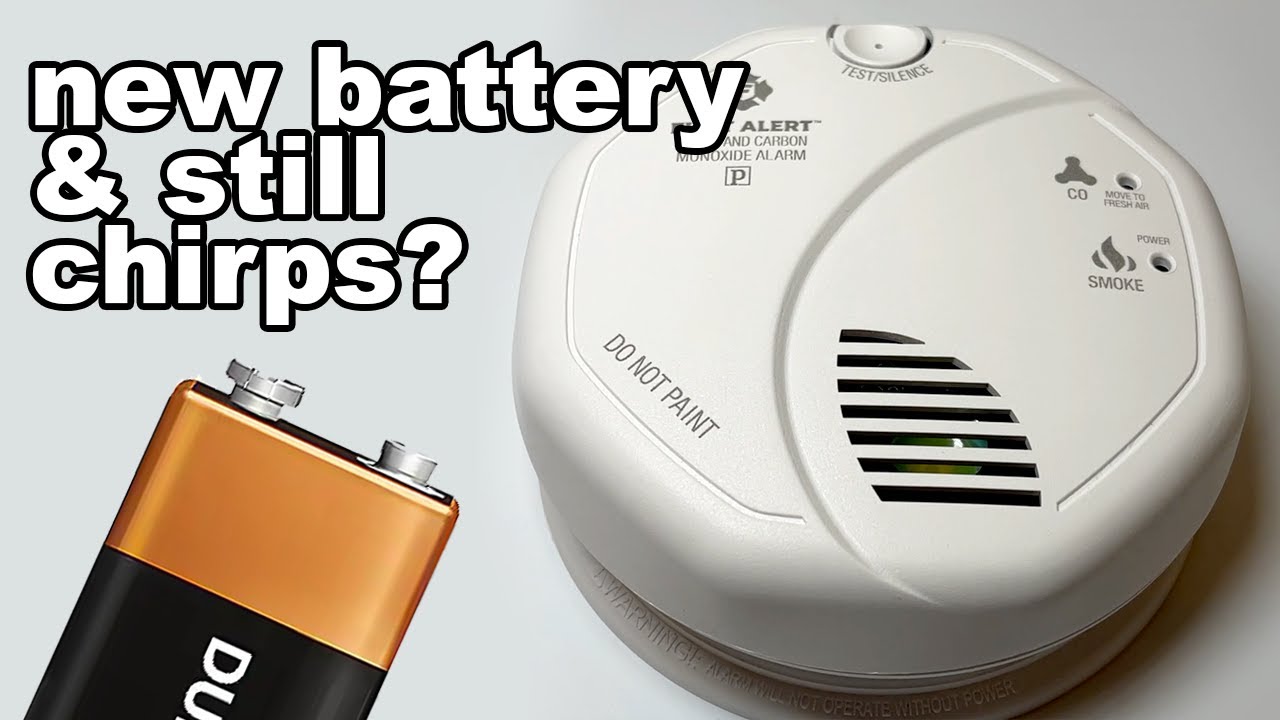
Is your smoke detector still beeping even after you’ve put in a brand-new battery? That constant chirp can be more than just annoying—it can make you wonder if your safety device is working right.
You might think replacing the battery would fix the problem, but sometimes the beeping won’t stop. Don’t worry, you’re not alone, and there are simple reasons behind this persistent noise. You’ll discover easy steps to silence your smoke detector and understand why it might keep beeping despite a fresh battery.
Keep reading, and soon your home will be quiet and safe again.

Common Reasons For Beeping
Smoke detectors often beep even after installing a new battery. This can confuse many people. Several common reasons cause this issue. Understanding these helps you fix the problem quickly. Here are the main causes of beeping with a new battery.
Battery Seating Issues
A battery not seated correctly can cause beeping. The battery may not touch the terminals well. Sometimes the battery drawer is not fully closed. Make sure the battery fits tightly and the contacts are clean. This often stops the beeping immediately.
Residual Electrical Charge
Smoke detectors store a small electrical charge. This charge may cause the alarm to beep after battery replacement. To clear it, press and hold the test button for 15 seconds. This resets the detector and stops false beeping.
Dust And Debris Build-up
Dust inside the smoke detector can trigger false alarms. Tiny particles block the sensor or interfere with signals. Clean the detector gently using a vacuum or soft brush. Regular cleaning prevents beeping caused by dirt.
Expired Smoke Detectors
Smoke detectors have a limited lifespan, usually 8 to 10 years. After this, they may beep even with a new battery. Check the manufacturing date on the back. Replace the entire unit if it is old to ensure safety and stop beeping.
Battery Check And Replacement
Battery check and replacement are key to stopping a smoke detector’s beeping. Sometimes, even new batteries cause the device to chirp. This problem often happens because of how the battery is installed or the battery type used. Simple mistakes can lead to constant beeping. Proper care during battery replacement saves time and ensures safety.
Proper Battery Installation
Place the battery in the correct position. The positive and negative ends must match the markings inside the battery compartment. A loose or reversed battery can cause the detector to beep. Press the battery firmly so it fits snugly. This helps maintain a good connection and stops false alarms.
Choosing The Right Battery Type
Select the battery type recommended by the smoke detector’s manufacturer. Most detectors use 9-volt or AA alkaline batteries. Using a different type, like rechargeable or lithium, may cause issues. The wrong battery can lead to low power signals and beeping. Always check your device manual before buying new batteries.
Battery Drawer Closure
Make sure the battery drawer closes completely. If it is loose or slightly open, the detector may beep. Check for any dirt or debris blocking the drawer. Clean the area gently if needed. A fully closed drawer keeps the battery secure and the device working properly.
Cleaning The Smoke Detector
Cleaning your smoke detector helps stop false beeping after a battery change. Dust and debris block the sensor, causing the alarm to beep. Regular cleaning keeps the detector working well and quiets unwanted sounds. Follow these simple cleaning methods to maintain your device’s performance.
Using Compressed Air
Compressed air removes dust from hard-to-reach areas inside the smoke detector. Hold the can upright and spray short bursts around the sensor. Avoid shaking the can to prevent moisture buildup. This method clears out dirt without damaging sensitive parts.
Wiping With Microfiber Cloth
Use a dry microfiber cloth to gently wipe the detector’s exterior. Focus on vents and openings where dust gathers. Do not use water or cleaning sprays, which can harm the electronics. A clean surface helps the alarm sense smoke accurately.
Removing Spiderwebs And Debris
Check for spiderwebs or small debris inside and around the smoke detector. Use a soft brush or a cotton swab to remove these gently. Spiderwebs can block the sensor and cause false alarms. Keep the area clear to ensure proper function.

Resetting The Smoke Detector
Resetting the smoke detector can stop the annoying beeping after installing a new battery. The device may hold some leftover charge causing false alerts. A proper reset clears this charge and resets the alarm. This step often solves beeping problems quickly and safely.
Follow simple reset methods to restore normal function. These include discharging residual charge and using manual reset procedures. After resetting, test the detector to confirm it works well. Resetting is a key step to fix false beeping sounds efficiently.
Discharging Residual Charge
First, remove the battery from the smoke detector. Press and hold the test button for 15 to 30 seconds. This action drains leftover electrical charge inside the device. It clears any false signals that cause beeping. After this, reinstall the battery firmly. This step often stops the beeping without further action.
Manual Reset Procedures
Locate the reset button on the smoke detector. Press and hold it for 15 seconds. Some models may need you to press the test button instead. This manual reset restarts the alarm system. It clears errors and refreshes the sensor. Follow the manufacturer’s instructions for your exact model.
Testing After Reset
Once reset, test the smoke detector. Press the test button until the alarm sounds. The alarm should beep loudly and clearly. This confirms the device is working correctly. If the alarm fails or keeps beeping, repeat the reset steps. Testing ensures your home stays safe and secure.
Hardwired Smoke Detector Tips
Hardwired smoke detectors are reliable and connect directly to your home’s electrical system. They often include a backup battery to keep working during power outages. These units can beep even after installing a new battery. Understanding how to manage these detectors can save time and reduce frustration.
Handling Power Interruptions
Power interruptions can cause your hardwired smoke detector to beep. The backup battery may take over, but the transition can trigger a warning sound. Ensure the main power supply is stable. Check your circuit breaker to see if it has tripped. Resetting the breaker can restore power and stop the beeping. Avoid unplugging detectors, as this can disable safety features.
Resetting Hardwired Units
Resetting your hardwired smoke detector can clear error signals. Locate the reset button on the unit. Press and hold it for 15 to 20 seconds. This action stops false alarms and clears memory. If your model lacks a reset button, turn off power at the breaker for a minute. Turn it back on to reset the system. Always test the detector after resetting to ensure it works properly.
When To Call A Professional
Persistent beeping might signal wiring or sensor problems. Avoid trying complex repairs yourself. Call a licensed electrician or fire safety expert. They can inspect wiring and internal components safely. Professionals can replace outdated detectors with newer models. Regular professional checks improve home safety and detector reliability.
Credit: www.youtube.com
When To Replace The Detector
Knowing when to replace your smoke detector is vital for home safety. A detector that beeps with a new battery may signal a deeper issue. Timely replacement prevents false alarms and ensures reliable fire detection.
Regular checks help spot signs of malfunction early. Smoke detectors do not last forever. Understanding their lifespan guides proper replacement schedules.
Signs Of Internal Malfunction
A smoke detector that beeps despite a fresh battery may have internal faults. Frequent chirping or random alarms can indicate sensor failure. Dust buildup or electrical problems inside the unit can cause errors. If cleaning and battery replacement do not stop the beeping, the detector might be malfunctioning. Ignoring these signs risks missing real alarms.
Smoke Detector Lifespan
Most smoke detectors last about 8 to 10 years. Over time, sensors degrade and become less reliable. Check the manufacturing date on the back of the unit. Replace detectors older than ten years regardless of battery status. Newer models offer improved technology and better protection. Replacing old units ensures your home stays safe.
Finding Replacement Units
Choose smoke detectors certified by recognized safety organizations. Look for features like photoelectric sensors or combined smoke and carbon monoxide detection. Select models that fit your home’s needs and budget. Many hardware stores and online retailers carry quality detectors. Installation is simple, but follow the manufacturer’s instructions carefully.
Preventive Maintenance Tips
Keeping your smoke detector working well requires more than just changing its battery. Preventive maintenance helps stop annoying beeping sounds and keeps your home safe. Simple habits and checks can extend the life of your detector. Follow these tips to avoid common problems and ensure your smoke alarm functions properly.
Regular Cleaning Schedule
Dust and debris can cause false alarms or constant beeping. Clean your smoke detector at least once every three months. Use a soft brush or vacuum cleaner with a soft nozzle. Gently remove dust from the vents and outer shell. Avoid using water or harsh cleaners that might damage the device.
Battery Replacement Frequency
Replace batteries once a year or as recommended by the manufacturer. Even new batteries can fail if left unused for a long time. Always use fresh, high-quality batteries. Check the battery seating to make sure it is secure. Loose batteries often cause beeping after replacement.
Keeping Detector Free Of Obstructions
Make sure nothing blocks the smoke detector’s vents. Paint, stickers, or decorations can interfere with its sensors. Keep the area around the detector clear for proper airflow. Avoid placing detectors near kitchen vents, fans, or windows. Obstructions can cause false alarms or prevent the device from working.
Frequently Asked Questions
Why Does My Smoke Detector Keep Beeping Even With A New Battery?
Your smoke detector may beep due to a poorly seated battery, dust buildup, residual charge, or an expired unit needing replacement.
Do You Have To Reset A Smoke Detector After Replacing The Battery?
You don’t always need to reset a smoke detector after replacing the battery. Press the test button to clear alerts.
How Do You Stop A Hardwired Smoke Detector From Beeping?
To stop a hardwired smoke detector from beeping, check the battery is seated correctly. Clean dust from the sensor vents. Reset the unit by pressing the test button. Replace the detector if it continues beeping after these steps.
Should My Smoke Alarm Have A Green Light?
A green light on a smoke alarm usually means it has power and is functioning correctly.
Why Does My Smoke Detector Beep With A New Battery?
A beeping smoke detector with a new battery often means the battery isn’t seated correctly. Dust or dirt inside the detector can also cause beeping. Sometimes, the detector itself may be old and needs replacement.
Conclusion
A smoke detector beeping with a new battery can frustrate anyone. Often, it means the battery isn’t seated right or dust is inside. Cleaning the sensor gently and checking battery placement usually helps. Sometimes, the detector needs a reset to stop the noise.
If it still beeps, the alarm might be old and need replacing. Regular checks keep your home safe and quiet. Don’t ignore persistent beeping—it protects your family. Simple care solves most problems fast. Stay safe and keep your smoke detector working well.