
When your Samsung TV suddenly makes a loud pop and won’t turn on, it can feel frustrating and confusing. For many people, this TV is the center of home entertainment. When it stops working, movie nights and favorite shows are put on hold. But what causes this problem, and what can you do about it? If you’re searching for answers, you’re in the right place.
This article will help you understand why your Samsung TV popped and won’t turn on. You’ll learn about the common causes, what you can check at home, repair options, and how to decide what to do next. We’ll also cover how you can prevent this from happening in the future.
Even if you’re not a technical person, you’ll find clear explanations and practical tips here.
Let’s look deeper into why your TV might have failed, what steps you should take, and how you can get your home entertainment back on track.
Common Causes Of A Popping Sound And Power Failure
When a Samsung TV pops and loses power, several things could be to blame. Here are the most likely reasons:
1. Power Surge
A power surge is a sudden increase in electrical voltage. This can happen during a thunderstorm, when the power comes back after an outage, or if there’s a problem in your home’s wiring. Power surges can damage sensitive parts inside your TV, especially the power supply board.
2. Component Failure (capacitors)
Inside your TV, small parts called capacitors control and store electricity. If a capacitor is faulty or wears out, it can burst with a popping sound. This is a common problem in many modern TVs, including Samsung models. When a capacitor fails, the TV may not turn on at all.
3. Burnt Power Supply Board
The power supply board sends electricity to all parts of the TV. If something goes wrong—like a short circuit or overheating—the board can burn out. This sometimes creates a loud noise and a smell like burnt plastic. After this, the TV will not work until the board is repaired or replaced.
4. Loose Or Damaged Cables
Sometimes, a popping sound can come from a loose connection or a damaged power cord. If the plug or cable is not secure, electricity may arc (jump) and make a noise. This can damage the TV’s internal parts and cause it to stop working.
5. Internal Short Circuit
A short circuit happens when electricity takes the wrong path inside the TV, often due to dust, moisture, or a defect. This can cause a snap or pop, and the TV may shut down to protect itself. Short circuits can damage the main board or other key parts.
6. Speaker Or Sound System Problems
Rarely, the TV’s speakers or internal sound system can fail with a pop. However, if this happens, the TV usually still turns on, but you may lose sound. If your TV won’t power up at all, it’s more likely the problem is electrical.
7. Overheating
Modern TVs create heat as they run. If the TV’s vents are blocked or the room is very hot, overheating can damage parts inside. This sometimes ends with a pop and a complete shutdown.
Non-obvious insight: Even if your TV is off, a power surge or electrical problem can still damage it if it’s plugged in. Unplugging during storms is a good habit.
Understanding these causes helps you know where to start when diagnosing the problem.
What To Do First When Your Samsung Tv Won’t Turn On
After hearing a pop and finding your TV won’t turn on, don’t panic. There are a few steps you can try before calling a repair service.
Step 1: Unplug And Wait
First, unplug the TV from the wall socket. Wait at least 60 seconds. Sometimes, TVs have a self-reset feature that can fix small errors. After a minute, plug it back in and try turning it on.
Step 2: Check The Power Outlet
Plug another device (like a lamp or phone charger) into the same outlet. If that device works, your outlet is fine. If not, the problem may be with your home’s electricity, not the TV.
Step 3: Inspect The Power Cord And Connections
Look closely at the power cord for any signs of damage, burns, or loose connections. If the cord is damaged, do not try to use the TV. Replace the cord with a Samsung-approved one before continuing.
Step 4: Listen And Look For Signs
When you try to turn the TV on, listen for clicks, buzzing, or see if any lights flash on the TV. Even a small red standby light can give clues about what’s wrong.
Step 5: Try A Different Power Strip Or Wall Socket
Sometimes, surge protectors or power strips stop working. Plug the TV directly into a wall socket to rule out problems with your extension cord.
Step 6: Look For Visible Damage
Check behind and around the TV for any burn marks, a melted smell, or popped panels. If you notice any of these, unplug the TV immediately and do not try to use it.
Non-obvious insight: If you smell burnt plastic, the internal power supply might be damaged. Don’t risk further damage by repeatedly trying to turn the TV on.
If your TV still doesn’t work after these steps, it’s likely an internal issue that needs professional help.

Understanding Samsung Tv Power Supply Issues
Most TVs that pop and stop working have a problem with the power supply board. This is a key part inside your TV that changes electricity from your wall into the correct voltage for the TV’s electronics. Let’s look at this in more detail.
How The Power Supply Board Works
The power supply board takes 120V or 240V AC from your home and turns it into lower DC voltages for the TV’s circuits. It has capacitors, transformers, and other components.
Why Power Supply Boards Fail
- Capacitor Failure: These small cylinders store and release energy. Over time, they can swell, leak, or burst, especially if the TV overheats or gets a power surge.
- Burned Components: If too much current passes through, resistors or diodes can burn out.
- Cheap Parts: Some TVs use lower-quality parts to cut costs, which can lead to early failure.
Signs Of Power Supply Problems
- No power or lights on the TV
- A popping sound before failure
- Burnt smell from the back of the TV
- Flickering or blinking standby light
Capacitor Plague
In the early 2000s, many Samsung TVs (and other brands) were affected by the capacitor plague—a period when millions of TVs and monitors used faulty capacitors. Even newer models can have capacitor issues, especially if exposed to heat or surges.
Diagnosing The Problem: Can You Fix It Yourself?
If your Samsung TV won’t turn on after a pop, you may wonder if you can fix it yourself. Here’s a look at what’s possible and what’s risky.
Safe Checks You Can Do
- Power cord: Replace with a new, original Samsung cord.
- Remote control: Try the physical power button on the TV.
- External devices: Unplug all HDMI, USB, and antenna cables.
Opening The Tv: Caution Needed
Opening your TV to check inside is only for people with technical skills. TVs can hold a charge even after being unplugged, which is dangerous. If you have experience, you can:
- Remove the back panel and look for bulged or leaking capacitors
- Look for burnt marks or broken parts on the power supply board
Important: If you’re not comfortable with electronics, don’t open the TV. It’s better to get a professional’s help.
Professional Diagnosis
A TV repair technician can safely open your TV, test the boards, and confirm what’s broken. They have the right tools and knowledge to avoid injury or further damage.
Diy Vs. Professional Repair
Here is a comparison of what you can check yourself versus what needs a technician:
| Issue | Can Check Yourself? | Needs Technician? |
|---|---|---|
| Power outlet | Yes | No |
| Power cord | Yes | No |
| Capacitor replacement | No | Yes |
| Power supply board swap | No (unless skilled) | Yes |
| Internal wiring | No | Yes |
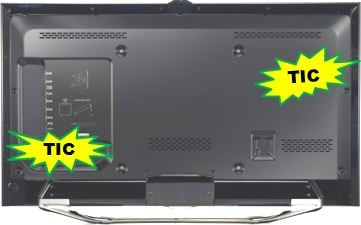
Repair Options For A Samsung Tv That Won’t Turn On
Once you know the likely cause, you have several choices. Each has pros and cons, depending on your budget, skills, and how old your TV is.
1. Warranty Repair
If your TV is less than one year old, it’s still under Samsung’s standard warranty. Contact Samsung support with your TV’s model and serial number. If the problem is due to a manufacturing defect, the repair is usually free.
Tip: Even if your TV is just out of warranty, Samsung sometimes offers “goodwill” repairs for well-known problems like capacitor failures.
2. Paid Repair Service
If your warranty is expired, you can use an official Samsung service center or a local TV repair shop. The cost depends on the problem:
- Capacitor replacement: $70–$200
- Power supply board replacement: $150–$350
- Main board replacement: $200–$400
Always ask for a quote before agreeing to repairs. For older TVs, repairs may cost more than buying a new model.
3. Diy Repair (advanced Users Only)
If you’re skilled with electronics, you can buy a replacement power supply board or capacitors online. Replacing these parts involves opening the TV, unscrewing boards, and soldering. This can save money but is risky if done incorrectly.
Warning: DIY repair can void any remaining warranty and be dangerous.
4. Replace The Tv
If your TV is old or repairs are too expensive, it may be better to buy a new one. Modern Samsung TVs have better energy efficiency and features.
5. Recycling Or Disposal
If the TV cannot be fixed, look for local electronics recycling programs. Never throw a TV in regular trash, as it contains parts that can harm the environment.
How To Prevent Future Problems
A popping sound and power loss can happen suddenly, but you can take steps to reduce the risk.
1. Use A Surge Protector
Always plug your TV into a surge protector, not directly into the wall. This device blocks dangerous voltage spikes.
2. Unplug During Storms
If a thunderstorm is coming, unplug the TV and other electronics. Even the best surge protectors can fail with a strong lightning strike.
3. Clean Vents And Keep Cool
Dust can block your TV’s air vents and cause overheating. Use a soft brush or vacuum to gently clean vents every few months. Leave space around the TV for air to flow.
4. Avoid Overloading Outlets
Don’t plug too many devices into one outlet or power strip. Overloading can cause surges and damage.
5. Regularly Check Power Cords
Replace any cord that looks worn, frayed, or damaged.
6. Buy Quality Models
When choosing a new TV, look for models with good reviews for reliability. Sometimes, cheaper TVs use lower-quality parts that fail sooner.
7. Register For Software Updates
Keep your TV’s software up to date. While this won’t fix hardware issues, it can help prevent other bugs and problems.

Data: How Common Is This Problem?
Power supply failure is one of the most common reasons for TV breakdowns. According to consumer electronics reports:
- About 15% of TV failures in the US are caused by power board or capacitor issues.
- Samsung models made between 2007 and 2012 had higher rates of capacitor failures, but newer models are more reliable.
- Most power surges happen during storms or in homes with old wiring.
Here’s a quick comparison of TV failure causes:
| Failure Cause | Approximate % of TV Failures |
|---|---|
| Power supply/capacitor | 15% |
| Screen panel | 25% |
| Main board | 10% |
| Other (connectors, speakers, etc.) | 50% |
While not the most common, power problems are serious because they usually stop the TV from working at all.
Should You Repair Or Replace Your Samsung Tv?
If your Samsung TV has failed, deciding between repair and replacement can be tough. Here’s how to make the choice.
Consider The Age Of Your Tv
- Less than 3 years old: Repair is often worth it, especially if the screen is in good shape.
- 3–5 years old: Compare repair costs to the price of a new TV. Sometimes, a new TV makes more sense.
- Over 5 years old: New TVs have better features and energy efficiency. Repairs may not be worth the price.
Check Repair Costs Vs. New Tv
If a repair will cost more than 50% of a new TV, replacement is usually the smarter option.
Consider Features
New Samsung TVs offer better picture quality, smart features, and longer warranties. If your old TV is basic, upgrading can give you a better experience.
Environmental Impact
Repairing keeps electronics out of landfills, but only if the fix is cost-effective and safe.
Here’s a quick comparison:
| Factor | Repair | Replace |
|---|---|---|
| Cost | Lower (if small fix) | Higher upfront |
| Convenience | May wait for parts | Immediate use |
| Environmental | Less waste | More waste |
| Features | Same as before | Latest technology |
How To Contact Samsung Support
If you decide to seek help from Samsung, here’s what you should do:
- Find your TV’s model and serial number (usually on a sticker at the back).
- Visit the official Samsung support website.
- Describe the problem, including the popping sound and power issue.
- Ask about warranty status and repair options.
Samsung may ask you to send photos or videos of the problem.
For more information, you can visit the Samsung Support website.
Other Brands: Is This A Samsung-only Problem?
While this article focuses on Samsung TVs, similar problems can happen with other brands like LG, Sony, and Vizio. However, Samsung is one of the most popular TV brands worldwide, so more people report these problems. The advice here can help with most flat-screen TVs.
When To Call A Professional Immediately
Some situations need fast action from a qualified repair person:
- You see smoke or smell burning plastic from the TV.
- The TV is still making noises after being unplugged.
- You find melted or burned spots on the TV case.
- You’re not comfortable working with electronics.
In these cases, unplug the TV and call for help. Safety comes first.
Real-world Example: A Typical Case
Maria had a Samsung 55-inch TV that worked well for three years. One evening, during a thunderstorm, she heard a loud pop from the TV, and it turned off. The standby light no longer showed, and the TV would not turn on.
She checked her power outlet and tried different cables, but nothing worked.
Maria called a local repair shop. They found that two capacitors on the power supply board had burst. The repair cost $120, which was much less than a new TV. After the repair, her TV worked like new.
Tip: Maria now uses a surge protector and unplugs her TV during storms.
Frequently Asked Questions
What Should I Do First If My Samsung Tv Popped And Won’t Turn On?
Unplug the TV immediately for safety. Wait at least one minute, then plug it back in to see if it works. Check your outlet, power strip, and power cord for any damage. If the TV still won’t turn on, it likely needs professional repair.
Is It Dangerous To Try Fixing A Samsung Tv Myself After A Power Failure?
Yes, TV components can store electricity even when unplugged. Unless you have experience, do not open the TV. It’s safer to have a technician check it.
How Much Does It Cost To Fix A Samsung Tv That Popped And Won’t Turn On?
Typical repair costs range from $70 to $350, depending on the part that failed. Capacitor fixes are cheaper, while a new power supply board or main board costs more.
Can A Power Surge Damage My Tv Even If It’s Turned Off?
Yes, if your TV is plugged in, a power surge can still reach and damage its internal parts. Using a surge protector and unplugging during storms can help protect your TV.
Is This A Common Problem With Samsung Tvs?
While not the most common issue, power supply and capacitor failures do happen with Samsung TVs. Newer models are more reliable, but surges and overheating remain risks for all brands.
When your Samsung TV pops and won’t turn on, it’s stressful—but not hopeless. By understanding the causes, taking the right first steps, and knowing your repair options, you can make a smart choice. Remember to protect your TV from surges and heat in the future. If in doubt, ask a professional for help to keep your home safe and your entertainment running smoothly.