
A broken TV screen is one of the most frustrating problems you can face as a homeowner or renter. Seeing cracks, black lines, or dead pixels on your display can instantly ruin your viewing experience. Many people wonder: Can you actually fix a broken TV screen yourself, or is it time to buy a new TV?
This guide explains everything you need to know about how to fix a broken TV screen, from understanding the types of screen damage to deciding whether a DIY fix is possible, and what steps you should take. You’ll learn about repair options, costs, tools, and when to call a professional.
By the end, you’ll have a clear plan for your next steps—saving you both time and money.
Types Of Tv Screen Damage
Not every broken TV screen is the same. To know if you can fix your TV or not, you first need to understand what kind of damage has occurred.
Physical Damage
Physical damage is what most people imagine: cracks, shattered glass, or deep scratches. This often happens from a hard impact, like a ball hitting the TV, a fall, or something striking the screen.
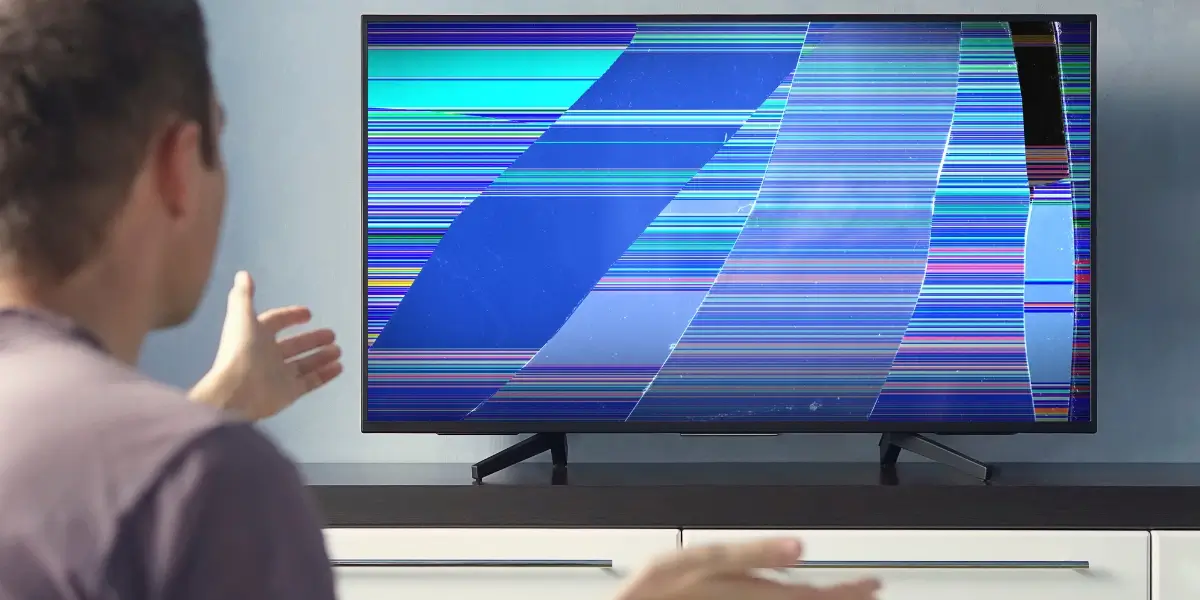
- Cracked screens: Visible cracks running across the display, sometimes with spiderweb patterns.
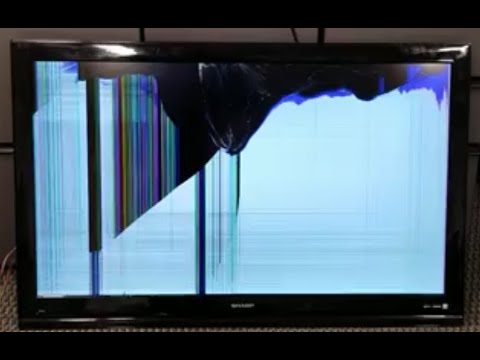
- Shattered glass: Multiple cracks, sometimes with pieces of glass missing or loose.
- Deep scratches: Gouges in the screen’s surface, which may or may not affect the image.
If you have physical damage, the repair process is usually more expensive and difficult.
Internal Damage
Internal damage isn’t always visible from the outside. You may notice:
- Black lines or bars: Vertical or horizontal lines that don’t move.
- Blank or black screen: The TV turns on, but nothing appears.
- Discolored patches: Areas with strange colors or white spots.
- Stuck or dead pixels: Small dots that stay one color or are always off.
Internal damage can result from electronic failures, overheating, or minor impacts.
Panel Vs. Backlight Problems
TV screens have multiple layers. Sometimes, the panel (the main display layer) is fine, but the backlight behind it fails. This can cause:
- Dim or flickering screen
- Uneven brightness
- No picture, but sound works
Backlight problems are often cheaper to fix than panel damage.
Non-physical Issues
Sometimes, what looks like a broken screen is actually a software or connection problem. For example:
- Loose cables can cause no picture.
- Firmware bugs can create strange artifacts.
Always check for these simple issues before starting a repair.
How To Diagnose Your Broken Tv Screen
Before you buy parts or tools, it’s smart to diagnose the problem. Here’s a step-by-step way to do it:
- Turn off your TV and unplug it for safety.
- Inspect the screen closely under good lighting. Look for cracks, scratches, or odd reflections.
- Press gently around the damaged area. If the glass moves or you hear crunching, it’s physical damage.
- Turn the TV on and look for signs:
- If you see colored lines, black spots, or blank areas, the panel is likely damaged.
- If you hear sound but see no image, the backlight or internal circuitry may be at fault.
- Connect an external device (like a streaming stick or game console) to rule out input issues.
- Try a different power outlet and cables to make sure the problem isn’t outside the TV.
If you’re still unsure, look up your TV’s model number and compare your issue with others online.
Should You Fix Or Replace Your Tv?
Once you know the damage, you face a big decision: Is it worth fixing, or should you buy a new TV? Let’s look at the key factors.
Cost Of Repair Vs. Replacement
TV screens are expensive to replace. For most modern LED or LCD TVs, the screen itself is 60% to 80% of the total TV cost. For example, if you have a $500 TV, a new panel may cost $300 or more, plus labor.
Here’s a breakdown:
| TV Size | Average Repair Cost | Average Replacement Cost |
|---|---|---|
| 32-inch | $80–$180 | $150–$250 |
| 50-inch | $200–$350 | $300–$600 |
| 65-inch | $300–$700 | $500–$1200 |
As you can see, sometimes it’s cheaper to buy a new TV, especially if your TV is already a few years old.
Age And Brand Of Your Tv
Older TVs may not be worth repairing, even if the fix is possible. If your TV is more than 5 years old, newer models will have better image quality, energy efficiency, and features. For expensive brands like Sony or Samsung, panel replacement may be more affordable compared to low-cost brands, as parts are easier to find.
Warranty And Insurance
Check your TV’s warranty. Most warranties don’t cover physical damage, but some extended warranties or home insurance policies might. If you have coverage, contact the provider first.
Environmental Impact
Repairing is better for the environment than throwing away electronics. If you’re eco-conscious, consider fixing your TV if it’s not too costly.
Sentimental Or Unique Models
If your TV is part of a home theater setup, or has unique features (like a rare plasma screen), repair may be more attractive.
What You Need Before Attempting A Fix
If you decide to fix your broken TV screen, preparation is key. Here’s what you need:
Tools
- Small Phillips and flathead screwdrivers
- Plastic prying tools
- Tweezers
- Anti-static wrist strap
- Multimeter (for electrical testing)
- Soft gloves (to avoid fingerprints on the panel)
- Microfiber cloth
Replacement Parts
- Exact screen or panel for your TV model (from a trusted supplier)
- Backlight strips (if replacing backlight)
- Cables or connectors if damaged
Important: Always buy parts that match your TV’s model and version number exactly.
Workspace And Safety
- Clear, clean table with soft padding (a towel or blanket) to protect the new screen.
- Good lighting.
- No static electricity (avoid carpeted rooms).
- Keep pets and children away during repair.
Documentation
- TV’s user manual (many are available online)
- Repair videos or step-by-step guides for your specific TV model
Credit: techycompany.com
How To Fix A Broken Tv Screen: Step-by-step
If you’ve made it this far, you’re serious about trying a repair. Here’s a step-by-step guide for the most common types of screen damage.
1. Fixing Surface Scratches Or Minor Damage
Minor scratches can sometimes be improved, though not fully removed.
Materials:
- Petroleum jelly or clear screen polish
- Microfiber cloth
Steps:
- Clean the screen with a dry microfiber cloth.
- Apply a small amount of petroleum jelly to the scratch.
- Gently buff in a circular motion.
- Wipe away excess with a clean cloth.
This method only helps with surface-level scratches. If the scratch is deep, it won’t work.
2. Dealing With Cracked Or Shattered Screens
For most modern TVs (LCD, LED, OLED), a cracked panel means you must replace the entire display. Here’s how:
Before you start: If your TV is very expensive, consider professional repair. DIY panel replacement is risky and may void your warranty.
Steps:
- Unplug the TV and lay it face down on a padded surface.
- Remove the back panel screws using a screwdriver. Keep screws organized.
- Disconnect all cables from the main board to the screen.
- Remove the damaged panel carefully. (Some TVs have extra tape or adhesive.)
- Install the new panel by aligning it and connecting all cables.
- Replace the back panel, tighten screws, and stand the TV upright.
- Test the TV before mounting or placing it back.
Be careful: TV panels are fragile. Even a small bend can crack the new screen.
3. Fixing Backlight Problems
If your TV has sound but no picture, or the image is very dim, the backlight may be the problem.
Steps:
- Open the back panel (see above).
- Locate the backlight strips—they run behind the screen.
- Test with a multimeter or replace the strips if they’re burned out.
- Reassemble the TV and check if the image is restored.
Replacing backlight strips is cheaper than a new panel, but requires care.
4. Repairing Dead Or Stuck Pixels
Some TVs develop small dots that won’t change color. You can try:
- Pixel repair videos: Play special videos that rapidly change colors and may “unstick” pixels.
- Pressure method: Gently press on the area with a soft cloth while the TV is on, then release.
- Software tools: Some TVs have pixel refresh settings in the menu.
Success isn’t guaranteed, but this is safe to try before a hardware repair.
5. Fixing Loose Cables Or Connections
Sometimes a display problem is just a loose internal cable.
Steps:
- Open the back panel.
- Check all ribbon cables from the main board to the panel.
- Reseat (unplug and plug in again) each cable.
- Look for damaged connectors and replace if needed.
Loose cables are a common, easily fixable issue.
Common Mistakes To Avoid
Many beginners make mistakes when trying to fix a broken TV screen. Here are some common errors and how to avoid them:
- Forgetting to unplug the TV: This can cause electric shock or further damage.
- Using the wrong parts: Always match model numbers exactly.
- Touching the new panel with bare hands: Fingerprints or static can ruin a display.
- Over-tightening screws: This can crack the panel or strip threads.
- Losing screws or parts: Use a tray or magnetic mat to stay organized.
- Forcing cables: Ribbon cables are delicate—be gentle.
- Skipping a test before closing the TV: Always power on and check before full reassembly.

Credit: tclelectronics.co.nz
When To Call A Professional
Not all repairs should be attempted at home. Call a professional if:
- The panel is expensive or rare.
- You lack the right tools or workspace.
- The damage is severe (multiple problems).
- Your TV is still under warranty.
- You’re not confident in your skills.
A professional repair may cost more, but it comes with a warranty and less risk.
Where To Buy Replacement Tv Parts
Finding the right parts is critical. Here are trusted sources:
- Manufacturer’s website: Often the safest choice.
- Authorized repair centers
- Online electronics parts stores (like ShopJimmy or eBay)
- Local repair shops
Always check return policies and reviews before buying. Avoid suspiciously cheap parts—they may be used or faulty.
Comparing Diy Repair Vs. Professional Repair
It’s important to weigh the pros and cons of fixing your TV yourself versus hiring an expert.
| Aspect | DIY Repair | Professional Repair |
|---|---|---|
| Cost | Lower (just parts) | Higher (parts + labor) |
| Risk | High (may damage TV further) | Low (guaranteed work) |
| Time | Varies (1–3 hours) | Usually 1–2 days |
| Warranty | Usually voided | Often included |
| Skill Needed | Moderate to high | None needed |
If you enjoy hands-on projects and your TV isn’t too valuable, DIY repair can be rewarding. Otherwise, professional help is a safer bet.
How To Prevent Future Screen Damage
After fixing or replacing your TV, it’s smart to protect your investment. Here are practical steps:
- Use a wall mount: Wall-mounted TVs are less likely to be knocked over.
- Install a screen protector: These thin films absorb scratches and minor impacts.
- Keep children and pets away: Place TVs out of reach, or set up barriers.
- Avoid touching the screen: Use the edges or a remote.
- Don’t place objects near the TV: Balls, toys, or heavy items can cause accidents.
- Clean with a microfiber cloth only: Avoid paper towels or harsh chemicals.
These habits can greatly reduce the risk of another broken TV screen.
Credit: www.youtube.com
Real-world Examples And Insights
Many people are surprised to learn that not all TV brands use the same parts, even for similar models. A 50-inch LG panel may not fit a 50-inch Samsung, even if they look alike. Always double-check your TV’s exact model and version.
Another common mistake is underestimating how fragile new panels are. Even a tiny twist or pressure while installing can ruin the display—costing you hundreds of dollars. If you’re not 100% sure, it’s often better to pay for professional help.
One non-obvious insight: Some TVs have repairable backlights but unrepairable panels. If the panel is damaged, it’s usually a full replacement or nothing. But if the backlight is out, a skilled DIYer can often fix it for under $100.
Finally, if you’re thinking of upgrading, consider selling your broken TV for parts. Many repair shops or hobbyists buy old TVs to salvage boards, speakers, and more. This can help offset the cost of a new set.
Frequently Asked Questions
What Causes Tv Screens To Break Most Often?
The most common causes are physical impacts (like being hit by a toy or dropped), accidental bumps, and pressure from cleaning. Sometimes, heat or manufacturing defects can also cause cracks or dead pixels over time.
Can I Use A Screen Repair Kit To Fix A Cracked Tv Screen?
Screen repair kits sold online are often for phones or tablets, not TVs. Most TV cracks require full panel replacement. Kits may help with very minor scratches, but not with deep cracks or shattered glass.
How Do I Know If My Tv’s Backlight Is Broken?
If your TV has sound but no picture, or if you see a very faint image when shining a flashlight on the screen, the backlight may be out. Backlight failures are common in LED TVs and can often be repaired for less than panel replacement.
Is It Safe To Fix A Tv Screen Myself?
DIY repair is possible if you have basic electronics skills, the right tools, and patience. However, TV screens are fragile and repairs can be risky. If you’re unsure, it’s safer to call a professional.
Where Can I Find More Detailed Repair Guides For My Tv Model?
You can find repair guides and videos on YouTube, TV manufacturer websites, and electronics forums. For official schematics and parts, check the Television repair Wikipedia page for links to resources.
A broken TV screen is never fun, but with the right approach, you can diagnose the problem, weigh your options, and get back to enjoying your favorite shows. Whether you choose to repair, replace, or upgrade, understanding the process helps you save money and avoid common mistakes. Take your time, stay safe, and remember: sometimes the best fix is a smart upgrade.