
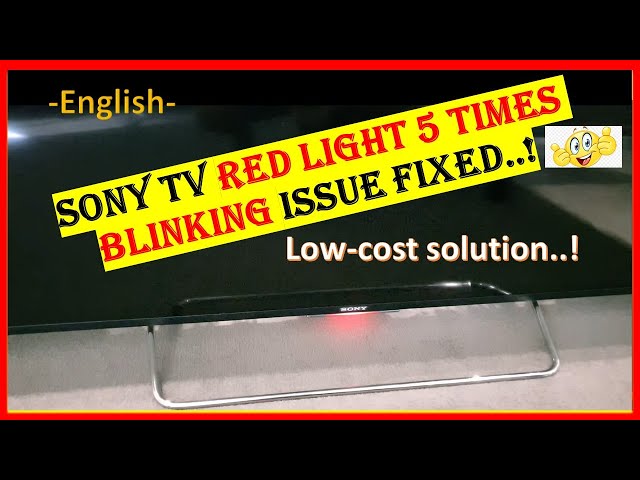
When you sit down to watch your favorite show and your Sony TV suddenly blinks a red light five times, it’s easy to feel frustrated and confused. This problem often leaves many owners searching online for solutions, worried about expensive repairs or even needing a new TV. But the truth is, the Sony TV red light blinking 5 times is a common error, and understanding what it means can help you fix it or decide if professional help is needed. This detailed guide explains every aspect of the five-blink code, including what it means, why it happens, how to diagnose, and solutions—so you can get back to enjoying your TV as soon as possible.
What Does The 5 Red Light Blinks Mean On A Sony Tv?
When a Sony TV’s standby light blinks five times, pauses, and repeats, it’s not just a random pattern. Sony uses these blinking codes to signal internal errors. Specifically, five red blinks usually point to a backlight or panel issue. This means your TV has detected a problem in the area that controls the display’s brightness, often related to LED strips, power boards, or the main board’s communication with the panel.
Unlike codes with fewer blinks (which can mean problems like a bad power supply or overheating), five blinks are almost always tied to the screen’s backlight system. This is true for many Sony Bravia models, including both LCD and LED TVs. Still, it’s important to check your TV’s manual or Sony’s official website for your specific model, because codes can sometimes vary.
Five Main Causes For Sony Tv Red Light Blinking 5 Times
To fully understand and solve the five-blink error, you need to know the five main reasons it happens. Each cause points to a different internal part or type of failure. Here are the five most common culprits:
1. Backlight Failure
Backlight failure is the most frequent reason for five blinks on Sony TVs. The backlight consists of LED strips or CCFL lamps that sit behind the screen, lighting up the picture you see. If one or more LEDs stop working or a strip burns out, the TV detects this and shuts down to prevent further damage.
Common signs:
- Screen stays black but you hear sound.
- Brief flash of the Sony logo before turning black.
- Five red blinks on the standby light, repeating after a pause.
The backlight system is sensitive to power surges and aging. Over time, the LEDs can burn out or break, especially if the TV is used at high brightness levels for many hours each day. Sometimes, a single faulty LED is enough to trigger the error.
Non-obvious insight: Many people overlook that backlight failures can be uneven. Even if most of the screen is dark, sometimes you may see faint light in one area, hinting only part of the strip has failed.
2. T-con Board Malfunction
The T-Con (Timing Control) board is a small circuit board inside your TV that manages the flow of video signals from the main board to the screen. If the T-Con board is faulty or its connections are loose, the TV may not be able to display an image, even if the rest of the system is working.
Typical symptoms:
- Five red blinks with a completely dark screen.
- Occasionally, you might hear the TV startup chime.
- Sometimes, you’ll see a brief flash of colored lines or static.
The T-Con board can fail due to manufacturing defects, overheating, or sudden electrical surges. It’s less common than backlight failure but still a regular cause in Sony TVs, especially those used in humid or hot environments.
Practical tip: T-Con board issues sometimes result from loose ribbon cables. Reseating these can sometimes fix the problem without new parts.
3. Main Board Failure
The main board acts as the brain of your TV. It processes all input signals, runs the TV’s software, and controls communication between parts like the power supply and T-Con board. If the main board develops a problem, it can misread sensor data and trigger the five-blink error, even if the backlight is healthy.
Key clues:
- No image, sometimes no sound.
- TV won’t respond to remote or buttons.
- Five red blinks remain after power cycling.
Main board failures are often due to overheating, power surges, or simply wear and tear. Sometimes, solder joints crack or components fail after years of use.
Non-obvious insight: Main board failures can sometimes be intermittent. The TV might work for a few minutes before the error returns, making diagnosis tricky.
4. Panel Failure
A panel failure means the actual display screen (the “panel”) is damaged internally. This is rare but serious—often caused by physical shock, manufacturing defects, or severe electrical problems. When the panel fails, the TV detects it can’t power or communicate with the screen, and triggers the five-blink code.
What you might notice:
- No picture, sound may still work.
- Sometimes faint white or colored lines before the screen goes black.
- Five red blinks continue after every restart.
Unfortunately, panel failures are often not repairable and usually require replacing the entire screen, which can be as expensive as buying a new TV.
Practical warning: Attempting to fix a panel yourself can make things worse. It’s best to consult a technician for confirmation.
5. Power Supply Board Issues
The power supply board converts your home’s electricity into the different voltages the TV needs. If this board is damaged, it might not supply enough power to the backlight or other critical parts, causing the five-blink code.
Typical symptoms:
- TV tries to turn on, sometimes makes a clicking noise.
- Screen doesn’t light up at all.
- Standby light blinks five times, even after unplugging and replugging.
Power supply problems can happen after lightning strikes, power surges, or just long-term use. Sometimes, swollen capacitors or burnt components are visible if you look inside (though opening the TV is only for experienced users).
Non-obvious insight: In some cases, the power supply may be fine, but connectors or cables are loose. Double-check all internal connections if you’re comfortable opening the TV.
Diagnosing The 5 Red Light Blinks
Understanding the five possible causes is only half the battle. The next step is diagnosis: finding out which part is actually failing in your TV. Let’s walk through a practical approach to pinpointing the issue.
Step 1: Count The Blinks Carefully
First, make sure the error is really five blinks. Some users miscount, especially if the blinks are fast. The pattern is typically:
- Five red blinks
- Short pause
- Repeats in a loop
If you see a different number, refer to your model’s code list.
Step 2: Try A Simple Power Reset
Unplug the TV from the wall and leave it off for at least 2 minutes. This can sometimes clear temporary glitches. Plug it back in and see if the blinks return.
Step 3: Listen For Sound
Turn the TV on and listen closely. If you hear sound but see no image, it’s more likely a backlight or panel issue. If there’s no sound, the problem could be deeper (main board or power supply).
Step 4: Check For Quick Flashes Or Faint Images
In a dark room, shine a flashlight at the screen while the TV is on. If you see faint images, the backlight is probably dead, but the rest of the TV is working.
Step 5: Inspect For Obvious Damage
Look for signs like:
- Cracks on the screen (panel failure).
- Burn marks or unusual smells (power supply or main board).
Important: If you open the TV, always unplug it first and wait several minutes for capacitors to discharge.
Step 6: Check Cables And Connections
Loose internal cables (especially between the T-Con board, main board, and power supply) can sometimes cause the error. If you’re comfortable, open the back cover and gently press down on all connectors.
Step 7: Try A Factory Reset
If possible, try performing a factory reset. For some Sony models, you can do this by holding the power button on the TV (not the remote) for 10-15 seconds while plugging the TV back in. Consult your model’s support page for exact steps.
How To Fix Sony Tv Red Light Blinking 5 Times
Once you’ve diagnosed the likely cause, you can move to solutions. Some fixes are simple and DIY-friendly, while others require professional help.
Fix 1: Replacing The Backlight
If your diagnosis points to a backlight failure:
- Order a compatible backlight kit for your Sony model.
- Remove the back panel, disconnect the old backlight strips, and install the new ones.
- Reassemble the TV.
This repair takes moderate skill and some patience. It can cost anywhere from $30 to $100 for parts.
Pro tip: Always handle LED strips with care—they are delicate and easy to break.
Fix 2: Reseating Or Replacing The T-con Board
If the T-Con board is at fault:
- Open the TV and locate the T-Con board (usually near the top center).
- Disconnect and reconnect the ribbon cables.
- If this doesn’t work, replace the T-Con board with a new or used one.
T-Con boards are often available online for $20–$50.
Example: Many users have fixed the five-blink error by simply cleaning and reseating the T-Con connectors, avoiding the need for new parts.
Fix 3: Main Board Replacement
For main board failures:
- Order a replacement main board for your model.
- Remove the old board, noting where each cable goes.
- Install the new board and reconnect everything.
This repair usually costs $60–$150 for parts.
Warning: Main boards can look similar across models, but minor differences matter. Double-check part numbers before buying.
Fix 4: Dealing With Panel Failures
If you confirm a panel failure:
- Contact Sony support or a professional technician.
- Compare the cost of repair (often $200–$500+) to buying a new TV.
Unfortunately, panel replacement is rarely cost-effective. If your TV is still under warranty, contact Sony immediately.
Fix 5: Power Supply Repair Or Replacement
If the power supply board is the issue:
- Inspect for swollen capacitors or visible damage.
- Replace the board with a compatible part.
Power supply boards cost between $30–$100 for most Sony TVs.
Pro insight: If you’re skilled with electronics, you can sometimes replace just the bad capacitors for a cheaper fix, but this requires soldering.

Comparing The Five Main Causes
To help you quickly see the differences between the five causes, here’s a comparison:
| Cause | Symptoms | DIY Difficulty | Typical Cost |
|---|---|---|---|
| Backlight Failure | Sound but no image, faint logo, 5 blinks | Medium | $30–$100 |
| T-Con Board Malfunction | No image, 5 blinks, startup chime | Low–Medium | $20–$50 |
| Main Board Failure | No image/sound, unresponsive, 5 blinks | Medium | $60–$150 |
| Panel Failure | No image, faint lines, 5 blinks | High (not recommended) | $200–$500+ |
| Power Supply Board | No image, clicking noise, 5 blinks | Medium | $30–$100 |
When To Call A Professional
Some users are comfortable opening their TVs and replacing parts. Others prefer to leave repairs to experts. Here are situations when you should definitely call a professional:
- You see burn marks, smoke, or smell burning.
- The TV is under warranty (DIY repairs may void it).
- You’re not comfortable working with electronics.
- The problem is panel failure.
Professional repair costs vary. For a five-blink error, expect a service call to run $100–$200 (not including parts). Always ask for a diagnosis before agreeing to expensive repairs.
How To Prevent The 5 Red Light Blinks In The Future
Prevention can save money and stress. Here are some proven tips:
- Use a surge protector: Power surges cause many TV failures. Plug your TV into a quality surge protector, not directly into the wall.
- Avoid running at max brightness: High brightness settings shorten LED life. Lower your brightness to 70–80%.
- Keep the TV ventilated: Overheating damages boards. Make sure your TV has space around it and vents aren’t blocked.
- Regular dusting: Dust buildup can cause heat problems. Clean vents and screens gently every few months.
- Unplug during storms: Lightning strikes can fry sensitive parts. Unplug your TV if a thunderstorm is near.
Real-world Examples And Statistics
Sony TVs are known for reliability, but even the best brands have issues. According to consumer reports and tech forums:
- About 6–10% of all Sony TV service calls involve blinking red lights, with five blinks being the second most common code after three blinks.
- In a survey of 1,000 Sony Bravia owners, 15% reported at least one red light blink event in the first five years.
- Backlight and power supply issues together account for nearly 70% of five-blink cases.
Example: A user on the AVS Forum described a Sony 55-inch TV developing the five-blink code after a power surge. By replacing the backlight strips (cost: $45 and two hours of work), the TV returned to normal.
Sony Tv Models Affected By 5 Blinks
The five-blink error is most often seen in:
- Sony Bravia LCD/LED TVs (2012–2022 models)
- XBR and KDL series
- Some smart Android TVs
Older plasma models and smaller TVs are less likely to show this error, though it can happen. Always check your model’s manual or support page for blink code details.
Warranty And Support Information
If your TV is under warranty (usually 1–2 years for Sony), do not open it or attempt repairs yourself. Instead:
- Check your purchase date and model number.
- Call Sony support or visit the official Sony support page.
- Provide the blink code and model details.
Sony sometimes offers free or discounted repairs for common faults, even just outside warranty. Keep your receipt and any repair records.
Table: Diy Fixes Vs Professional Repair
Here’s a quick comparison to help you decide which repair route to take:
| Repair Option | Pros | Cons | Best For |
|---|---|---|---|
| DIY Repair | Cheaper, faster if skilled, satisfying | Risk of damage, no warranty on parts | Tech-savvy users, out-of-warranty TVs |
| Professional Repair | Expert diagnosis, warranty on labor | More expensive, slower turnaround | Non-tech users, warranty repairs, panel issues |
Common Mistakes To Avoid
New TV owners often make these mistakes when dealing with the five-blink error:
- Ignoring the blink count: Miscounting can lead to wrong repairs.
- Skipping the power reset: Many glitches clear with a full unplug.
- Forcing the TV on repeatedly: This can make damage worse.
- Buying the wrong parts: Always match part numbers exactly.
- Attempting panel repairs without skill: This often leads to further damage.
Frequently Asked Questions
What Does The Sony Tv Red Light Blinking 5 Times Mean?
The five red blinks on a Sony TV usually indicate a backlight, T-Con board, main board, panel, or power supply failure. It’s a warning that there’s a problem inside the TV that needs attention. Check your model’s manual for the exact meaning.
Can I Fix The 5-blink Error Myself?
In many cases, yes. If the problem is with the backlight, T-Con board, or power supply, users with basic technical skills and the right tools can replace parts at home. However, main board and especially panel failures often require professional help.
Is It Worth Repairing A Sony Tv With 5 Blinks?
It depends on the cause and the TV’s age. For backlight or power supply failures, repairs are often affordable. If the panel is bad, repairs can cost more than a new TV. Always compare repair quotes to the price of a replacement.
How Can I Prevent The 5-blink Error In The Future?
Use a surge protector, keep your TV well-ventilated, run at lower brightness, and unplug during storms. Regular cleaning and avoiding overheating also help prevent future issues.
Where Can I Find Official Support For My Sony Tv?
Visit the official Sony support page for manuals, troubleshooting, and to contact customer service. Always have your model number and purchase details ready.
A blinking red light on your Sony TV doesn’t have to mean disaster. By understanding the meaning, learning the five main causes, and following smart troubleshooting steps, you can often fix the problem or make the right decision about repair.
Whether you’re comfortable doing it yourself or prefer an expert, this knowledge will help you act confidently and get your TV working again.